



Description
Network Connectivity Options
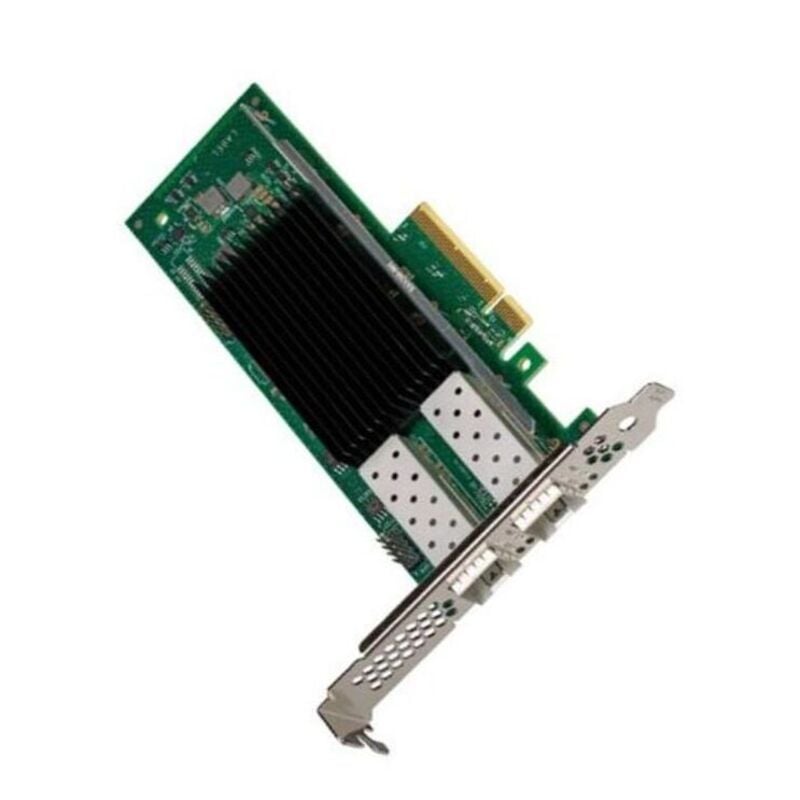
The HP 866465-B21 is a network adapter designed for use in HP ProLiant Gen10 servers. It provides a high-speed Ethernet connection, allowing for fast data transfer between servers or to other networked devices.
The HP 866465-B21 network adapter supports several network connectivity options, including:
- 10Gb Ethernet (10GbE): This option provides 10 Gigabit Ethernet connectivity, which is ideal for high-bandwidth applications such as data center interconnects, virtualization, and storage.
- Converged Network Adapter (CNA): This option combines both Ethernet and Fibre Channel functionality in a single adapter, allowing for greater flexibility and cost savings in data center environments.
- Network Interface Card (NIC): This option provides a standard Ethernet connection and is suitable for general-purpose network connectivity.
- Remote Direct Memory Access (RDMA): This option allows for high-speed data transfer between servers using remote direct memory access technology.
The HP 866465-B21 provides a range of network connectivity options to meet the needs of different data center environments and applications.
Virtualization Support and Features
The HP 866465-B21 network adapter provides support for virtualization and includes several features that are beneficial for virtualized environments.
- Virtual Machine Device Queues (VMDq): This feature enables the creation of multiple virtual machine (VM) queues to distribute network traffic across multiple CPU cores, improving network performance in virtualized environments.
- Single-Root I/O Virtualization (SR-IOV): This feature enables the creation of multiple virtual functions (VF) on a single physical network adapter, allowing for improved performance and reduced network latency in virtualized environments.
- Network Virtualization using Generic Routing Encapsulation (NVGRE): This feature provides network virtualization capabilities by encapsulating Layer 2 packets within Layer 3 packets, enabling the creation of virtual networks and virtual subnets.
- Virtual Extensible LAN (VXLAN): This feature provides network virtualization capabilities by encapsulating Layer 2 packets within Layer 3 packets, allowing for the creation of virtual networks that span across multiple physical networks.
The HP 866465-B21 network adapter provides virtualization support and features that can improve network performance, reduce network latency, and enable network virtualization in virtualized environments. These features can be particularly beneficial for organizations that rely heavily on virtualization, such as data centers and cloud service providers.
Installation and Configuration
Installing and configuring the HP 866465-B21 network adapter involves several steps:
- Physically install the network adapter: Power off the server and open the server chassis. Locate an available PCIe slot and insert the network adapter into the slot. Secure the adapter with the appropriate mounting screws and close the server chassis.
- Install the network adapter driver: Download the latest driver for the network adapter from the HP website or the driver disk that came with the adapter. Install the driver on the server operating system following the installation instructions provided.
- Configure the network adapter: After installing the driver, configure the network adapter by using the operating system’s network configuration tools. This may involve assigning an IP address, configuring network protocols and settings, and setting up network security features.
- Verify the network adapter installation: Use the server operating system’s tools to verify that the network adapter is installed correctly and functioning as expected. This may involve checking the device manager, running network diagnostic tests, and verifying network connectivity.
In addition to these steps, it is important to refer to the manufacturer’s documentation for specific installation and configuration instructions and any additional software tools or utilities that may be required. It is also recommended to follow best practices for server hardware installation and configuration, such as grounding the server and following proper cable management practices.
General Information about this HP 866465-B21
- Manufacturer: HP
- Model Number or SKU# 866465-B21
- Type: Networking
Technical Information for HP Adapter
- Interface: Network Adapter 2 Port
- Ports: Gigabit Ethernet X 2
- Connectivity Technology: Wired
- Data Link Protocol: Gige
- Data Transfer Rate: 1 GBPS


