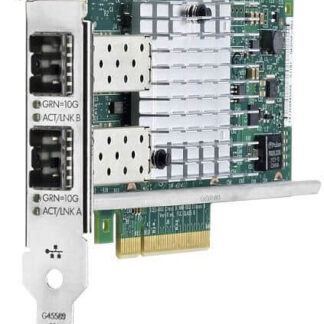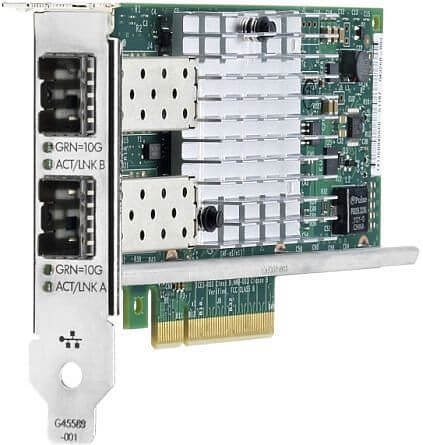
Description
Operating System Support
Operating system (OS) support refers to the compatibility of a software or hardware product with different operating systems. Different operating systems have different requirements, interfaces, and compatibility standards, so a software or hardware product that works with one operating system may not work with another.
In the case of hardware products like the HP Ethernet 10/25GB 2-Port 621SFP28 Adapter, operating system support means that the device is compatible with certain operating systems and can be installed and configured to work with those systems. The manufacturer typically provides drivers and installation instructions for each supported operating system, and may release updates to ensure ongoing compatibility.
Operating system support is important because it ensures that users can use a hardware or software product with their preferred operating system. For example, if a user has a computer running Windows 10, they need to ensure that the hardware they purchase is compatible with that operating system. If the hardware is not compatible, it may not function properly or may not work at all.
In addition to ensuring compatibility, operating system support can also impact performance and security. Different operating systems have different security features and protocols, and a product that is designed to work with one operating system may not be as secure or perform as well on a different operating system.
When purchasing a hardware or software product, it is important to check the manufacturer’s documentation to ensure that the product is compatible with the desired operating system. This can help prevent compatibility issues and ensure optimal performance and security.
Network Monitoring Features
Network monitoring features refer to tools and techniques that allow administrators to monitor and analyze the performance and activity of a network. These features are designed to help detect and troubleshoot issues with the network, as well as optimize its performance.
Some common network monitoring features include:
- Traffic analysis: This involves capturing and analyzing network traffic to identify patterns, trends, and anomalies that could indicate issues with the network. Traffic analysis tools can help administrators identify bandwidth hogs, unusual traffic patterns, and potential security threats.
- Performance monitoring: This involves tracking key metrics related to network performance, such as latency, packet loss, and throughput. Performance monitoring tools can help administrators identify bottlenecks in the network, troubleshoot connectivity issues, and optimize the network for better performance.
- Device monitoring: This involves monitoring individual devices on the network, such as servers, switches, and routers, to identify issues that could be affecting the network. Device monitoring tools can help administrators identify hardware failures, configuration issues, and security vulnerabilities.
- Alerting and notifications: This involves setting up alerts and notifications to alert administrators when certain events occur on the network. For example, an administrator might set up an alert to be notified when a server goes offline or when network traffic exceeds a certain threshold.
- Reporting and analytics: This involves generating reports and analytics based on the data collected by network monitoring tools. Reports can help administrators identify trends and patterns in network activity, as well as track the effectiveness of network optimization efforts.
Driver and Firmware Updates
Driver and firmware updates are two types of software updates that are often released by manufacturers to improve the performance, stability, and security of their hardware products.
A driver is a piece of software that allows an operating system to communicate with a hardware device. In the case of a network adapter like the HP Ethernet 10/25GB 2-Port 621SFP28 Adapter, a driver is necessary to enable the adapter to connect to a network and transfer data. Manufacturers may release driver updates to fix bugs, improve compatibility with newer operating systems, or add new features to the adapter.
Firmware, on the other hand, is software that is embedded in a hardware device and is responsible for controlling the device’s functions. Firmware updates may be released to fix bugs or security vulnerabilities, add new features, or improve performance. In the case of a network adapter, firmware updates may improve the adapter’s ability to handle high traffic loads or support newer network protocols.
Both driver and firmware updates can be important for ensuring the proper functioning of a hardware device. It is recommended to regularly check for and install updates provided by the manufacturer, as they can help improve the performance, stability, and security of the hardware device. Instructions on how to download and install updates are typically provided on the manufacturer’s website or in the user manual that comes with the device.
General Information about the HP 869570-001
- Manufacturer: HP
- Part Number or SKU# 869570-001
- Product Type: Network Adapter
Technical Information
- Ports : 25 Gigabit Sfp28 X 2
- Connectivity Technology : Wired
- Form Factor : Plug-In Card – Low Profile
- Pci Specification Revision : Pcie 3.0
- Data Link Protocol : 10 GIGE, 25 Gigabit Lan
- Data Transfer Rate : 25 GBPS