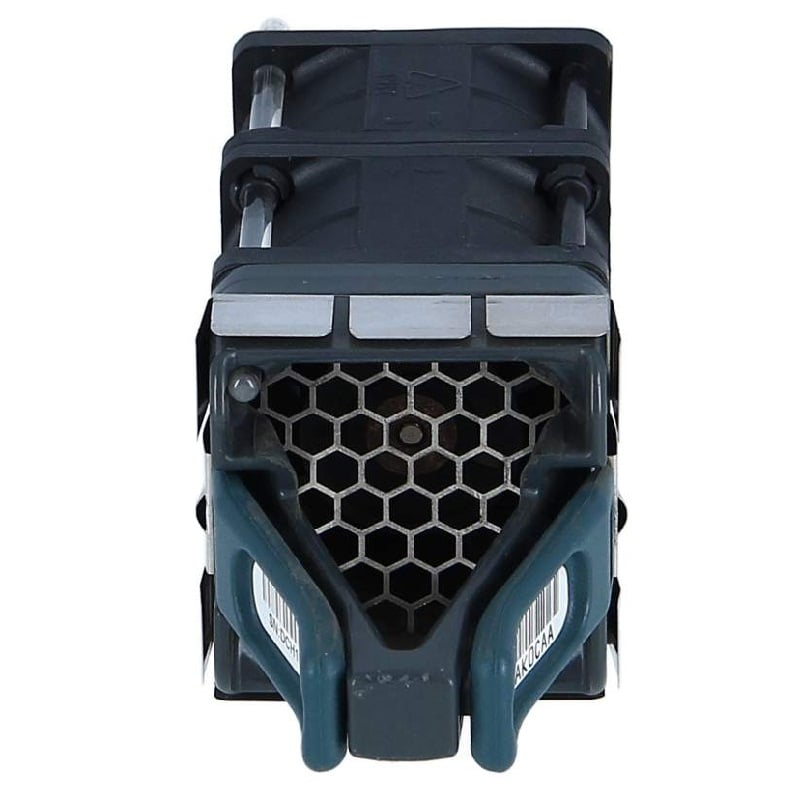
Description
Key Features and Benefits
The Cisco ASR-9001-FAN-V2 ASR 9001 Fan Tray is a component of the Cisco ASR 9001 Router and provides several key features and benefits to users.
- Improved Cooling Performance: The ASR-9001-FAN-V2 fan tray provides improved cooling performance, which ensures that the ASR 9001 Router operates at optimal temperatures and operates efficiently.
- Easy Maintenance: The fan tray is easy to install and maintain, reducing downtime and making it simple to replace or repair individual components.
- Enhanced Reliability: The fan tray provides enhanced reliability, reducing the risk of downtime and ensuring that the ASR 9001 Router operates optimally.
- Compatibility: The fan tray is designed to work with the ASR 9001 Router and is compatible with the existing hardware, reducing the need for additional components or upgrades.
- Scalability: The fan tray provides scalability, allowing users to add or remove fans as needed, based on their changing needs.
- Energy Efficiency: The fan tray is energy efficient, reducing energy costs and reducing the carbon footprint of the ASR 9001 Router.
- Versatility: The fan tray can be used in different operating environments, including data centers, service provider networks, and enterprise networks.
Installation and Deployment
The Cisco ASR-9001-FAN-V2 fan tray is a component used in the Cisco ASR 9001 router for cooling the device. Here is the basic procedure for installation and deployment of the fan tray:
- Unpack the fan tray and inspect for any damage.
- Install the fan tray in the designated slot in the router chassis. The fan tray should click into place when fully inserted.
- Connect the power cables from the fan tray to the power supplies in the router.
- Turn on the router and verify that the fan tray is operating correctly by checking the status LEDs on the front panel of the fan tray and the router’s CLI.
- Monitor the fan tray operation periodically to ensure proper functioning and to detect any potential issues early on.
It’s important to follow the manufacturer’s instructions and guidelines when installing the fan tray to ensure proper operation and avoid damage to the device.
Management and Maintenance
The Cisco ASR-9001-FAN-V2 ASR 9001 Fan Tray is an essential component of the Cisco ASR 9001 Router. It provides cooling to the system and ensures that the router operates within its temperature specifications.
Management of the Fan Tray:
- Access the router’s command-line interface (CLI) and enter the “show environment” command to view the status of the fan tray.
- If a fan is not working or has failed, the CLI will show the status as “Not Present” or “Failed”.
- In case of a fan failure, the fan tray can be replaced with a new one.
Maintenance of the Fan Tray:
- Clean the fan blades regularly to ensure that they are free from any dust or debris that may reduce its efficiency.
- Check the fans for any signs of wear and tear or damage. If the fan blades are bent or the fan motor is making unusual sounds, it may indicate that the fan needs to be replaced.
- Replace the fan tray if it shows any signs of failure or if the router is not operating within its temperature specifications.
It is important to regularly monitor and maintain the fan tray to ensure the proper functioning of the Cisco ASR 9001 Router.
General Information about this Cisco ASR-9001-FAN-V2
- Manufacturer: Cisco
- Model Number or SKU#: ASR-9001-FAN-V2
- Product Type: Network Accessories
- Product Name: ASR 9001 Fan Tray V2 Spare
Technical information of ASR 9001 Fan Tray
- Accessories Type: Fan Tray
- Designed For: Cisco ASR 9001, 9001 with FD Version 2
- Environmentally Friendly: Yes