Description
Advantages of Wireless Access Points
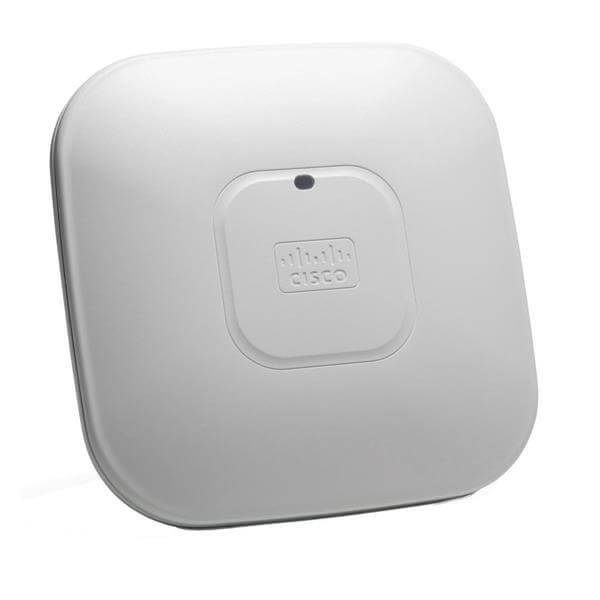
The AIR-AP2602I-UXK9C Cisco Aironet 2602I Wireless Access Point is a high-performance access point designed to provide reliable and secure wireless connectivity to users. Some of the key advantages of using this access point include:
- High Performance: The AIR-AP2602I-UXK9C access point provides high-speed wireless connectivity with a data transfer rate of up to 450Mbps, making it ideal for high-bandwidth applications such as video streaming and online gaming.
- Scalability: The access point supports a large number of wireless devices, making it ideal for small to large scale deployments. The access point can be easily integrated into an existing wireless network, and it can support up to 200 clients.
- Easy Management: The AIR-AP2602I-UXK9C access point can be easily managed through the Cisco Wireless Controller, providing a centralized and intuitive interface for network administrators to configure and monitor the access point.
- Advanced Security: The access point provides advanced security features such as WPA2, 802.1x, and AES encryption to ensure secure wireless connectivity for users. Additionally, it also supports rogue access point detection and threat mitigation features to protect the network from potential attacks.
- High Availability: The AIR-AP2602I-UXK9C access point provides high availability and failover support, ensuring that users have uninterrupted wireless connectivity. The access point also supports load balancing and band steering to optimize network performance.
- Multiple Antenna Options: The access point is available in several antenna options, including integrated and external antennas, providing flexibility in deployment and coverage options.
- Power Efficiency: The AIR-AP2602I-UXK9C access point is designed to be energy-efficient, reducing power consumption and operating costs. It supports the IEEE 802.3af Power over Ethernet (PoE) standard, allowing it to be powered through the Ethernet cable, eliminating the need for additional power cables.
Quality of Service and Traffic Management
The AIR-AP2602I-UXK9C Cisco Aironet 2602I Wireless Access Point supports Quality of Service (QoS) and traffic management capabilities to ensure that critical applications and services receive priority over less important traffic.
QoS enables the access point to prioritize and manage network traffic based on the application, user, or device type. This helps to ensure that critical applications, such as voice or video, receive priority over less important applications, such as email or web browsing.
The AIR-AP2602I-UXK9C Cisco Aironet 2602I Wireless Access Point supports a range of QoS techniques, such as:
- Classification: The access point can identify and classify different types of traffic based on its characteristics, such as port number, application, or protocol.
- Marking: The access point can mark packets with a specific priority or Quality of Service level based on their classification.
- Queuing: The access point can queue packets with different priorities in separate queues to ensure that higher-priority packets are transmitted first.
- Policing: The access point can limit the amount of traffic that is transmitted from a particular source or to a particular destination.
Traffic management allows the access point to control the amount of traffic that is transmitted across the network, which can help to prevent network congestion and ensure that critical applications receive the necessary bandwidth. The access point supports a range of traffic management techniques, such as:
- Bandwidth control: The access point can limit the amount of bandwidth that is available for specific applications or users.
- Load balancing: The access point can distribute traffic across multiple access points to prevent any one access point from becoming overloaded.
- Traffic shaping: The access point can control the rate at which traffic is transmitted to prevent congestion and ensure that critical applications receive the necessary bandwidth.
Managing and Monitoring Wireless Access Points
The AIR-AP2602I-UXK9C Cisco Aironet 2602I Wireless Access Point is a high-performance access point that provides reliable and secure wireless connectivity to users. Managing and monitoring this access point is an essential task to ensure that it is operating at peak performance and that issues are resolved promptly.
To manage and monitor the AIR-AP2602I-UXK9C access point, Cisco provides various tools that can be used by IT administrators. The Cisco Wireless LAN Controller (WLC) is a centralized management platform that can be used to configure and monitor multiple access points. The WLC provides a graphical user interface that allows administrators to view the status of all connected access points and configure their settings.
Another tool for managing and monitoring the AIR-AP2602I-UXK9C access point is the Cisco Prime Infrastructure. This tool provides a single platform for managing network devices, including access points. With Cisco Prime Infrastructure, administrators can view detailed analytics of the access point’s performance and identify any issues that may be affecting its performance.
In addition to these tools, the AIR-AP2602I-UXK9C access point also provides a web-based management interface that can be used to configure its settings and monitor its performance. The web-based interface provides a dashboard that displays key performance metrics, such as the number of clients connected, signal strength, and throughput.
To ensure the security of the access point, administrators can also configure various security features, such as encryption and access controls. These features can be configured through the management interface, and administrators can also view reports of any security events that may have occurred.
General Information
- Manufacturer Part Number AIR-AP2602I-UXK9C
- Brand Name Cisco
- Product Type Wireless Access Point
Technical Information
- Wireless LAN Standard IEEE 802.11n
- Frequency Band 2.47 GHz
- 5.32 GHz
- Wireless Transmission Speed 450 Mbit/s
- MIMO Technology Yes
- Beamforming Technology Yes
Interfaces/Ports
- Ethernet Technology Ethernet
- Fast Ethernet
- Gigabit Ethernet
- Number of Network (RJ-45) Ports 1
- PoE (RJ-45) Port No
- VGA No
- HDMI No
- USB No
- Powerline No
- Management Port Yes