Description
Network connectivity options
The AIR-CAP1552SA-B-K9 Cisco Aironet 1552S Wireless Access Point (WAP) provides a variety of network connectivity options to ensure that it can be easily integrated into a range of different network environments. Some of the connectivity options available with this WAP are:
- Ethernet port: The WAP includes a 10/100/1000 Ethernet port, which can be used to connect the access point directly to a wired network.
- Mesh connectivity: The WAP can be used in a mesh network, where multiple access points are connected wirelessly to create a larger wireless network.
- Wireless backhaul: The WAP can use wireless backhaul to connect to the network backbone, which can be useful in situations where running Ethernet cables is not feasible.
- Power over Ethernet (PoE): The WAP can be powered using PoE, which allows both data and power to be delivered over a single Ethernet cable.
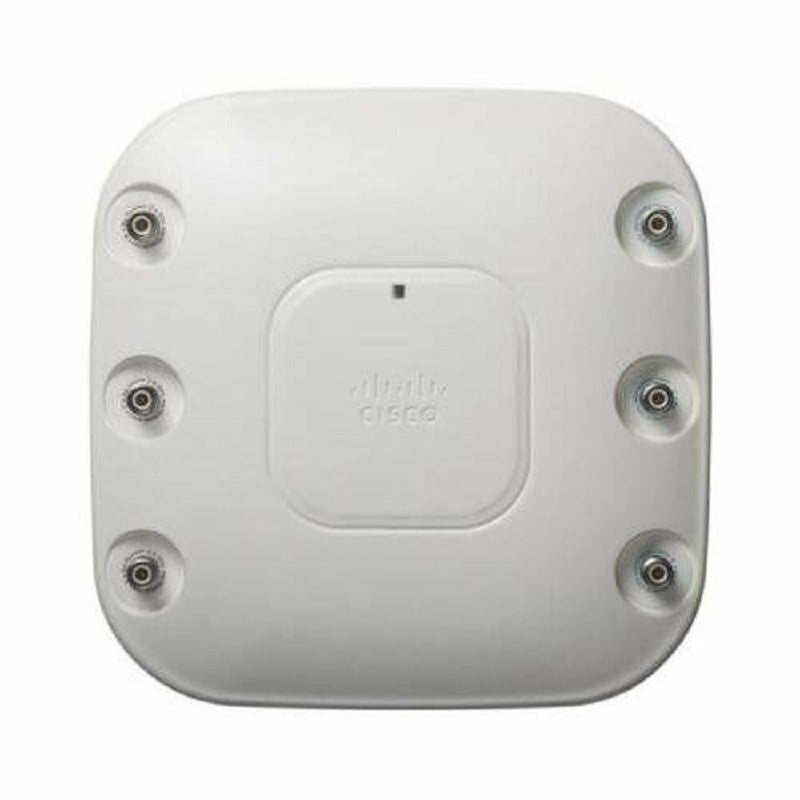
- External antenna support: The WAP supports external antennas, which can be used to extend the range of the wireless network or to provide coverage in areas where the built-in antennas may not be sufficient.
- Dual-band support: The WAP supports both 2.4 GHz and 5 GHz frequencies, which provides flexibility in configuring the wireless network and optimizing performance.
Security features
The Cisco Aironet 1552S Wireless Access Point (WAP) is designed for use in outdoor environments, such as parks, stadiums, and campuses. It includes a number of security features to ensure the safety and privacy of the wireless network and the data transmitted over it. Some of the security features of the AIR-CAP1552SA-B-K9 Cisco Aironet 1552S WAP are:
- Wireless security protocols: The WAP supports a variety of security protocols, including Wi-Fi Protected Access (WPA) and WPA2, which provide strong encryption for wireless traffic.
- VPN pass-through: The WAP can pass virtual private network (VPN) traffic through to the network’s VPN concentrator, allowing remote users to securely access the network.
- Rogue access point detection: The WAP can detect rogue access points, which are unauthorized access points that can potentially compromise the security of the wireless network.
- Access control lists (ACLs): The WAP can be configured to use ACLs, which specify which devices are allowed to connect to the wireless network.
- Intrusion prevention: The WAP includes a built-in intrusion prevention system (IPS), which can detect and prevent attacks on the wireless network.
- Radio resource management (RRM): The WAP’s RRM feature automatically adjusts the power and channel settings of the access points in the network to optimize performance and minimize interference.
- Guest access: The WAP can be configured to provide guest access to the network, while ensuring that guest traffic is isolated from the rest of the network.
Configuration and management
The Cisco Aironet 1552S Wireless Access Point (AP) is designed to provide wireless connectivity in outdoor environments, such as parks, campus, and industrial settings. The AP is weather-resistant and has a rugged design that can withstand extreme weather conditions.
Here is an overview of the configuration and management of the AIR-CAP1552SA-B-K9 Cisco Aironet 1552S Wireless Access Point:
- Accessing the AP: To configure and manage the Cisco Aironet 1552S Wireless Access Point, you need to access the device through its web interface or using a console cable. The console cable is used to access the device’s command-line interface.
- Basic Configuration: After accessing the device, you can configure the basic settings, such as the hostname, IP address, subnet mask, and default gateway. You can also configure the wireless settings, such as the SSID, security settings, and channels.
- Advanced Configuration: You can also configure advanced settings, such as Quality of Service (QoS), virtual LANs (VLANs), and radio settings. These settings allow you to optimize the performance and security of the wireless network.
- Monitoring and Troubleshooting: To ensure that the Cisco Aironet 1552S Wireless Access Point is functioning properly, you can use the monitoring and troubleshooting tools. These tools provide information on the status of the device, the wireless network, and any issues that may arise.
- Firmware Upgrades: To ensure that the device is up to date and secure, it is essential to upgrade the firmware periodically. The firmware can be upgraded using the web interface or the command-line interface.
Detail Description:
- Manufacturer Cisco Systems, Inc
- Manufacturer Part Number AIR-CAP1552SA-B-K9
- Type: Networking
- Sub-Type: Wireless 300MBPS
- Brand Name Cisco
- Product Line Aironet
- Product Series 1550
- Product Model 1552S
- Product Name Aironet 1552S Wireless Access Point
- Product Type Wireless Access Point
Technical Information:
- Wireless LAN Standard IEEE 802.11n
- Frequency Band 2.40 GHz
- Frequency Band 5 GHz
- Number of External Antennas 3
- Wireless Transmission Speed 300 Mbit/s
- MIMO Technology Yes
- Beamforming Technology Yes
Interfaces/Ports
- Ethernet Technology Gigabit Ethernet
- PoE (RJ-45) Port No
- PoE PD Port Yes
- VGA No
- HDMI No
- USB No
- Powerline No
- Management Port No