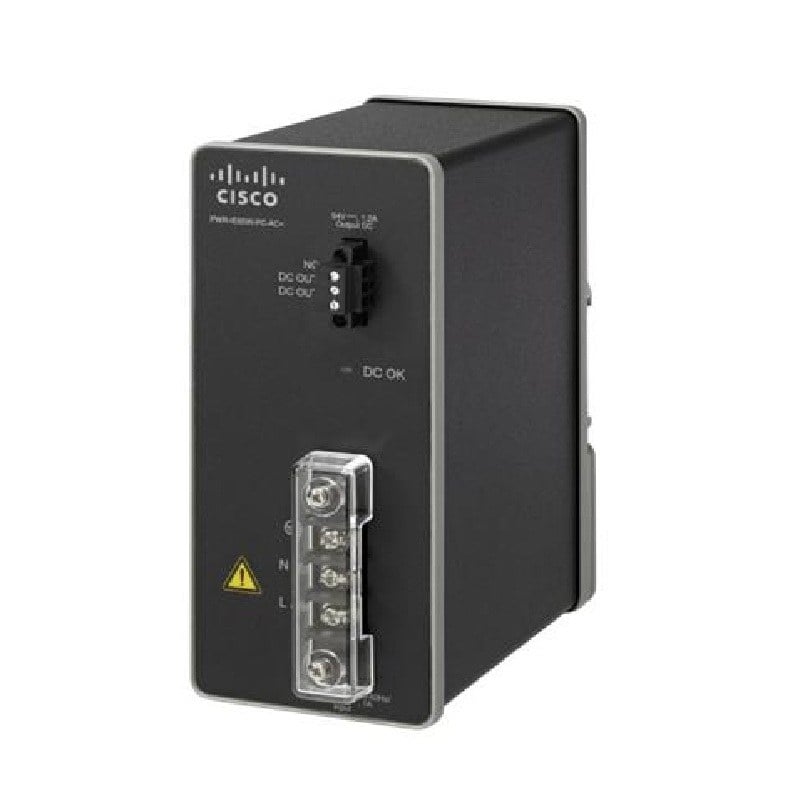
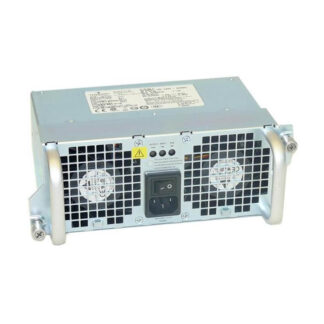
Description
Hot-Plug Functionality of the ASR1002-24VPWR-DC Power Supply
The ASR1002-24VPWR-DC Cisco 24 Volt Redundant DC Power Supply supports Hot-Plug functionality, which means that the power supply can be replaced without shutting down the router. This feature allows for minimal disruption to network operations and ensures that the router remains powered.
Hot-Plug functionality works by allowing the power supply to be removed and replaced while the router is still powered on. The router detects the removal of the power supply and automatically switches to the remaining power supply, ensuring that the router remains powered. Once a new power supply is installed, the router automatically detects the new power supply and switches to it, ensuring that the router remains powered and the network remains operational.
To install or remove a power supply from the router, you will need to follow these steps:
- Make sure that the router is powered on and that all cables are properly connected.
- Remove the power supply by releasing the locking mechanism and pulling the power supply out of the router.
- Insert the new power supply into the router and secure it with the locking mechanism.
- Verify that the new power supply is properly connected and that the power status indicators on the router and the power supply are lit.
- Monitor the power supply status using the router’s built-in monitoring and diagnostic capabilities.
It’s important to note that the power supply should be replaced in pairs to maintain redundancy and to minimize the risk of service interruption. Also, it’s recommended to have the latest firmware version of the router installed to ensure compatibility and avoid any potential issues with the Hot-Plug functionality.
Monitoring and Diagnostics Capabilities
The ASR1002-24VPWR-DC Cisco 24 Volt Redundant DC Power Supply has built-in monitoring and diagnostic capabilities that allow you to monitor the power supply and ensure that it is operating correctly. Here are some of the monitoring and diagnostic capabilities that are available:
- Power supply status: The power supply has built-in status indicators that can be used to monitor the status of the power supply. The status indicators can be used to determine if the power supply is operating correctly and if it is providing power to the router.
- Power supply alarms: The power supply has built-in alarms that can be used to notify you if there is a problem with the power supply. The alarms can be used to notify you if the power supply is not providing power to the router or if there is a problem with the power supply.
- Power supply logs: The power supply has built-in logging capabilities that can be used to log events and alarms. The logs can be used to troubleshoot problems with the power supply and to identify any issues that may have occurred.
- Power supply diagnostic commands: The power supply has built-in diagnostic commands that can be used to diagnose problems with the power supply. The diagnostic commands can be used to test the power supply and to identify any issues that may have occurred.
- Remote monitoring and management: The power supply can be monitored and managed remotely using Cisco Prime LMS. This allows you to monitor the power supply from a remote location and to manage the power supply remotely.
It is important to note that the ASR1002-24VPWR-DC Cisco 24 Volt Redundant DC Power Supply must be used with the right series of ASR routers and it’s recommended to have the latest firmware version to ensure compatibility and avoid any potential issues with the monitoring and diagnostic capabilities.
In addition, it is recommended to regularly monitor the power supply to ensure that it is operating correctly. This can be done using the built-in monitoring and diagnostic capabilities and by using Cisco Prime LMS. This will help to identify any issues that may have occurred with the power supply and to ensure that the power supply is providing power to the router.
Configuring the Power Redundancy Mode
The ASR1002-24VPWR-DC Cisco 24 Volt Redundant DC Power Supply supports two power redundancy modes: non-redundant and redundant.
- Non-Redundant Mode: In non-redundant mode, the router uses only one power supply. The second power supply is not used and is kept as a spare. This mode is used when the router is not critical or when the cost of a second power supply is not justified.
- Redundant Mode: In redundant mode, the router uses two power supplies to ensure that the router remains powered even if one power supply fails. If one power supply fails, the second power supply takes over and continues to provide power to the router. This mode is used when the router is critical and the cost of a second power supply is justified.
To configure the power redundancy mode for the ASR1002-24VPWR-DC Cisco 24 Volt Redundant DC Power Supply, you will need to use the Cisco IOS command-line interface (CLI). Here are the steps to configure the power redundancy mode:
- Connect to the router using the CLI.
- Enter the configuration mode by typing “configure terminal” and press enter.
- Type “power redundancy-mode” and press enter.
- Type “redundant” to configure the router to use redundant mode or “non-redundant” to configure the router to use non-redundant mode.
- Verify the configuration by typing “show power” and press enter.
- Type “exit” to exit the configuration mode.
It’s worth noting that with the ASR1002-24VPWR-DC Cisco 24 Volt Redundant DC Power Supply, the power redundancy mode can be changed on the fly, which means that you can change the redundancy mode without shutting down the router.
In addition, it’s recommended to have the latest firmware version of the router installed to ensure compatibility and avoid any potential issues with the power redundancy configuration.
Key Information about this Cisco ASR1002-24VPWR-DC
- Manufacturer: Cisco
- Part Number or SKU # ASR1002-24VPWR-DC
- Product Name: 24 Volt Redundant Power Supply
- Product Type: Power Supply
Power Description of Redundant Power Supply
- Input Voltage 24 V DC
- Cisco Plug-in Module Hot-Plug