

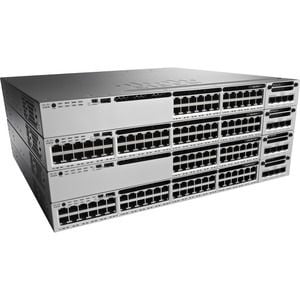
Description
Configuration and Management of Ethernet Switch
- Connect the switch to a power source and turn it on.
- Connect the switch to your network using an Ethernet cable.
- Open a web browser and navigate to the IP address of the switch. The default IP address is 192.168.1.254.
- Log in to the switch using the default username and password (admin/admin).
- Change the default password to a secure password for security purposes.
- Configure the switch’s basic settings such as hostname, IP address, and subnet mask.
- Configure VLANs to segment the network and improve security.
- Enable port security to prevent unauthorized access to the network.
- Configure Quality of Service (QoS) to prioritize important traffic.
- Configure Link Aggregation Control Protocol (LACP) to increase the bandwidth of the switch.
- Configure Spanning Tree Protocol (STP) to prevent loops in the network.
- Configure SNMP to monitor the switch and receive alerts in case of any issues.
- Configure port mirroring to monitor network traffic.
- Configure the switch’s security settings such as Access Control Lists (ACLs) and Network Admission Control (NAC).
- Backup the switch’s configuration to a file to restore it in case of a failure.
- Update the switch’s firmware to the latest version to ensure security and improve performance.
- Monitor the switch’s performance using the switch’s built-in monitoring tools.
- Troubleshoot and resolve any issues that may arise.
Troubleshooting and Maintenance
- Check connectivity: Verify that all cables are securely connected and that all ports are functioning properly.
- Check power supply: Verify that the switch is powered on and that the power supply is functioning properly.
- Check firmware: Verify that the switch is running the latest firmware version.
- Check for errors: Check the switch for any error messages and troubleshoot accordingly.
- Check for port errors: Check for any errors or issues on specific ports and troubleshoot accordingly.
- Check for VLAN issues: Verify that VLANs are configured correctly and that they are functioning properly.
- Check for network issues: Check for any network-wide issues that may be affecting the switch.
- Check for hardware issues: Check for any hardware issues that may be affecting the switch, such as a faulty fan or power supply.
- Perform regular maintenance: Schedule regular maintenance tasks, such as cleaning the switch and checking for any loose connections.
- Consult the Cisco ONE Catalyst 48 Port Managed Switch user manual for additional troubleshooting and maintenance instructions.
Advanced Features of 48 Ports Manageable Switch
- Cisco DNA Center Integration: The C1-WS3850-48P/K9 is fully integrated with Cisco DNA Center, allowing for centralized network management and automation capabilities.
- Multigigabit Ethernet: The switch supports multigigabit Ethernet speeds, allowing for high-speed connectivity of devices that support 2.5G and 5G speeds.
- StackWise Technology: The switch supports StackWise technology, allowing for up to 9 switches to be stacked together for increased scalability and redundancy.
- Energy Efficient Ethernet (EEE): The switch supports EEE, which reduces power consumption during periods of low data activity.
- Quality of Service (QoS): The switch supports advanced QoS capabilities, allowing for prioritization of traffic based on different criteria such as IP address, port number, and protocol.
- Security Features: The switch supports advanced security features such as Cisco TrustSec, which provides network-wide security and access control.
- Flexible NetFlow: The switch supports Flexible NetFlow, which allows for detailed monitoring and analysis of network traffic.
- Embedded Wireless Controller: The switch has an embedded wireless controller, allowing for easy integration of wireless access points and centralized management of wireless networks.
- Cisco SD-Access: The switch supports Cisco SD-Access, which allows for segmentation of the network based on different policies and security requirements.
- Advanced Layer 3 Features: The switch supports advanced Layer 3 features such as OSPF and EIGRP, allowing for efficient routing and redundancy.
General Information:
Manufacturer Cisco Systems, Inc
Manufacturer Part Number C1-WS3850-48P/K9
Brand Name Cisco
Product Line Catalyst
Product Series 3850
Product Model WS-C3850-48P
Product Name Catalyst WS-C3850-48P Ethernet Switch
Product Type Ethernet Switch
Interfaces/Ports
Total Number of Network Ports 48
Modular No
Stack Port Yes
Port/Expansion Slot Details 48 x Gigabit Ethernet Network
Media & Performance
Media Type Supported Twisted Pair
Ethernet Technology Gigabit Ethernet
Network Technology 10/100/1000Base-T
Network & Communication
Layer Supported 2
Management & Protocols
Manageable Yes
Power Description
Power Source Power Supply
Redundant Power Supply Supported Yes


