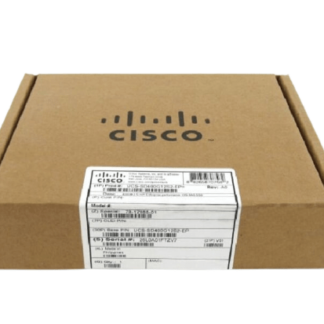
Description
Configuring and Managing
Configuring and managing the ISR4221-AX/K9 Cisco Integrated Services 2 Ports Router involves setting up and managing the various components and settings of the router to ensure that it is properly configured and optimized for the specific needs of the network. This can include configuring the router’s interfaces, setting up routing protocols, and managing the various services that are running on the router.
One of the key components of configuring and managing the ISR4221-AX/K9 is the ability to configure the router’s interfaces. This can include setting up and configuring physical interfaces, such as Ethernet and serial ports, as well as virtual interfaces, such as virtual LANs (VLANs) and virtual private networks (VPNs). This can be done using a variety of tools and techniques, including web-based interfaces, command-line interfaces, and remote management protocols.
Another important aspect of configuring and managing the ISR4221-AX/K9 is the ability to set up and manage routing protocols. This can include configuring routing protocols such as Open Shortest Path First (OSPF), Routing Information Protocol (RIP), and Border Gateway Protocol (BGP) to ensure that the router is able to properly route traffic within the network.
In addition, the router management includes the management of various services that are running on the router. This can include configuring and managing services such as Quality of Service (QoS), access control lists (ACLs), and security features such as firewalls and intrusion detection systems (IDS). This can be done using a variety of tools and techniques, including web-based interfaces, command-line interfaces, and remote management protocols.
The ISR4221-AX/K9 also features advanced security features that can be set up and managed such as VPN, VPN load balancing, and Network Address Translation (NAT)
Network Management and Security
Network management and security of the ISR4221-AX/K9 Cisco Integrated Services 2 Ports Router involves ensuring that the router is properly configured and optimized for the specific needs of the network, and that it is protected against potential security threats. This can include configuring and managing the router’s interfaces, setting up routing protocols, and managing various security features and capabilities of the router.
One of the key components of network management for ISR4221-AX/K9 is the ability to configure and manage the router’s interfaces. This can include setting up and configuring physical interfaces, such as Ethernet and serial ports, as well as virtual interfaces, such as virtual LANs (VLANs) and virtual private networks (VPNs). This can be done using a variety of tools and techniques, including web-based interfaces, command-line interfaces, and remote management protocols.
Another important aspect of network management for ISR4221-AX/K9 is the ability to set up and manage routing protocols. This can include configuring routing protocols such as Open Shortest Path First (OSPF), Routing Information Protocol (RIP), and Border Gateway Protocol (BGP) to ensure that the router is able to properly route traffic within the network.
In terms of security, the ISR4221-AX/K9 comes with a built-in firewall that allows administrators to establish security policies and control access to the network. Additionally, it supports advanced security features such as VPN, intrusion prevention system (IPS), and threat defense. As well, it can be integrated with other security solutions such as Cisco Identity Services Engine (ISE) and Cisco Advanced Malware Protection (AMP) to enhance the security level of the network.
Deployment and Configuration
Deployment and configuration of the ISR4221-AX/K9 Cisco Integrated Services 2 Ports Router involves setting up and configuring the router to meet the specific needs of the network. This can include configuring the router’s interfaces, setting up routing protocols, and managing the various services that are running on the router.
One of the first steps in deploying and configuring the ISR4221-AX/K9 is to physically install the router in the network. This includes connecting the router to power, connecting the WAN and LAN interfaces, and configuring the router’s basic settings such as IP address, username and password.
Next, it’s important to configure the router’s interfaces. This can include setting up and configuring physical interfaces, such as Ethernet and serial ports, as well as virtual interfaces, such as virtual LANs (VLANs) and virtual private networks (VPNs). This can be done using a variety of tools and techniques, including web-based interfaces, command-line interfaces, and remote management protocols.
After the interfaces are configured, the next step is to set up and manage routing protocols. This can include configuring routing protocols such as Open Shortest Path First (OSPF), Routing Information Protocol (RIP), and Border Gateway Protocol (BGP) to ensure that the router is able to properly route traffic within the network.
Additionally, it’s important to manage the various services that are running on the router. This can include configuring and managing services such as Quality of Service (QoS), access control lists (ACLs), and security features such as firewalls and intrusion detection systems (IDS). This can be done using a variety of tools and techniques, including web-based interfaces, command-line interfaces, and remote management protocols.
It’s also essential to monitor and maintain the router’s performance and security. This includes monitoring the router’s CPU and memory usage, network interfaces, and services, and taking corrective action to improve the overall performance of the network.
Key Feature about this Cisco ISR4221-AX/K9
- Manufacturer Cisco
- Part Number or SKU# ISR4221-AX/K9
- Product Series 4000
- Product Model 4221
- Product Name 4221 Router
- Product Type Router
Interfaces/Ports of Cisco 4000 Series Router
- Total Number of Ports 2
- Powerline No
- Management Port Yes
I/O Expansions of Cisco 2 Ports Router
- Number of Total Expansion Slots 3
Network & Communication of Cisco Router
- Network Technology 10/100/1000Base-T
- Ethernet Technology Gigabit Ethernet
- VoIP Supported No
Power Description
- PoE (RJ-45) Port No
- Redundant Power Supply Supported No
Dimension and Weight
- Compatible Rack Unit 1U
- Form Factor Rack/Wall Mountable
- Height 1.7 Inch
- Width 12.7 Inch
- Depth 10 Inch
- Weight (Approximate) 8 lbs
Please contact us over the phone or ask for live chat/help if you have any questions about the estimated time of arrival for any “lead time required” item.