

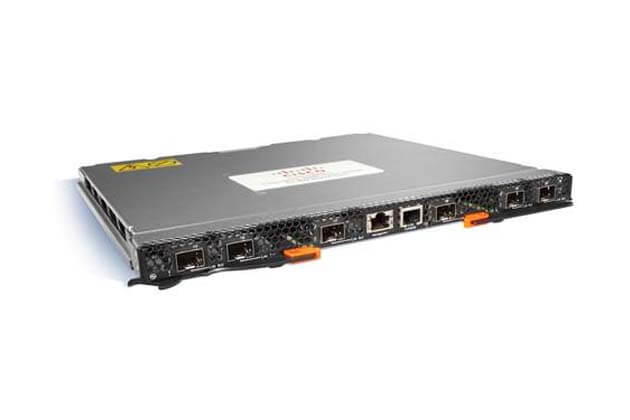
Description
Remote Management and Monitoring
The Cisco Nexus 4001I 20 Ports managed switch can be remotely managed and monitored using a variety of methods, including the following:
- Command Line Interface (CLI): The CLI can be accessed through Telnet or SSH and allows for the configuration and monitoring of the switch using text-based commands.
- Web-based graphical user interface (GUI): The GUI can be accessed through a web browser and provides a graphical interface for configuring and monitoring the switch.
- Simple Network Management Protocol (SNMP): SNMP allows for the switch to be monitored and managed using a network management system (NMS).
- Network Management Systems (NMS): NMS such as SolarWinds, Nagios, and CA Spectrum can be used to monitor and manage the switch using protocols like NetFlow and sFlow.
In order to enable remote management and monitoring, the switch must be configured with a unique IP address, and appropriate access credentials must be set. Additionally, the switch must be connected to the network so that it can be accessed from a remote location. The specific steps required to enable remote management and monitoring will depend on the method you choose.
Maximizing Network Performance
Maximizing network performance of the Cisco Nexus 4001I 20 Ports managed switch can be achieved by following these best practices:
- Quality of Service (QoS): Implement QoS policies to prioritize network traffic and ensure critical applications receive the necessary bandwidth.
- Network Utilization Monitoring: Regularly monitor network utilization and adjust QoS policies as required for optimal performance.
- Jumbo Frames: Enable Jumbo Frames to increase the maximum transmission unit (MTU) size and reduce overhead, if your network supports it.
- Unused Ports: Disable any unused ports to improve security and reduce network congestion.
- Flow Control: Enable flow control to prevent dropped packets and network congestion.
- Firmware Updates: Regularly update the switch firmware for the latest security updates and performance improvements.
- Network Bottleneck Detection: Continuously monitor the switch and the network for bottlenecks such as overutilized links and take steps to resolve them.
- Link Aggregation: Use Link Aggregation to increase bandwidth and provide redundancy in case of a link failure.
It’s important to keep in mind that the specific steps required to maximize network performance will depend on the network configuration and requirements. Changes should be planned and tested before implementation in a production environment.
Robust Security and Dynamic Quality
Robust security in the Cisco Nexus 4001I switch (N4K-4001I-XPX) refers to the various security features that the switch provides to protect against network threats and unauthorized access. Some of these security features include:
- Access control lists (ACLs) to regulate network access and control traffic.
- 802.1X authentication for secure user authentication and access control.
- Port security to limit the number of MAC addresses that can be used on a switch port.
- DHCP snooping to prevent malicious attacks on the DHCP infrastructure.
- IP Source Guard to prevent unauthorized access to the network by using IP spoofing.
Dynamic Quality of Service (QoS) is a feature of the N4K-4001I-XPX switch that allows for the prioritization of network traffic based on predefined criteria such as IP address, protocol, or port number. This helps to ensure that critical applications receive the bandwidth they require, improving overall network performance. Dynamic QoS enables the switch to adapt to changes in network traffic patterns in real-time, ensuring consistent and predictable performance for all network applications.
General Information
- Manufacturer Cisco
- Manufacturer Part Number N4K-4001I-XPX
- Product Model 4001I
- Product Name 4001I Switching Module for IBM Blade Center
- Product Type Switching Module
Technical Information
- Application/Usage Switching Network
- Application/Usage Optical Network
Interfaces/Ports
- Interfaces/Ports Details 1 x RJ-45 Console RS-232 Management
- Interfaces/Ports Details 1 x RJ-45 10/100/1000Base-T Network Management
Media & Performance
- Connectivity Media Twisted Pair 10/100/1000Base-T
- Data Transfer Rate 1 Gbps Gigabit Ethernet
- Data Transfer Rate 100 Mbps Fast Ethernet
- Data Transfer Rate 10 Mbps Ethernet
I/O Expansions
- Expansion Slots 6 x SFP+ Uplink
Management & Protocols
- Management-
- Cisco Data Center Network Manager (DCNM)
- IEEE 802.1q VLAN
- IEEE 802.1p QoS
- SNMP
- CLI
- RMON
- Syslog


