Description
Introduction
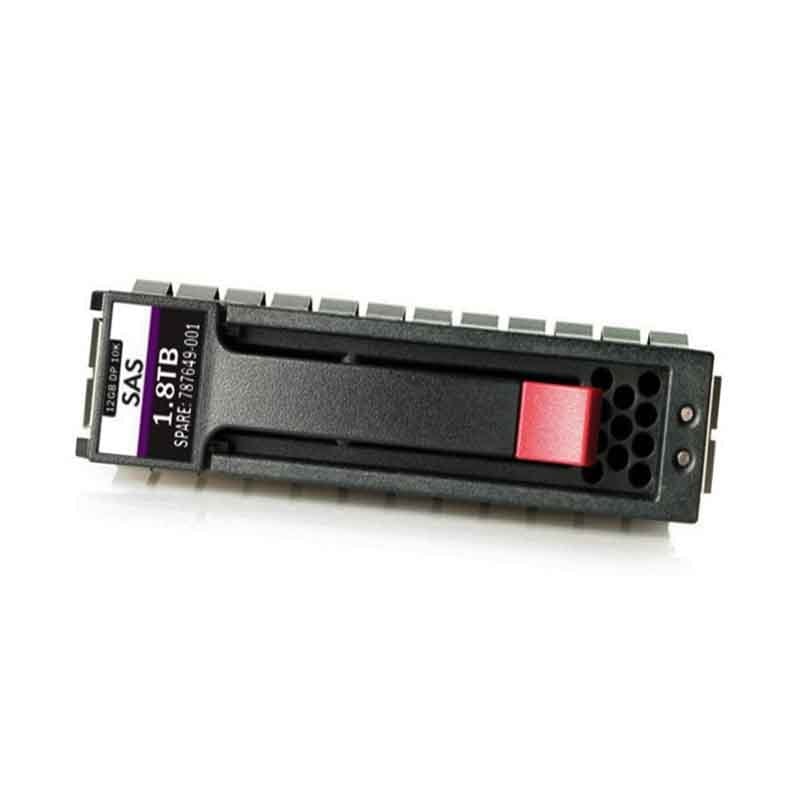
The 05YPM Dell 1.8TB 10K RPM SAS-12GBPS 128MB 512E Hard Drive is a high-performance storage solution for enterprise-level servers and storage systems. With a large 1.8TB capacity, this hard drive is ideal for storing large amounts of data and can handle heavy workloads with its 10,000 RPM spindle speed.
The SAS-12GBPS interface provides fast data transfer speeds, while the 128MB cache and 512E technology ensure smooth operation and efficient data access. This hard drive is designed to work with Dell PowerEdge servers, and is compatible with a wide range of operating systems. This hard drive is intended to be used in data centers, service providers, and other enterprise environments, where performance and reliability are critical.
Installation Guidelines
The installation process for the 05YPM Dell 1.8TB 10K RPM SAS-12GBPS 128MB 512E Hard Drive is relatively straightforward, but it’s important to take proper precautions to avoid damaging the hard drive or your server.
Before you begin, make sure to follow these general guidelines:
- Ensure that your server is powered off and unplugged from the wall.
- Handle the hard drive carefully to avoid dropping or jostling it.
- Always wear an anti-static wrist strap when handling electronic components.
Here are the steps to install the hard drive:
- Open the server’s hard drive bay and locate the empty drive bay that you want to use for the new hard drive.
- Carefully align the hard drive with the drive bay and insert it into the bay.
- Secure the hard drive in the bay using the screws that came with the server.
- Connect the SAS cable to the hard drive.
- Power on the server and check that the hard drive is detected by the server’s BIOS or RAID controller.
Once the hard drive is detected, you can use the appropriate software tools to configure it as a storage volume and begin using it for data storage.
It’s recommended to consult with the server or hard drive manual, as well as the vendor documentation for specific instructions for your server.
It’s also important to properly format the hard drive and test it for any errors before using it for production.
Form Factor
The 05YPM Dell 1.8TB 10K RPM SAS-12GBPS 128MB 512E Hard Drive has a 3.5-inch form factor. This means that it is designed to fit into a standard 3.5-inch drive bay in a server or storage system. This is the most common form factor for hard drives used in enterprise-level servers and storage systems, and is compatible with a wide range of systems.
3.5-inch hard drives are typically larger and heavier than 2.5-inch hard drives, but they offer more storage capacity and are better suited for use in servers and storage systems that need to handle heavy workloads and store large amounts of data.
It is important to check the form factor of the hard drive and the drive bay of your server or storage system before purchasing the hard drive to make sure they are compatible.
General Information
- Manufacturer : Dell
- Mfg Part Number : 05YPM
- Dell Part Number : 400-AMGE
- Device Type : Hard Disk Drive – Hot Swap-Self-Encrypting (HDD)
- Sub-Type : SAS-12GBPS
Technical Information
- Storage Capacity : 1.8 TB
- Interface : SAS 12GB/S
- Form Factor : 2.5 Inch
- Data Transfer Rate: 1200 MBPS External
Performance
- Data Transfer Rate : 1200 MBPS External
- Spindle Speed : 10000 RPM
- Expansions And Connectivity:
- Interfaces : 1 X SAS 12GB/S
- Compatible Bays : 1 X Hot-Swap – 2.5inch
Compatibility
- Poweredge M820
- Poweredge VRTX
- Poweredge M630
- Poweredge FC630
- Poweredge FC830
- Poweredge M830