


Description
Compatibility of 8TB Hard Drive
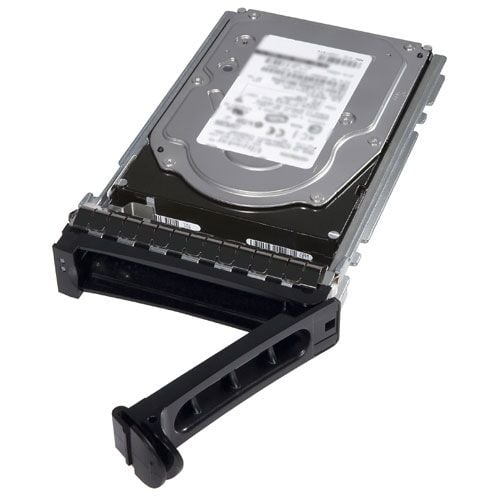
The 400-AMRZ is a Dell 8TB 7.2K RPM SAS-12GBPS LFF (large form factor) hard drive. It is compatible with Dell PowerEdge servers that have a SAS-12GBPS LFF hard drive bay and support SAS-12GBPS interface. It is important to check the server’s documentation or technical specifications to ensure compatibility with your specific model.
The drive is also compatible with SAS-12GBPS external storage enclosures and arrays that support large form factor SAS hard drives. The drive is also compatible with SAS-12GBPS host bus adapters (HBAs) or RAID controllers that support large form factor SAS hard drives. It is always recommended to check with the vendor for more specific compatibility information.
Durability and Reliability
Durability and reliability are important factors to consider when selecting a hard drive. The 400-AMRZ Dell 8TB 7.2K RPM SAS-12GBPS LFF Hard Drive is designed to withstand heavy use in enterprise environments.
One of the key features that contribute to the durability and reliability of this hard drive is its SAS interface. SAS (Serial Attached SCSI) is a high-speed data transfer interface that is known for its reliability and durability in comparison to SATA (Serial ATA) interface. SAS drives can handle more demanding workloads and provide a higher level of data protection.
Additionally, this hard drive also has a rotational speed of 7200 RPM, which is faster than the typical 5400 RPM of consumer-grade hard drives. Faster RPM means faster data access and improved performance.
The hard drive also has a large storage capacity of 8TB, which gives the user more space to store large data files and backups. This is particularly important for enterprise environments where large amounts of data are typically stored and accessed.
Finally, Dell also provides a warranty for this product and support for it. This provides peace of mind for the customer and can help to ensure that any issues that may arise with the hard drive can be quickly resolved.
Installation and Setup
The installation and setup of the 400-AMRZ Dell 8TB 7.2K RPM SAS-12GBPS LFF Hard Drive is a straightforward process. The hard drive is designed to be compatible with a wide range of Dell servers and storage systems, so it should work seamlessly with most enterprise environments.
The first step in the installation process is to physically install the hard drive into the server or storage system. The hard drive is a large form factor (LFF) drive, so it will require a 3.5-inch drive bay. Once the hard drive is securely mounted in the bay, it should be connected to the system’s SAS interface using a SAS cable.
Once the hard drive is physically installed and connected to the system, the next step is to configure it. This is typically done using the system’s BIOS or RAID controller software. The specific configuration process will vary depending on the system, but generally, you will need to create a RAID volume and assign the new hard drive to it. This process will format the hard drive and make it ready for use.
Once the configuration is done, you should check if the drive is being recognized by the operating system. After that, you can partition, format and use the drive as a storage.
It’s recommended to consult the server/storage system’s manual or seek assistance from a qualified IT professional to ensure proper installation and setup of the hard drive.
General Information
- Manufacturer: Dell
- MPN : 400-AMRZ
- Type: Hard Drive
- HDD Type: SAS-12GBPS
- SKU : 400-AMRZ
Technical Information
- Storage Capacity: 8 TB
- Spindle Speed : 7.2K RPM
- Form Factor : 3.5 Inch
- Enclosure : Internal
- Drive Transfer Rate: 1200 MBS(EXTERNAL)
- Features : 512e Crypto
Expansion & Connectivity
- Interfaces : 1 X Serial Attached SCSI
- Compatible Bays : 1 X Hot-swap – 3.5inch
Dimension And Weight
- Width : 4 Inch
- Depth : 5.8 Inch
- Height : 1 Inch
- Weight : 1.52 Lbs
Compatibility
- Poweredge R210
- Poweredge R310
- Poweredge R320
- Poweredge R410
- Poweredge R415
- Poweredge R420
- Poweredge R510
- Poweredge R515
- Poweredge R520
- Poweredge R710
- Poweredge R720
- Poweredge R720xd
- Poweredge T310
- Poweredge T320
- Poweredge T410
- Poweredge T420
- Poweredge T610
- Poweredge T620
- Poweredge T710
- Powervault Dl2200
- Powervault Md1200
- Powervault Md3200
- Powervault Md3200i
- Powervault Md3600f
- Powervault Md3600i
- Powervault Nx200
- Powervault Nx300
- Powervault Nx3000
- Powervault Nx3100


