

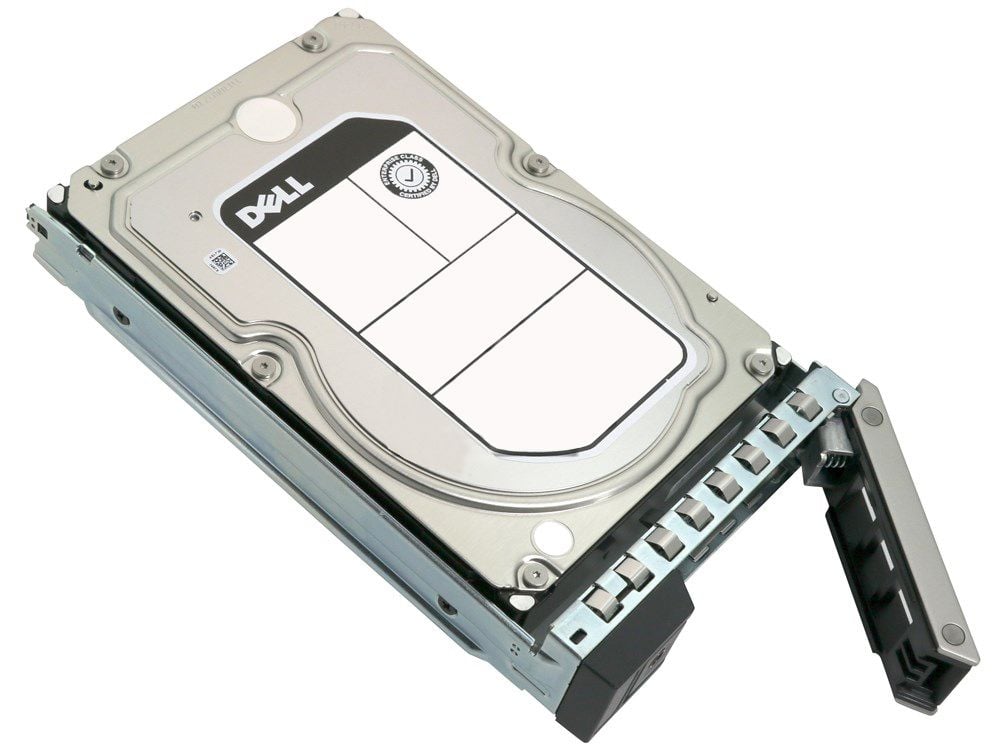

Description
Advanced Format Technology
Advanced Format Technology is a disk formatting method that uses larger physical block sizes on hard disk drives. The 400-BCWI Dell 10TB 7.2K RPM SAS-12GBPS 512E LFF HDD uses this technology to increase the capacity of the drive, improve error correction, and enhance the overall performance of the drive.
The larger physical block size allows for more data to be stored on the drive, which increases the capacity of the drive. Additionally, the increased block size improves error correction, which helps to reduce the number of errors that occur during data transfer. This can lead to improved data integrity and reliability of the drive.
Advanced Format Technology also improves the performance of the drive by reducing the number of disk operations that are required to read and write data. This can result in faster data transfer speeds and improved overall performance.
It is important to note that some systems may require firmware or software updates to support Advanced Format Technology, and this should be taken into consideration when installing the drive. Additionally, advanced format hard drives can’t be used as a boot drive in some older systems, because BIOS can’t recognize the advanced format.
Installation and Configuration
Installation and configuration of the 400-BCWI Dell 10TB 7.2K RPM SAS-12GBPS 512E LFF HDD would typically involve the following steps:
- System requirements: ensure that the system meets the minimum requirements for the hard drive, such as the interface and power requirements.
- Hardware installation: physically install the hard drive into the system, connecting the SAS cables and power supply as necessary.
- Software installation: install any necessary software, such as drivers, to enable the system to recognize the hard drive.
- Configuration: partition and format the hard drive, configure RAID if necessary, and set up any necessary software or utilities.
- Troubleshooting: troubleshoot and resolve any issues that may arise during installation and configuration.
- Maintenance and Updating: check for firmware updates, check for errors, and perform regular maintenance on the hard drive to ensure optimal performance.
It’s important to follow the manufacturer’s instructions for installation and configuration, as failure to do so can result in damage to the hard drive or the system. It’s also important to read the guide before starting the installation and configuration process to ensure that you have all the necessary tools and equipment.
Power Management
Power management refers to the ability of a device to control and optimize its power usage. The 400-BCWI Dell 10TB 7.2K RPM SAS-12GBPS 512E LFF HDD is designed to be energy-efficient, which helps to reduce power consumption and lower operating costs.
It includes features such as Advanced Format technology that improves power efficiency by reducing the amount of power required for disk operations. Additionally, it has a low-power idle state, which reduces power consumption when the drive is not in use, this can help to reduce power consumption and improve energy efficiency.
The SAS interface also has a feature called “SAS Link Power Management (LPM)” which enables the drive to enter into a lower power state when the drive is not active. It’s important to note that the power management features of the hard drive are also dependent on the system it is connected to, some systems may have additional features that can help to improve the power management of the hard drive.
General Information
- Manufacturer : Dell
- MPN : 400-BCWI
- Type : Hard Disk Drive With Tray
- Sub-Type: 10TB-7 .2K RPM SAS-12GBPS
- SKU : 400-BCWI
Specifications
- Device Type : Hard Drive – Hot-swap
- Storage Capacity : 10TB
- Interface : SAS-12GBPS
- Drive Dimensions : 3.5 Inch
- Features : Advanced Format 512E
Performance
- Spindle Speed : 7200 RPM
- Drive Transfer Rate : 1200 MBPS (External)
- Interfaces : 1 X Serial Attached SCSI – 12GBPS
- Compatible Bays : 1 X Hot-Plug – 3.5inch
Compatibility
- Emc poweredge c6420
- Emc poweredge r240
- Emc poweredge r340
- Emc poweredge r440
- Emc poweredge r540
- Emc poweredge r640
- Emc poweredge r6415
- Emc poweredge r740
- Emc poweredge r740xd
- Emc poweredge r740xd2
- Emc poweredge r7415
- Emc poweredge r7425
- Powervault nx3240
- Powervault nx440


