
Description
Product Specification to Dell 400-BJKS Hard Drive
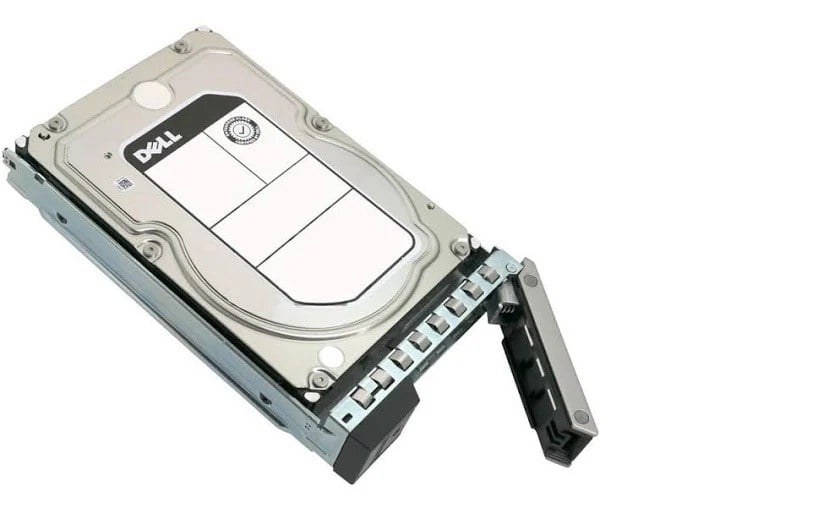
Dell 400-BJKS is a 16TB 7.2K RPM SAS-12GBPS hard drive designed and manufactured by Dell, a leading technology company known for producing top-quality hardware and software solutions. The Dell 400-BJKS is part of the company’s portfolio of storage solutions that are designed to cater to the needs of small, medium, and large businesses that require high-performance and reliable data storage solutions.
In this article, we will explore the key features and benefits of the Dell 400-BJKS hard drive, as well as its technical specifications and compatibility with other Dell products. We will also highlight some of the use cases for this hard drive and its place in the larger context of enterprise storage solutions.
Key Features and Benefits of Dell 400-BJKS Hard Drive
The Dell 400-BJKS hard drive boasts several key features and benefits that make it an attractive option for businesses looking for high-performance and reliable data storage solutions. Some of the key features and benefits of the Dell 400-BJKS hard drive include
- High Capacity: The Dell 400-BJKS hard drive has a storage capacity of 16TB, making it ideal for businesses that need to store large amounts of data.
- High Performance: The hard drive has a rotation speed of 7.2K RPM and a SAS-12GBPS interface, which enables it to deliver high performance and fast data transfer speeds.
- Reliability: The Dell 400-BJKS hard drive is designed to be highly reliable, with features such as error correction codes (ECC) and rotational vibration sensors that help to minimize the risk of data loss due to hardware failure.
- Compatibility: The Dell 400-BJKS hard drive is designed to be compatible with a wide range of Dell PowerEdge servers, making it easy to integrate into existing IT infrastructures.
- Warranty: The hard drive comes with a 3-year warranty, giving businesses peace of mind and assurance that their investment is protected.
Technical Specifications of Dell 400-BJKS Hard Drive
To fully understand the capabilities of the Dell 400-BJKS hard drive, it is important to look at its technical specifications. Some of the key technical specifications of the Dell 400-BJKS hard drive include
- Form Factor: 3.5-inch
- Interface: SAS-12GBPS
- Spindle Speed: 7.2K RPM
- Buffer Size: 256 MB
- Storage Capacity: 16TB
- Average Latency: 4.16 ms
- Power Consumption: 11.5 W (Idle), 15 W (Operating)
Compatibility with Dell Products
The Dell 400-BJKS hard drive is designed to be compatible with a wide range of Dell PowerEdge servers. Some of the Dell servers that are compatible with this hard drive include
- Dell PowerEdge R330
- Dell PowerEdge R430
- Dell PowerEdge R530
- Dell PowerEdge R630
- Dell PowerEdge R730
- Dell PowerEdge R730xd
- Dell PowerEdge T330
- Dell PowerEdge T430
- Dell PowerEdge T630
Use Cases for Dell 400-BJKS Hard Drive
The Dell 400-BJKS hard drive is ideal for a wide range of use cases, including:
- Big Data Analytics: The high capacity and performance of the Dell 400-BJKS hard drive make it an ideal solution for businesses that need to store and analyze large amounts of data.
- Media and Entertainment: The hard drive is also well-suited for media and entertainment companies
General Information
- Manufacturer : Dell
- Part Number or SKU# 400-BJKS
- Type : Internal Hard Drive (HDD)
- HDD Type : SAS-12GBPS
Key Features
- Storage Capacity: 16 TB
- Form Factor : 3.5 Inch
- Interface : SAS-12GBPS
- Cache : 512 MB
- Features : Advanced Format 512e
Performance
- Rotational Speed : 7.2K RPM
- External Transfer Rate : 1200 MBPS
- Buffer : 512 MB
Dimension and Weight
- Width : 4 Inch
- Depth : 5.8 Inch
- Height : 1 Inch
- Weight : 1.52 Lbs
Compatibility
- Poweredge C6420
- Poweredge R240
- Poweredge R340
- Poweredge R440
- Poweredge R540
- Poweredge R640
- Poweredge R6415
- Poweredge R740
- Poweredge R740xd
- Poweredge R740xd2
- Poweredge R7415
- Poweredge R7425
- Powervault Nx3240
Contact us or ask for live chat/help if you have any questions about the compatibility of this item to ensure the model’s matching features with your current system.