

Description
Key Features and Benefits of the Dell Qlogic Qle2772 HBA
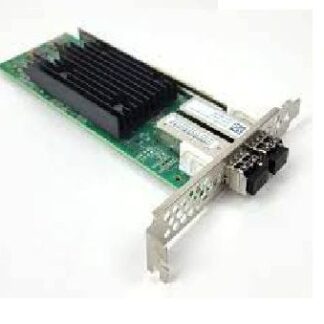
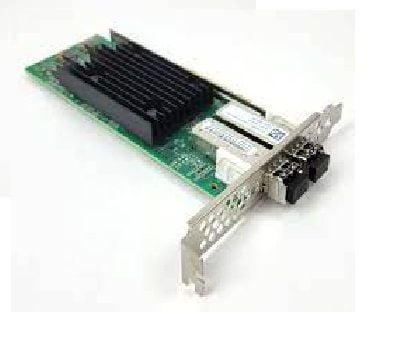
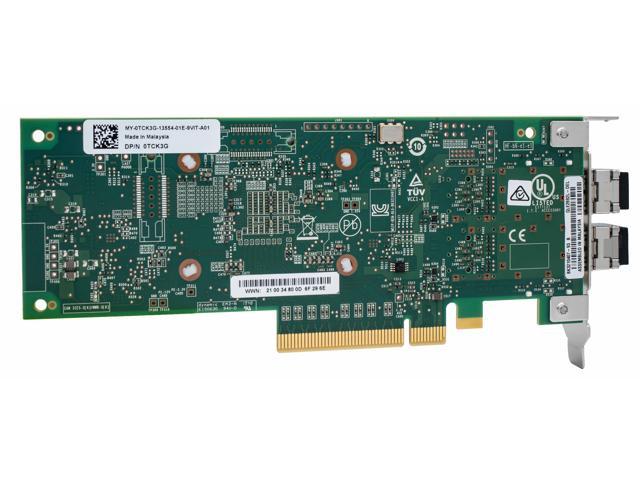
The Dell 406-BBPZ QLogic QLE2772 32GBPS Dual Port PCI-E 4.0×8 Fiber Channel HBA provides the following key features and benefits:
- High-Speed Performance: The QLE2772 HBA supports up to 32GB/s transfer rate, providing fast and reliable data transfer for high-performance applications and workloads.
- Dual Port Connectivity: The dual port design provides redundancy and failover capabilities, ensuring maximum uptime and availability for critical applications and storage.
- PCI-E 4.0 Support: The HBA supports the latest PCI-E 4.0 interface, providing increased bandwidth and improved performance for demanding applications and workloads.
- Fiber Channel Support: The HBA supports Fiber Channel protocol, providing high-speed and low-latency data transfer between storage systems and servers.
- Easy Deployment and Management: The HBA is compatible with popular operating systems, making deployment and management simple and straightforward.
- Optimized for Virtualization: The HBA is designed to work optimally with virtualized environments, providing improved performance and efficiency for virtualized workloads.
- Enhanced Security: The HBA supports advanced security features, such as Fiber Channel Security Protocol (FC-SP), to protect against unauthorized access and data breaches.
- Cost-Effective Solution: The HBA provides a cost-effective solution for connecting servers and storage systems, delivering high performance and reliability at an affordable price.
System Compatibility of the Dell Qlogic Qle2772 HBA
The Dell 406-BBPZ QLogic QLE2772 32GBPS Dual Port PCI-E 4.0×8 Fiber Channel HBA is compatible with the following systems:
- Dell PowerEdge Servers with PCI-E Gen 4 slot and running on Windows or Linux operating systems
- Dell PowerEdge C6400, C6420, C6525, R640, R740, R740xd, R840, R940, R440, R540, R640, R940xa, M640, M640, M740, M840, M940, T440, T640 and T740 servers
- Dell EMC PowerMax storage arrays
- Third-party servers that support 32GBFC HBAs and have PCI-E 4.0×8 slots
It is important to note that compatibility may also depend on the specific configuration and firmware versions of the system. It is recommended to check with Dell technical support or consult the system’s user manual for specific compatibility information.
Installation and Configuration of the Dell Qlogic Qle2772 HBA
The installation and configuration of the Dell 406-BBPZ QLogic QLE2772 32GBPS Dual Port PCI-E 4.0×8 Fiber Channel HBA can be done in the following steps:
- Install the card in an available PCI-E slot on the server and secure it with screws.
- Connect the Fibre Channel cables from the card to the storage devices.
- Power on the server and boot into the operating system.
- Install the QLogic Fibre Channel HBA driver for the operating system. The driver can be obtained from the Dell website or from the operating system’s repository.
- Configure the Fibre Channel HBA settings in the operating system. This may include setting up the World Wide Node Name (WWNN), World Wide Port Name (WWPN), and updating the firmware.
- Create the Fibre Channel storage LUNs (Logical Unit Numbers) on the storage array and assign them to the server.
- Configure the Fibre Channel zoning on the storage array.
- In the operating system, create a storage volume using the LUN and assign it to a file system.
- Mount the file system and verify the connectivity to the storage array.
It is recommended to consult the user manual for the specific operating system and the Fibre Channel HBA for detailed instructions and troubleshooting information.
General Information
- Manufacturer: Dell
- MPN: 406-BBPZ
- Type: Controller
- Controller Type: Fiber Channel
Technical Specs of the Dell Qlogic Qle2772 HBA
The Dell 406-BBPZ QLogic QLE2772 32GBPS Dual Port PCI-E 4.0×8 Fiber Channel HBA has the following technical specifications:
- Interface: PCI Express 4.0 x8
- Ports: Dual ports with LC-style connectors
- Data Transfer Rate: 32 Gbps
- Protocol Support: Fibre Channel
- Supported Operating Systems: Windows Server 2019, Windows Server 2016, Windows Server 2012 R2, Windows Server 2012, Windows Server 2008 R2, Red Hat Enterprise Linux 7.6, 7.7, 7.8, 8.1, SUSE Linux Enterprise Server 12 SP3, 15 SP1, VMware ESXi 6.7 U3, 6.7 U2, 6.7 U1, 6.7, 6.5 U3, 6.5 U2, 6.5 U1, 6.5, Oracle Linux 7.7, 7.8, 8.1
- Advanced Features: Supports PCI-E 4.0, 4KB Large Block Data Transfer, Advanced Error Correction, Quality of Service (QoS), Target Mode and Initiator Mode
- Management: Supports SNMP, SMI-S and Dell OpenManage Server Administrator
- Dimensions: 6.6″ x 2.71″
It is important to note that technical specifications may vary depending on the specific configuration and firmware versions of the product. It is recommended to check with Dell technical support or consult the product’s user manual for specific technical specifications.