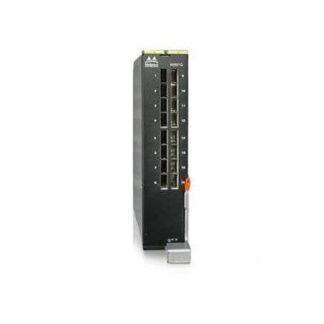
Description
Product Overview
The 4322DS Dell KVM remote console switch is a device used to manage multiple servers remotely. This device is designed to allow IT administrators to monitor and control servers from a central location, which can help save time and increase efficiency. In this article, we will discuss the 4322DS Dell KVM remote console switch in detail, including its features, benefits, and how it works.
4322DS KVM Switch
A KVM switch is a hardware device that allows users to control multiple computers or servers from a single keyboard, video monitor, and mouse (KVM). The KVM switch acts as a central hub, allowing users to switch between computers or servers as needed. This can be especially helpful in situations where there are multiple servers or computers that need to be managed.
The 4322DS Dell KVM Remote Console Switch
The 4322DS Dell KVM remote console switch is a KVM switch that is designed to provide remote management capabilities for multiple servers. This device allows IT administrators to control up to 32 servers remotely, using a single console. The 4322DS Dell KVM remote console switch is rack-mountable, making it easy to install in a server rack.
Features of this Console Switch
The 4322DS Dell KVM remote console switch comes with several features that make it a powerful tool for IT administrators. Some of the key features of this device include:
- Remote Access: The 4322DS Dell KVM remote console switch allows IT administrators to access servers remotely, from anywhere in the world.
- Multiple Server Management: With support for up to 32 servers, the 4322DS Dell KVM remote console switch can help IT administrators manage large server environments more efficiently.
- Virtual Media Support: The 4322DS Dell KVM remote console switch supports virtual media, which allows users to map USB storage devices and CD/DVD drives from their local computer to a remote server.
- Automatic Scanning: The 4322DS Dell KVM remote console switch has an automatic scanning feature that can help IT administrators quickly identify and fix server issues.
- Security Features: The 4322DS Dell KVM remote console switch has several security features, including password protection and encryption, to ensure that server access is secure.
Benefits of KVM Switch
There are several benefits to using the 4322DS Dell KVM remote console switch. Some of these benefits include:
- Increased Efficiency: With the ability to manage multiple servers from a single console, IT administrators can work more efficiently and save time.
- Reduced Downtime: The 4322DS Dell KVM remote console switch allows IT administrators to quickly identify and resolve server issues, which can help reduce downtime and minimize the impact on users.
- Improved Security: With its advanced security features, the 4322DS Dell KVM remote console switch can help ensure that server access is secure, which can help prevent unauthorized access and data breaches.
- Remote Access: The ability to access servers remotely can be especially helpful for IT administrators who need to manage servers from multiple locations.
How the 4322DS Dell Switch Works
The 4322DS Dell KVM remote console switch works by connecting to the servers using a combination of cables and network connections. Once the switch is connected to the servers, IT administrators can use a single console to manage all of the servers. This console can be accessed remotely, which allows IT administrators to manage servers from anywhere in the world.
General Information about the Dell 4322DS
- Manufacturer: Dell
- Part Number or SKU # 4322DS
- Type: Networking Switch
- Switch Type: Remote Console Switch
Networking
- Data Link Protocol : 10 Gigabit Ethernet
- Total Number of Ports: 32
Expansion / Connectivity
- Ports Type : Ethernet (LAN), SFP