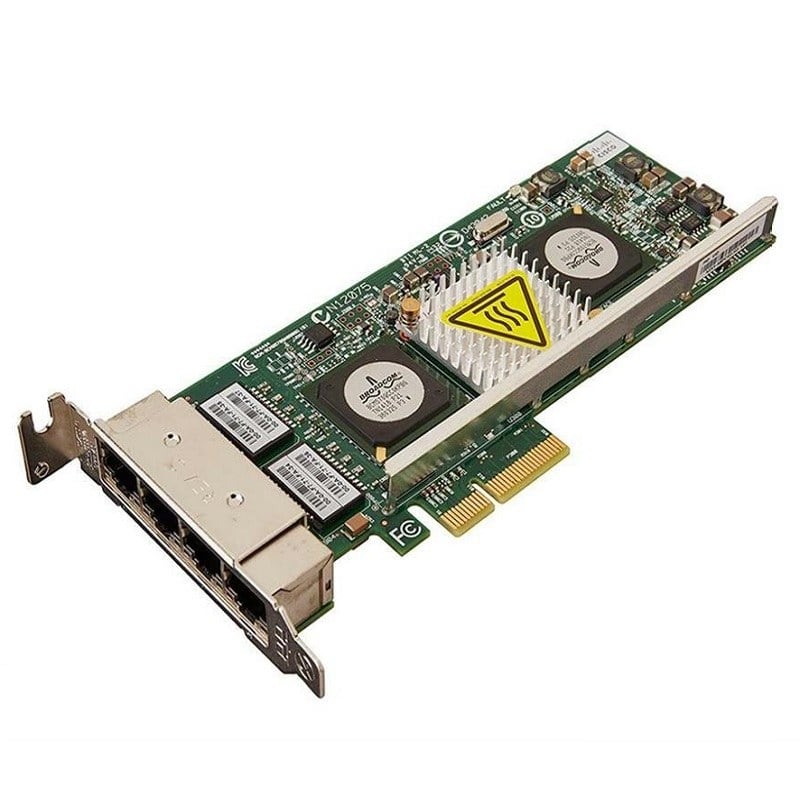
Description
Product overview for the Dell 540-BCRQ
In today’s rapidly evolving world of technology, network connectivity is crucial for businesses and individuals alike. The need for high-speed, reliable, and efficient network connections has become more critical than ever. The Dell 540-BCRQ 2 Port Network Adapter, featuring the Intel X710-t2l 10GBE Base-t PCIe Ethernet controller, is a cutting-edge solution designed to meet these demands. In this article, we will explore this network adapter in great detail, explaining its features, benefits, and how it can enhance your network connectivity. The Dell 540-BCRQ is a network adapter card designed to provide high-speed network connectivity for various purposes, such as data centers, enterprise-level networks, and even personal computers. It comes equipped with the Intel X710-t2l controller, which is renowned for its high-performance capabilities and reliability.
Key Features of the Dell 540-BCRQ Network Adapter Intel X710-t2l Controller
At the heart of the Dell 540-BCRQ network adapter lies the Intel X710-t2l controller. This controller is a standout feature of the adapter, as it is engineered to deliver exceptional performance in terms of speed and reliability. Let’s delve into the specifics of this controller:
- 10GBE Base-T Connectivity: The Intel X710-t2l controller supports 10 Gigabit Ethernet (10GBE) Base-T connectivity, ensuring that your network can handle data at incredibly high speeds. This is particularly useful in scenarios where large data transfers and low latency are essential.
- PCIe Interface: The network adapter is designed to be installed in a PCIe (Peripheral Component Interconnect Express) slot on your server or computer. The PCIe interface allows for a high-speed data connection to the CPU and ensures optimal performance.
- Energy Efficiency: Intel is known for its focus on energy efficiency, and the X710-t2l controller is no exception. It offers power-saving features that help reduce energy consumption, making it an environmentally friendly choice for your network infrastructure.
Dual Port Configuration
One of the standout features of the Dell 540-BCRQ network adapter is its dual-port configuration. This means that it comes with two separate network ports on a single adapter card. Let’s explore the advantages of this dual port configuration:
- Load Balancing: With two network ports, you can distribute network traffic across both ports, ensuring optimal load balancing. This not only enhances network performance but also provides redundancy in case one port encounters issues.
- Failover Protection: In the event of a port failure, the adapter can seamlessly switch to the functioning port, ensuring uninterrupted network connectivity. This is crucial for mission-critical applications where downtime is not an option.
Compatibility and Versatility
The Dell 540-BCRQ network adapter is designed to be compatible with a wide range of servers and systems. Its versatility makes it an excellent choice for various network configurations, including:
- Data Centers: For data center environments where high-speed data transfer and reliability are paramount, the Dell 540-BCRQ is a solid choice. It can be installed on compatible servers to ensure optimal network performance.
- Enterprise Networks: Large enterprises with extensive network infrastructures can benefit from the adapter’s dual port configuration, load balancing, and failover protection. It provides peace of mind in high-stakes environments.
- Personal Computers: If you’re a power user or gaming enthusiast looking for high-speed connectivity for your PC, this network adapter is a worthy investment. It can significantly enhance your online gaming experience and support bandwidth-intensive tasks.
Advanced Network Management
This network adapter is equipped with advanced network management capabilities, thanks to the Intel X710-t2l controller. It offers features like:
- VLAN Support: Virtual LAN (VLAN) support allows for the segmentation of network traffic, enhancing security and management.
- Quality of Service (QoS): QoS features enable prioritization of network traffic, ensuring that critical applications receive the bandwidth they require.
- Teaming and Link Aggregation: The adapter supports network teaming and link aggregation, which is beneficial for load balancing and fault tolerance.
- Remote Management: Remote management capabilities simplify the monitoring and maintenance of the network adapter, even in distributed network environments.
Benefits of the Dell 540-BCRQ Network Adapter
Now that we’ve explored the key features of the Dell 540-BCRQ network adapter, let’s delve into the benefits it offers to users in various scenarios:
High-Speed Data Transfer
The 10GBE Base-T connectivity provided by the Intel X710-t2l controller ensures lightning-fast data transfers. Whether you’re working in a data center, an enterprise network, or even a personal computer, this high-speed connectivity can significantly improve your workflow.
Enhanced Reliability
Reliability is a critical factor in network connectivity, especially in enterprise-level applications. The dual port configuration and failover protection provided by the adapter ensures that your network remains operational even in the face of hardware failures.
Energy Efficiency
Intel’s focus on energy efficiency in the X710-t2l controller means that you can enjoy high-performance networking without a significant increase in power consumption. This is not only cost-effective but also environmentally responsible.
Versatility and Compatibility
The Dell 540-BCRQ network adapter’s compatibility with a wide range of servers and systems makes it a versatile solution for different use cases. It can be easily integrated into existing network infrastructures without the need for extensive changes.
Advanced Network Management
The advanced network management features offered by the adapter enable better control over your network infrastructure. Whether you need to segment network traffic, prioritize applications, or ensure fault tolerance, the Dell 540-BCRQ has you covered.
Use Cases for the Dell 540-BCRQ Network Adapter
Let’s now explore specific use cases where the Dell 540-BCRQ network adapter can make a significant difference:
Data Centers
Data centers are the backbone of modern technology, supporting a vast array of online services, applications, and storage. High-speed and reliable network connectivity is essential in this environment to handle the immense amount of data that flows through data centers daily. The Dell 540-BCRQ network adapter, with its 10GBE Base-T connectivity and advanced network management features, is an excellent choice for data centers. It ensures data can be transferred quickly and efficiently, meeting the demands of this critical infrastructure.
Enterprise Networks
Large enterprises often have complex network infrastructures that require exceptional reliability and performance. The dual port configuration of the Dell 540-BCRQ provides load balancing and failover protection, making it a valuable asset for enterprise-level networks. It ensures that network traffic is evenly distributed and that there is no downtime, even in the case of a port failure.
Small and Medium-Sized Businesses (SMBs)
Even small and medium-sized businesses can benefit from the Dell 540-BCRQ network adapter. As businesses grow, their network requirements can change rapidly. This network adapter offers scalability and performance that can support the evolving needs of SMBs. Its ease of installation also makes it a practical choice for businesses without a dedicated IT department.
Personal Computers and Gaming
For power users, gamers, and enthusiasts, network performance is crucial. The Dell 540-BCRQ can greatly enhance the online gaming experience and support bandwidth-intensive tasks such as streaming, content creation, and large file transfers. Its advanced features, such as VLAN support and Quality of Service (QoS), allow users to optimize their network for specific applications and prioritize the traffic that matters most.
Troubleshooting and Support
If you encounter any issues during the installation or use of the Dell 540-BCRQ network adapter, there are several steps you can take to troubleshoot the problem:
Check Physical Connections
Ensure that the network adapter is securely and correctly installed in the PCIe slot. Verify that all network cables are properly connected.
Operating System Compatibility
Confirm that the network adapter is compatible with your operating system. Some adapters may require specific drivers or updates for certain OS versions.
Network Configuration
Review your network configuration settings to ensure they align with the adapter’s capabilities. Verify that VLANs, QoS, and other features are configured correctly.
Firmware Updates
Check for firmware updates for the network adapter. Manufacturers may release updates to address known issues or improve performance.
Technical Support
If troubleshooting on your own doesn’t resolve the issue, consider reaching out to Dell’s technical support or the manufacturer of the network adapter for assistance. They can provide guidance and solutions for specific problems.
General Information about Dell 540-BCRQ
- Manufacturer: Dell
- Model Number or SKU# 540-BCRQ
- Product Type: Network Adapter
Key Features 2 Port Network Adapter
- Device Type: Network Adapter
- Form Factor: Plug-in Card (Low Profile)
- Interface (Bus) Type: PCI Express 3.0 x8
- PCI Specification Revision: PCIe 3.0
Networking
- Ports: 2 x 100M/1G/2.5G/5G/10 Gigabit Ethernet
- Connectivity Technology: Wired
- Data Link Protocol: Fast Ethernet, Gigabit Ethernet, 10 Gigabit Ethernet, 5 Gigabit Ethernet, 2.5 Gigabit Ethernet
- Data Transfer Rate: 10 Gbps
- Network/Transport Protocol: iSCSI, NFS
- Features: Virtual Machine Device Queues (VMDq), Virtualization Technology for Connectivity (VT-c), Data Direct I/O Technology (DDIO), Flexible Port Partitioning (FPP), Intelligent Offloads
Expansion/Connectivity
- Interfaces: 2 x 1/2.5/5/10GBASE-T – RJ-45
In summary, the Dell 540-BCRQ 2 Port Network Adapter, featuring the Intel X710-t2l 10GBE Base-T PCIe Ethernet controller, is a high-performance, reliable, and versatile solution for a wide range of network connectivity needs. Whether you’re operating in a data center, managing an enterprise network, or seeking to enhance your personal computer’s networking capabilities, this network adapter can significantly improve your network speed, reliability, and efficiency.
Its dual port configuration, load balancing, failover protection, and advanced network management features make it a powerful choice for users who require optimal performance and flexibility. Furthermore, its compatibility with various systems and ease of installation make it accessible to a wide range of users, from IT professionals to enthusiasts.