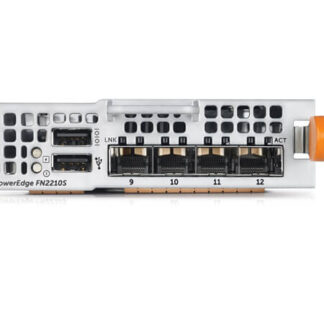
Description
Product Overview of I/O Module
The TRDT8 Dell FN2210S I/O module is a high-speed input/output device designed to provide fast and reliable connectivity to networks. This device offers up to two ports of 2/4/8GBIT/S FC and two ports of SFP+ 10GBE connectivity. It is specifically designed to provide Ethernet connectivity in addition to Fiber Channel connectivity, which is crucial for high-performance computing environments. In this article, we will discuss the key features and benefits of the TRDT8 Dell FN2210S I/O module in detail.
Key Features of the TRDT8 Dell FN2210S I/O Module: The TRDT8 Dell FN2210S I/O module offers several key features that make it an ideal choice for high-performance computing environments. Here are some of the key features of this device:
- High-Speed Connectivity: The TRDT8 Dell FN2210S I/O module provides up to two ports of 2/4/8GBIT/S FC connectivity. This high-speed connectivity enables fast and reliable data transfer, which is essential for applications that require high-speed data transfer.
- Ethernet Connectivity: The TRDT8 Dell FN2210S I/O module provides two ports of SFP+ 10GBE connectivity. This Ethernet connectivity enables easy integration with existing Ethernet networks, making it an ideal choice for organizations that use both Fiber Channel and Ethernet networks.
- Easy Integration: The TRDT8 Dell FN2210S I/O module is easy to integrate into existing networks. It supports a wide range of operating systems and is compatible with a variety of servers and storage devices.
- Scalability: The TRDT8 Dell FN2210S I/O module is designed to be scalable, allowing organizations to expand their networks as needed. This scalability is essential for organizations that need to accommodate growing data volumes and increasing network traffic.
- Redundancy: The TRDT8 Dell FN2210S I/O module provides redundancy, ensuring that network connectivity remains available even in the event of hardware failure. This redundancy is essential for organizations that require high levels of network uptime.
Benefits of the TRDT8 Dell FN2210S I/O Module: The TRDT8 Dell FN2210S I/O module offers several benefits that make it an ideal choice for high-performance computing environments. Here are some of the key benefits of this device:
- High Performance: The TRDT8 Dell FN2210S I/O module provides high-speed connectivity, enabling fast and reliable data transfer. This high-performance connectivity is essential for applications that require high-speed data transfer, such as data center environments.
- Easy Integration: The TRDT8 Dell FN2210S I/O module is easy to integrate into existing networks. It supports a wide range of operating systems and is compatible with a variety of servers and storage devices. This easy integration saves time and resources, making it an ideal choice for organizations that need to quickly integrate new devices into their networks.
- Scalability: The TRDT8 Dell FN2210S I/O module is designed to be scalable, allowing organizations to expand their networks as needed. This scalability is essential for organizations that need to accommodate growing data volumes and increasing network traffic.
- Redundancy: The TRDT8 Dell FN2210S I/O module provides redundancy, ensuring that network connectivity remains available even in the event of hardware failure. This redundancy is essential for organizations that require high levels of network uptime.
- Cost-Effective: The TRDT8 Dell FN2210S I/O module is a cost-effective solution for high-performance computing environments. It provides high-speed connectivity and easy integration, while also offering scalability and redundancy. This cost-effectiveness makes it an ideal choice for organizations that need to balance performance with cost.
General Information about the Dell TRDT8
- Manufacturer : Dell
- Part Number or SKU#: TRDT8
- Product Type : I/O Module
Standalone Mode (Smux): This Is The Factory Default Mode For The Iom. Smux Is A Fully Automated Zero-Touch Mode That Allows Vlan Memberships To Be Defined On The Server-Facing Ports While All Upstream Ports Are Configured In Port Channel 128. Administrators Cannot Modified This Setting.
Vlt Mode : This Low-Touch Mode Automates All Configurations Except VLAN
Membership. Port 9 Is Dedicated To The Vlt Interconnect In This Mode.
Programmable Mux Mode(Pmux): Pmux Mode Provides Operational Flexibility By Allowing The Administrator To Create Multiple Link Aggregation Groups(LAGS), Configure VLANs On Uplinks,And Configure Data Center Bridging(DCB)Parameters On The Server-Facing Ports.
Stacking Mode: Stacking Mode Combines Multiple Switches To Make A Single Logical Switch Which Is Managed By A Designated Master Unit In The Stack. This
Mode Simplifies Management And Redundant Configurations.
Full Switch Mode:Full Switch Mode Makes All Switch Features Available. This Mode Requires The Most Configuration But Allows For The Most Flexibility And Customization.