Description
Compatible Devices and Network Standards
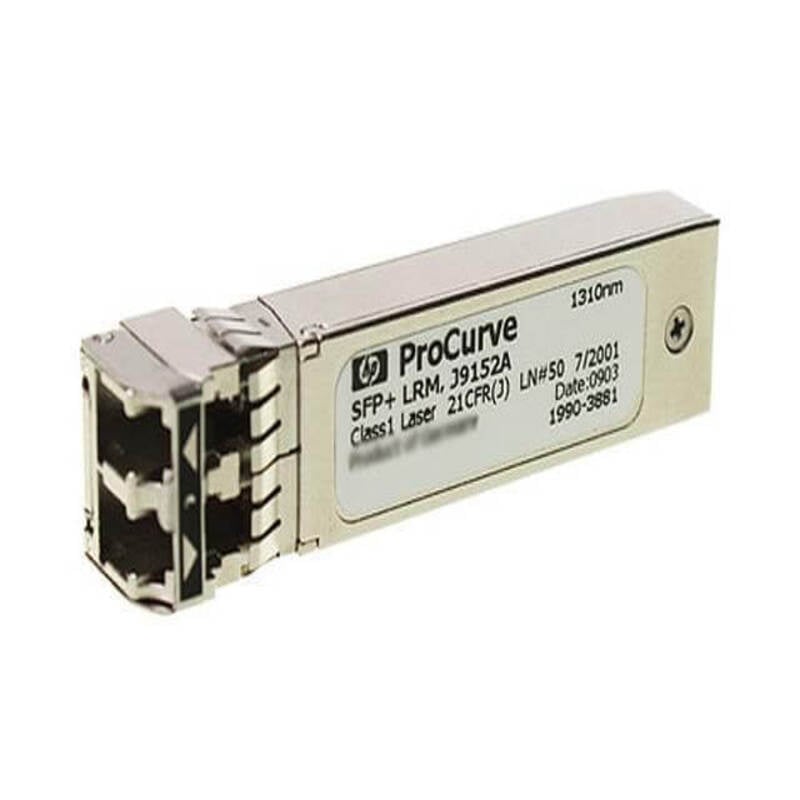
The HP SFP Transceiver Module is compatible with a wide range of networking devices and supports several network standards. Here are some of the key compatible devices and network standards:
- Compatible Devices: The HP SFP Transceiver Module is compatible with a wide range of HP networking devices, including switches, routers, and servers. It is also compatible with third-party networking devices that support SFP transceivers.
- Network Standards: The HP SFP Transceiver Module supports several network standards, including 10Base-T, 100Base-TX, and 1000Base-T. These standards define the physical layer and data link layer protocols for Ethernet networks, and the SFP transceiver module is designed to provide reliable and efficient data transmission for these networks.
- Distance and Speed: The HP SFP Transceiver Module can transmit data at speeds of up to 1 Gbps, and can be used over distances of up to 100 meters over Cat5e and Cat6 cables. It also supports Auto MDI/MDIX, which means it can automatically detect and correct for crossover cables.
- Compatibility with Other Transceiver Standards: The HP SFP Transceiver Module is also compatible with other transceiver standards such as SFP+ and QSFP+ with the use of appropriate adapters.
Installation and Configuration
Installing and configuring the HP SFP Transceiver Module is a straightforward process that can be done in a few simple steps. Here are some general guidelines for installing and configuring the module:
- Prepare the Network Device: Before installing the transceiver module, make sure the network device is turned off and unplugged from the power source. Then, locate the SFP slot on the device and remove the protective cover.
- Insert the Transceiver Module: Carefully insert the transceiver module into the SFP slot, ensuring that it is properly aligned and fully seated. Some devices may require the use of a locking mechanism or screws to secure the module in place.
- Connect the Network Cable: Once the module is inserted, connect the network cable to the module using a compatible Ethernet cable. Make sure the cable is securely connected to the module and the network device.
- Power On the Network Device: After the module and network cable are installed, power on the network device and wait for it to boot up. Once the device is fully operational, it should detect the transceiver module and configure it automatically.
- Verify and Configure Settings: After installation, verify that the device has detected the module and that it is configured with the appropriate settings, such as speed and duplex mode. Some devices may require manual configuration of these settings, which can be done using the device’s management interface.
Future Trends in SFP Transceiver Technology
SFP transceiver technology has been evolving rapidly in recent years, with new developments and advancements aimed at improving performance, reducing power consumption, and increasing compatibility. Here are some of the key future trends in SFP transceiver technology:
- Higher Data Rates: As demand for high-speed data transmission increases, SFP transceivers are being developed to support higher data rates, such as 25 Gbps, 40 Gbps, and 100 Gbps. These higher data rates are achieved through advancements in signal processing, modulation schemes, and encoding techniques.
- Lower Power Consumption: With energy efficiency becoming a critical consideration in data centers and networking infrastructure, SFP transceiver manufacturers are developing new technologies to reduce power consumption. For example, advanced digital signal processing techniques can help reduce power consumption while maintaining high data rates and reliable performance.
- Increased Compatibility: As networks become more diverse and complex, SFP transceivers are being designed to support a wider range of networking standards, protocols, and interfaces. For example, SFP transceivers can now support Ethernet, Fibre Channel, InfiniBand, and SONET/SDH protocols, and can be used in a variety of networking devices, including switches, routers, servers, and storage arrays.
- Smaller Form Factors: As networking devices become smaller and more compact, SFP transceivers are being developed in smaller form factors, such as SFP+ and QSFP, to support higher port densities and enable more efficient use of space in data centers and networking infrastructure.
- Advanced Diagnostics and Monitoring: SFP transceivers are being developed with advanced diagnostic and monitoring features that provide real-time feedback on performance, power consumption, and other metrics. These features can help network administrators optimize network performance, troubleshoot issues, and improve overall network reliability.
General Information about the HPE 582639-001
- Manufacturer: HP
- Model Number or SKU# 582639-001
- Type: Networking
- Transceiver Type: Transceiver GBIC – SFP
Networking
- Connectivity Technology : Wired
- Cabling Type : 10base-t, 100base-tx, 1000base-t
- Data Link Protocol : Ethernet, Fast Ethernet, Gigabit Ethernet
- Data Transfer Rate : 1 GBPS
Expansion / Connectivity
- Compatible Slots : 1 X Sfp (mini-gbic)