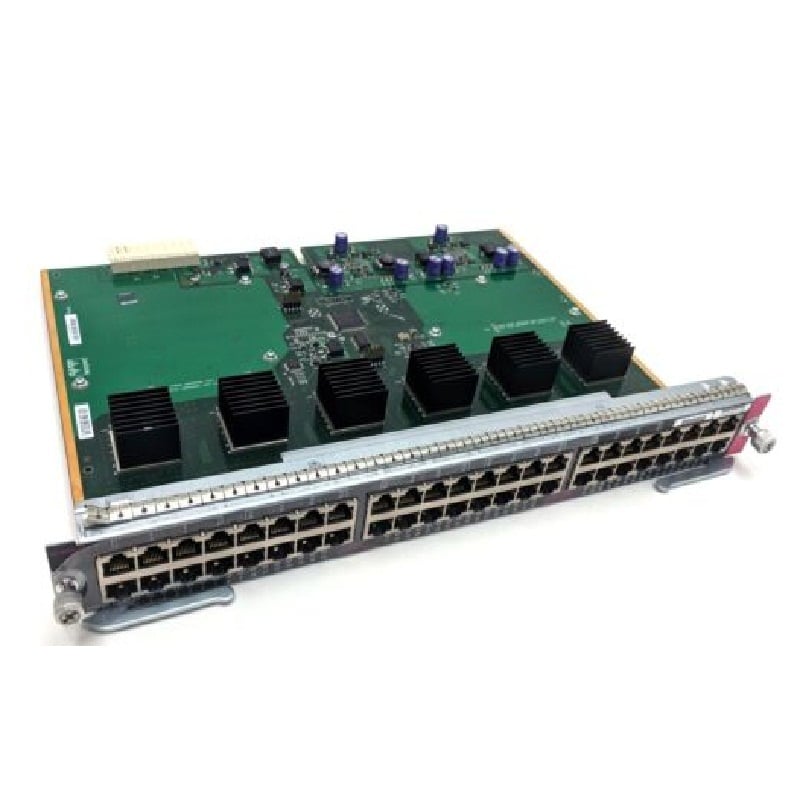
Description
Energy-Efficient Design of the Switch
Energy-efficient design in the HPE J9772-61001 2530-48G-PoE Manageable Expansion Slots 48 Ports Switch can refer to a variety of features that aim to reduce the power consumption of the device. Some examples of energy-efficient design features that may be included in this switch include:
- Power over Ethernet (PoE): This allows the switch to power connected devices, such as phones or cameras, through the Ethernet cable, rather than requiring separate power sources. This can reduce the overall power consumption of the network.
- Energy Efficient Ethernet (EEE): This standard allows devices to save power by lowering the power consumption of the Ethernet link during periods of low traffic.
- Auto-sensing ports: These ports automatically detect the speed and duplex settings of connected devices, which can help to reduce power consumption by not sending unnecessary data.
- Power-saving modes: Some switches include settings that allow you to manually control the power consumption of the device, such as turning off ports that are not in use or reducing the power to the device when it is not actively in use.
Remote management and monitoring options
Remote management and monitoring options: The HPE J9772-61001 2530-48G-PoE Switch offers a variety of remote management and monitoring options. The switch can be managed through a web interface, command-line interface (CLI), or through HPE’s Intelligent Management Center (IMC) software. This allows for easy monitoring and management of the switch from any location. Additionally, the switch supports SNMP and RMON for remote monitoring and management of the switch. Remote management and monitoring options can help to minimize downtime and increase overall network efficiency.
Troubleshooting and Support
Troubleshooting and support for the HPE J9772-61001 2530-48G-PoE Manageable Expansion Slots 48 Ports Switch can be performed through a number of different methods:
- Web-based management interface: The switch has a built-in web-based management interface that allows you to view system logs, diagnose network issues, and perform basic troubleshooting tasks.
- HPE Support Center: The HPE Support Center is a comprehensive online resource that provides access to technical documentation, software downloads, and troubleshooting tools. It also allows you to open and track support cases with HPE.
- HPE Community: The HPE Community is a user forum where you can ask questions and get answers from other HPE customers and experts.
- HPE Support Services: HPE offers a range of support services to help you troubleshoot and resolve issues with your switch. These services include hardware and software support, as well as on-site and remote technical assistance.
- Technical Support Hotline: HPE provides a technical support hotline that can be reached 24/7 for immediate assistance with urgent issues.
- HPE Smart Update Manager: The HPE Smart Update Manager (SUM) is a tool that can be used to update the firmware and software of the switch. This tool can be used to troubleshoot and fix software-related issues.
General Information about the HPE J9772-61001
- Manufacturer: HPE
- Part Number or SKU# J9772-61001
- Type: Networking
- Sub Type: Ethernet Switch
Performance of 48 Ports Switch
- Total Number of Network Ports 48
- Layer Supported 2
- Product Series: 2530
- Manageable: Yes
- Media Type: Supported Twisted Pair
- Ethernet Technology: Gigabit Ethernet
- Network Technology:10/100/1000Base-T
I/O Expansions Slots 4 Switch
- Number of Total Expansion Slots 4
- Expansion Slot Type SFP
Power of Series 2530 Switch
- PoE (RJ-45) Port Yes
- Input Voltage 110 V AC, 220 V AC
Dimensions & Weight
- Width: 17.4 inch
- Depth: 12.7 inch
- Height: 1.8 inch
- Weight: 10.41 lbs