Description
Scalable Networking Solutions
Scalable networking solutions refer to the ability to adapt and expand a network as the needs of the organization change. The JC691A HPE A5830AF 48G Switch offers scalable networking capabilities through its 1 interface slot, which can be used to add additional network modules or interfaces to expand the switch’s capabilities. This feature allows organizations to start with a basic configuration and gradually expand as needed, without having to replace the entire switch. This can help to save on costs and minimize disruptions to the network. Additionally, the switch’s 48 Gigabit Ethernet ports allow for high-speed connectivity and support for a large number of devices, making it a suitable option for growing organizations.
48 Gigabit Ethernet Ports
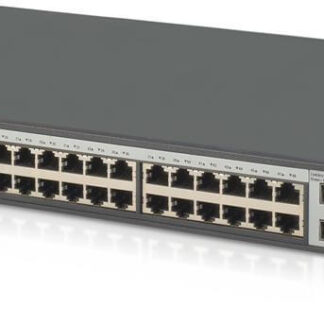
The JC691A HPE A5830AF 48G Switch is equipped with 48 Gigabit Ethernet ports, which are high-speed ports that can transmit data at a rate of up to 1 billion bits per second. These ports provide fast and reliable connectivity for devices such as computers, servers, and other networked devices. The large number of ports available on the switch allows for a large number of devices to be connected to the network, making it a suitable option for organizations with a large number of employees or devices that need to be connected to the network.
The Gigabit Ethernet ports also support various features such as Quality of Service (QoS) and Link Aggregation Control Protocol (LACP) to enhance the network performance and availability. QoS allows to prioritize traffic to ensure that the most important data gets through first, while LACP enables to bundle multiple physical ports together to form a single logical channel, providing higher bandwidth and redundancy.
In addition, the switch also supports plug-and-play operations, which allows devices to be easily added or removed from the network without having to reconfigure the switch or disrupt network operations. This can help to improve network efficiency and reduce downtime.
Firmware Updates and Upgrades
Firmware updates and upgrades are an important aspect of maintaining the performance and security of a network switch, such as the HPE A5830AF 48G Switch. These updates can include bug fixes, security patches, and new features that can improve the overall functionality of the switch.
One of the main benefits of firmware updates is that they can fix known issues and vulnerabilities in the switch’s software. For example, if a security vulnerability is discovered, a firmware update can be released to address the issue and protect against potential attacks.
Firmware updates can also bring new features and functionality to the switch. For example, a new firmware version may introduce support for new protocols, enhanced QoS capabilities, or improved network monitoring and troubleshooting tools.
To ensure that the switch’s firmware is up to date, it is important to regularly check for new updates from the manufacturer. Many switches include a built-in update feature that allows for easy downloading and installation of new firmware versions.
It is also important to note that before updating the firmware, it is recommended to take a backup of the current configuration and make sure that the switch is in a healthy state and has enough memory to accommodate the new firmware. Also, it’s recommended to test the new firmware in a lab environment before applying it to a production network.
General Information
- Manufacturer: HPE
- Model Number or SKU# JC691A
- Product Type: 48 Ports Switch
Technical Information
- Enclosure Type : Rack-Mountable – 1u
- Ports : 48 X 10/100/1000 + 2 X Shared Sfp + 2 X 10 Gigabit Ethernet / 1 Gigabit Ethernet Sfp+
- Performance : Switching Capacity : 160 Gbps Throughput : 119 Mpps
- Capacity : Routing Table Entries : 12000
Expansion / Connectivity
- Interfaces : 48 X 10base-T/100base-Tx/1000base-T – Rj-45 2 X Sfp (Mini-Gbic) 2 X Sfp+ Serial : 1 X Console – Rj-45 1 X Rj-45 – Management
- Expansion Slot(S) : 1 (Total) / 1 (Free) X Expansion Slot
Power
- Power Device : Power Supply
- Installed Qty : 0 (Installed) / 2 (Max)