Description
Features and Specifications
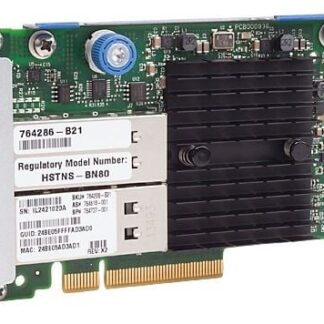
The HPE Infiniband QDR/Ethernet 10GB 2-Port 544+FLR-QSFP Adapter (part number 764620-001) is a high-performance network interface card designed for use in HPE ProLiant servers and other compatible systems. It provides two ports, each capable of supporting both Infiniband QDR and Ethernet 10Gb connectivity. Here are some of its key features and specifications:
- Port Configuration: 2 ports, each with 544+FLR-QSFP connectors
- Data Transfer Rate: 40 Gb/s (Infiniband QDR), 10 Gb/s (Ethernet)
- Network Standards: Infiniband QDR, Ethernet 10Gb, IEEE 802.3ae, IEEE 802.3ak
- Power Consumption: 12.5W max per port
- Form Factor: PCIe 2.0 x8
- OS Support: Windows Server, Red Hat Enterprise Linux, SUSE Linux Enterprise Server, VMware ESXi, and others
- Virtualization Support: VMware NetQueue, Microsoft VMQ, SR-IOV
- Management: HPE System Management Homepage, HPE Intelligent Provisioning, HPE OneView, HPE iLO
- Advanced Features: Traffic steering and load balancing, RDMA over Converged Ethernet (RoCE), TCP/IP offload engine, protocol offload for FCoE and iSCSI
Installation and Configuration
The HPE Infiniband QDR/Ethernet 10GB 2-Port 544+Flr-QSFP Adapter is a network adapter card that can be installed in a server to provide high-speed data transfer capabilities using either Infiniband or Ethernet protocols.
Here is a step-by-step guide on how to install and configure this adapter:
- Shutdown the server where you want to install the adapter.
- Open the server chassis and locate a free PCIe slot where you can insert the adapter.
- Carefully insert the adapter into the PCIe slot and secure it with a screw.
- Connect the adapter to the appropriate network cables for your desired protocol, either Infiniband or Ethernet. For Infiniband, you will need to use QSFP cables.
- Power on the server and wait for it to boot up.
- Install the appropriate drivers for the adapter. These drivers can be downloaded from the HPE website.
- Once the drivers are installed, configure the adapter using the appropriate management software. This software may vary depending on your server and operating system, but it should be provided by HPE.
- Configure the adapter’s network settings according to your network requirements. This may include setting IP addresses, VLANs, and other network parameters.
- Test the adapter’s connectivity by pinging other devices on your network.
Congratulations, you have successfully installed and configured the HPE Infiniband QDR/Ethernet 10GB 2-Port 544+Flr-QSFP Adapter!
Maintenance and Troubleshooting of the Adapter
The 764620-001 HPE Infiniband QDR/Ethernet 10GB 2-Port 544+Flr-QSFP Adapter is a network interface card that provides high-speed connectivity for data center environments. The adapter has two ports that support both Infiniband QDR and Ethernet 10GB network connections, as well as 544+Flr-QSFP technology for additional flexibility.
To maintain and troubleshoot the adapter, there are a few key steps you can take. First, it’s important to ensure that the adapter is installed correctly in the server or workstation, and that all cables and connections are securely in place. You can also check the firmware and driver versions to make sure they are up to date.
If you experience any issues with the adapter, you can try running diagnostics tools provided by the manufacturer or updating the firmware and drivers. It’s also important to check for any compatibility issues with other hardware or software in your environment, as this can cause problems with the adapter’s performance.
If you’re unable to resolve any issues with the adapter through these steps, you may need to contact the manufacturer for additional support or consider replacing the adapter. In any case, it’s important to have a solid understanding of the adapter’s capabilities and troubleshooting options to ensure that your network remains reliable and secure.
Details Information about this HPE 764620-001
- Manufacturer : HPE
- Model Number or SKU# 764620-001
- Product Type: Network Adapter