Description
Introduction to HPE Ethernet Adapter
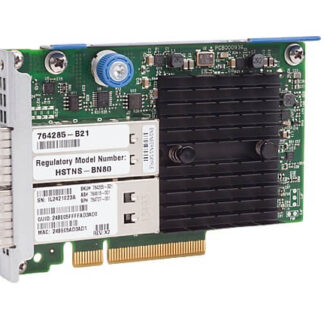
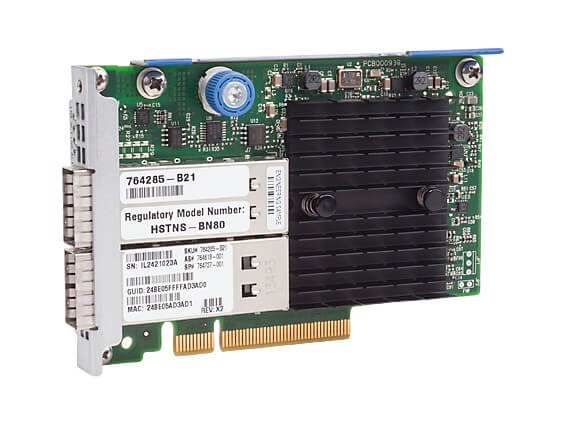
The HPE InfiniBand FDR/Ethernet 10GB/40GB 2-port 544 FLR-QSFP Network Adapter (part number 764737-001) is a network interface card (NIC) designed for high-performance computing environments that require low-latency and high-bandwidth communication between servers and storage systems.
The card features two ports, each supporting both InfiniBand FDR and Ethernet 10GB/40GB connectivity. InfiniBand FDR is a high-speed interconnect technology that provides low-latency and high-bandwidth communication between compute nodes, storage systems, and other network devices. Ethernet 10GB/40GB is a standard networking technology that provides high-speed data transfer over a network.
The 544 FLR-QSFP Network Adapter supports QSFP+ transceivers, which enable the card to support a range of InfiniBand and Ethernet cabling options, including copper and fiber optic cables.
This adapter is designed for use with HPE servers and storage systems, and it is compatible with a range of operating systems, including Windows and Linux.
The HPE Infiniband Fdr/Ethernet 10GB/40GB 2Port 544 Flr-Qsfp Network Adapter is a high-performance network adapter that allows for fast and reliable data transfer over a network. Here are the steps for installing and configuring this network adapter:
Installation:
- Turn off your server and unplug it from the power source.
- Open the server case and locate an available PCIe slot.
- Remove the slot cover from the PCIe slot.
- Carefully insert the HPE Infiniband Fdr/Ethernet 10GB/40GB 2Port 544 Flr-Qsfp Network Adapter into the PCIe slot and secure it with the screw.
- Close the server case and plug it back into the power source.
Configuration:
- Boot up your server and enter the BIOS.
- Navigate to the “Advanced” or “Integrated Peripherals” menu.
- Locate the option for “PCIe Devices” or “Onboard Devices.”
- Select the option to enable the HPE Infiniband Fdr/Ethernet 10GB/40GB 2Port 544 Flr-Qsfp Network Adapter.
- Save and exit the BIOS.
- Install the necessary drivers for the network adapter on your server operating system.
- Configure the network adapter settings, such as IP address, subnet mask, and default gateway, as required for your network environment.
Once the installation and configuration steps are completed, the HPE Infiniband Fdr/Ethernet 10GB/40GB 2Port 544 Flr-Qsfp Network Adapter should be ready for use.
Maintenance and Troubleshooting
The 764737-001 HPE Infiniband Fdr/Ethernet 10GB/40GB 2Port 544 Flr-Qsfp Network Adapter is a high-speed networking card designed for use in high-performance computing and data center environments. It supports both Infiniband and Ethernet protocols and features two ports, each capable of speeds up to 40Gbps.
Maintenance:
To keep your HPE Infiniband Fdr/Ethernet 10GB/40GB 2Port 544 Flr-Qsfp Network Adapter functioning properly, it’s important to perform regular maintenance. This can include:
- Updating drivers and firmware: HPE regularly releases updates to the drivers and firmware for their networking cards. By keeping your adapter up to date, you can ensure that it’s running at peak performance and compatibility with other hardware and software.
- Cleaning the adapter: Dust and debris can accumulate on the adapter over time, which can reduce its effectiveness and lead to overheating. Use compressed air or a soft brush to clean the card regularly.
- Checking for physical damage: Inspect the adapter for any signs of physical damage, such as cracks or broken components. If you notice any damage, contact HPE support for assistance.
Troubleshooting:
If you’re experiencing issues with your HPE Infiniband Fdr/Ethernet 10GB/40GB 2Port 544 Flr-Qsfp Network Adapter, there are a few steps you can take to troubleshoot the problem:
- Check the cables: Ensure that the cables connecting the adapter to other devices are properly plugged in and secure. Loose cables can cause connection issues.
- Restart the adapter: Try restarting the adapter to see if that resolves the issue. You can do this by physically removing the adapter from the server or using software tools to reset it.
- Update drivers and firmware: As mentioned earlier, updating the drivers and firmware for the adapter can often solve connectivity and performance issues.
- Contact HPE support: If none of the above steps work, contact HPE support for assistance. They can provide additional troubleshooting steps or replace the adapter if necessary.
General Information
- Product Manufacturer : HPE
- Manufacturer Part Number : 764737-001
- Type: Networking
- Sub-Type: Switch 96 Ports
- Product Type : Network Adapter
- Product Model : 544+Flr-Qsfp
Technical Information
- Ports : 40gb Ethernet / Infiniband Fdr Qsfp X 2
- Connectivity Technology : Wired
- Data Link Protocol : 10 Gige, Infiniband, 40 Gigabit Lan
- Data Transfer Rate : 40 Gbps
- Features : Infiniband Fdr Link Support
- Expansion / Connectivity:
- Interfaces : 2 X 40gb Ethernet / Infiniband Fdr – Qsfp