

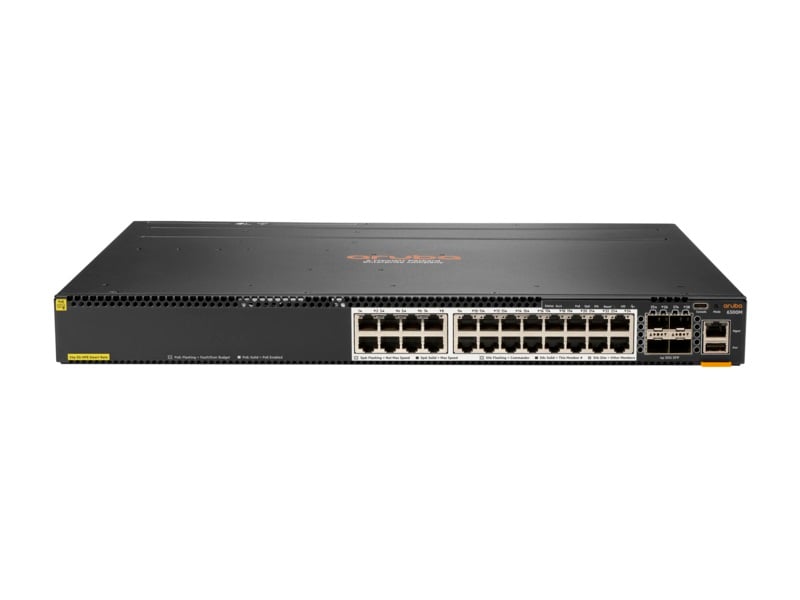
Description
Smart Rate Technology
Smart Rate technology is a feature found in some network switches, including the HPE Aruba 6300M switch. It is designed to help organizations maximize the performance of their network while also reducing costs.
Smart Rate technology allows switches to automatically adjust the speed of their ports based on the data rate of the connected devices. This means that if a device is connected to a port that supports higher speeds, such as 10 Gigabit Ethernet, the switch will configure the port to run at that speed. If a device is connected to a port that only supports lower speeds, such as 1 Gigabit Ethernet, the switch will configure the port to run at that speed.
This automatic adjustment of port speed helps to improve network performance, reduce costs, and ensure that network resources are used efficiently. By using Smart Rate technology, organizations can take advantage of the high performance offered by faster networks without having to pay for unnecessary upgrades to their infrastructure.
In addition to adjusting the speed of the ports, Smart Rate technology also provides advanced features such as flow control, priority queuing, and congestion management to help ensure that network traffic flows smoothly and efficiently.
Installation and Configuration
Installation and configuration refer to the process of setting up and preparing a network system, such as a switch, for use. The installation involves physically installing the switch and connecting it to the network, while configuration involves setting up the switch’s software and networking settings to make it functional.
The steps involved in installing and configuring a switch typically include:
- Unpacking and physical installation: The switch is physically installed into the network by connecting it to the network infrastructure, such as other switches or routers, and to a power source.
- Connecting to the switch: This is typically done through a serial or Ethernet cable connected to a computer or laptop.
- Initial configuration: The initial configuration is done using a command line interface (CLI) or a web-based graphical user interface (GUI) to set up basic networking parameters such as IP address, subnet mask, and default gateway.
- Configuring ports: The ports on the switch are configured for the type of network connection required, such as Ethernet or Fiber. This includes setting up VLANs, port speed, and duplex.
- Configuring security features: This includes setting up access control lists (ACLs), port security, and other security features to ensure the network is secure and protected from unauthorized access.
- Verifying the configuration: Once the switch is configured, it is important to verify that the settings are correct and the switch is functioning properly. This can be done by pinging other devices on the network or by checking the switch’s log files.
Installation and configuration are critical steps in setting up a switch and ensuring that it is ready to be used in a network. Proper installation and configuration can help ensure that the switch is functioning optimally and providing the network with the performance, reliability, and security it needs.
Energy Efficient Design
Energy efficient design refers to the concept of designing and building electronic devices, such as switches, in a way that minimizes their power consumption and reduces their environmental impact. Energy efficiency is important in today’s world as it helps to reduce energy costs, lower carbon emissions, and conserve resources.
In the context of switches, energy efficient design can involve a number of different strategies and technologies, including:
- Power management: This includes features such as power-saving modes, idle-port power-down, and cable length sensing that allow the switch to reduce its power consumption when not in use.
- Energy-efficient components: This includes using energy-efficient components such as processors, memory, and power supplies to reduce the overall energy consumption of the switch.
- Cooling systems: Energy efficient switches are designed with efficient cooling systems that use less energy to keep the switch cool, reducing the overall energy consumption of the switch.
- Energy-efficient networking technologies: This includes features such as Energy Efficient Ethernet (EEE), which allows the switch to reduce its power consumption during periods of low network traffic.
- Energy-efficient design processes: Energy efficient design also involves designing the switch to use less power during its entire lifecycle, from manufacturing to disposal.
Energy efficient design is an important consideration for organizations as they look to reduce their energy costs, reduce their carbon footprint, and help conserve resources for future generations. By investing in energy efficient switches, organizations can enjoy the benefits of high-performance networking while also reducing their impact on the environment.
General Information about the HPE JL660A
- Manufacturer : HPE
- Model Number or SKU# JL660A
- Product Series : CX 6300
- Product Type : Ethernet Switch
Technical Information
- Total Number of Network Ports : 24
- Uplink Port : Yes
- Modular : Yes
- Stack Port : Yes
- Port/Expansion Slot Details : 24 x 5 Gigabit Ethernet PoE, 4 x 50 Gigabit Ethernet Uplink
Media & Performance
- Media Type Supported : Twisted Pair, Optical Fiber
- Ethernet Technology : 5 Gigabit Ethernet, 50 Gigabit Ethernet
- Network Technology : 5GBase-T, 50GBase-X
I/O Expansions
- Number of Total Expansion Slots : 4
- Expansion Slot Type : SFP
- Number of SFP Slots : 4
Network & Communication
- Layer Supported : 3
Management & Protocols
- Manageable : Yes
Power Description:
- Power Source : Power Supply
- Redundant Power Supply Supported : Yes


