Description
Advanced Networking Features
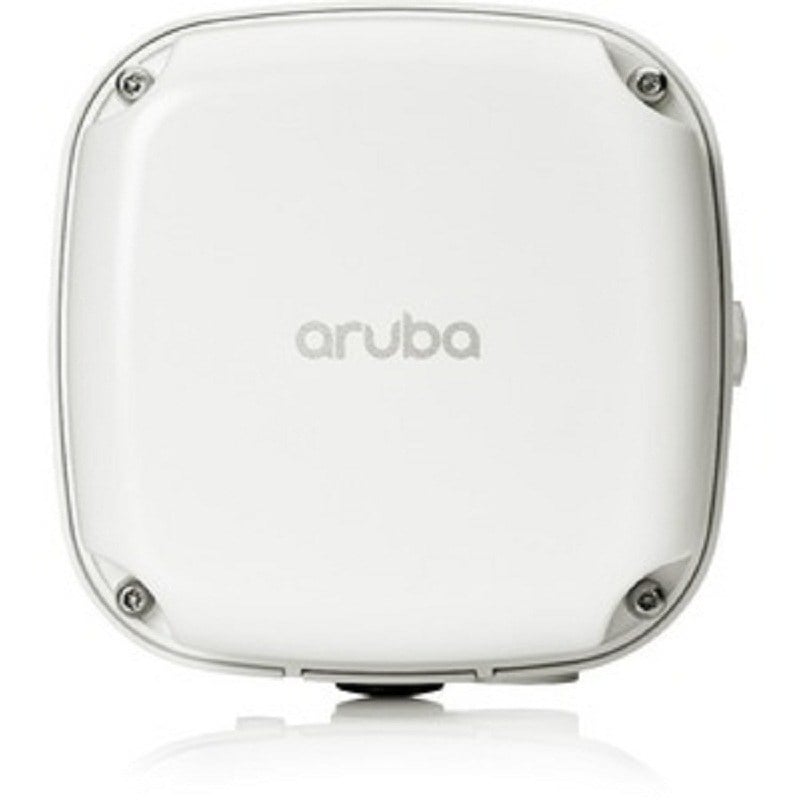
The AIR-OEAP1810-N-K9 Cisco Aironet 1810 Wireless Access Point is designed to provide advanced networking features to businesses and organizations. These features are intended to improve the performance, security, and manageability of wireless networks.
One key feature of the AIR-OEAP1810-N-K9 access point is support for 802.11ac Wave 2 technology. This allows for faster wireless speeds and greater network capacity, which can help to support more devices and applications on the network.
In addition to fast wireless speeds, the AIR-OEAP1810-N-K9 access point also supports multiple-input and multiple-output (MIMO) technology. This technology uses multiple antennas to transmit and receive data, which can help to improve the reliability and quality of wireless connections.
Another important feature of the AIR-OEAP1810-N-K9 access point is its support for advanced security features. This includes support for the latest encryption protocols, such as WPA2 and AES, as well as the ability to create secure guest networks and implement role-based access controls.
The AIR-OEAP1810-N-K9 access point also supports advanced networking features such as virtual LANs (VLANs) and Quality of Service (QoS) protocols. These features can help to segment the network and prioritize traffic to ensure that critical applications receive the necessary bandwidth.
Finally, the AIR-OEAP1810-N-K9 access point includes management features that can help to simplify network administration. This includes support for centralized management tools, such as Cisco Prime Infrastructure, as well as the ability to manage multiple access points from a single console.
Management and Deployment Options
The AIR-OEAP1810-N-K9 Cisco Aironet 1810, 802.11ac Wave Wireless Access Point offers various management and deployment options for network administrators. These options allow for easy configuration and management of the access point, making it an ideal choice for businesses of all sizes.
One of the management options available for the AIR-OEAP1810-N-K9 is the Cisco Mobility Express. This is a built-in controller that allows for easy deployment and management of wireless networks. The Mobility Express feature allows for simplified network management and enables quick deployment of wireless networks, which can be especially useful for businesses that require a quick turnaround time.
Another option is the Cisco Prime Infrastructure. This is a network management tool that provides comprehensive visibility into network performance and helps to simplify network management. The tool can be used to monitor the performance of the access point and other network devices, set policies, and configure security settings.
The AIR-OEAP1810-N-K9 also supports centralized deployment through the Cisco DNA Center. The DNA Center is a centralized network management platform that allows administrators to automate network functions, provision and configure network devices, and analyze network performance.
In addition, the access point can be managed using the Cisco Wireless Controller. This provides centralized management of wireless networks, with the ability to configure and manage multiple access points from a single location. The Wireless Controller allows administrators to manage wireless networks across multiple locations, with the ability to monitor performance and troubleshoot issues from a central location.
Network Configuration and Integration
The AIR-OEAP1810-N-K9 Cisco Aironet 1810 Wireless Access Point is designed to be used as part of a wireless network infrastructure. Configuring and integrating the access point into an existing network involves a few steps, which are outlined below.
- Power on the Access Point: Before you can configure the access point, you need to power it on. The AIR-OEAP1810-N-K9 access point can be powered using Power over Ethernet (PoE) or an external power supply.
- Connect the Access Point to the Network: Once the access point is powered on, you will need to connect it to your network using an Ethernet cable. The access point has a single Gigabit Ethernet port for this purpose.
- Access the Access Point Configuration Page: To configure the access point, you will need to access the configuration page. This can be done by entering the IP address of the access point into a web browser.
- Configure the Access Point: Once you have accessed the configuration page, you can begin configuring the access point to suit your network requirements. This will involve setting up wireless networks, assigning IP addresses, configuring security settings, and so on.
- Integrate the Access Point into Your Network: Once the access point has been configured, you will need to integrate it into your network. This will involve connecting it to other network devices, such as switches, routers, and firewalls, and configuring these devices to work with the access point.
- Test the Access Point: Once the access point has been configured and integrated into your network, it is important to test it to ensure that it is working correctly. This can be done by connecting to the wireless network and testing its performance, checking for any issues or errors.
General Information about this Cisco AIR-OEAP1810-N-K9
- Manufacturer Cisco
- Part Number or SKU# AIR-OEAP1810-N-K9
- Product Type Wireless Access Point
Technical Information of Cisco Wireless Access Point
- Wireless LAN Standard IEEE 802.11ac
- Frequency Band 5 GHz ,2.40 GHz
- Wireless Transmission Speed 866.70 Mbit/s
- MIMO Technology Yes
- Wireless Type : WAN Access
Interfaces/Ports of Cisco Aironet AP
- Ethernet Technology Gigabit Ethernet
- Number of Network (RJ-45) Ports 4
- PoE (RJ-45) Port Yes
- VGA No
- HDMI No
- USB No
- Powerline No
- Management Port Yes
Dimension and Weight
- Form Factor Desktop
- Wall Mountable
- Height 1.6 Inch
- Width 6.5 Inch
- Depth 4.5 Inch
- Weight (Approximate) 1.20 lbs