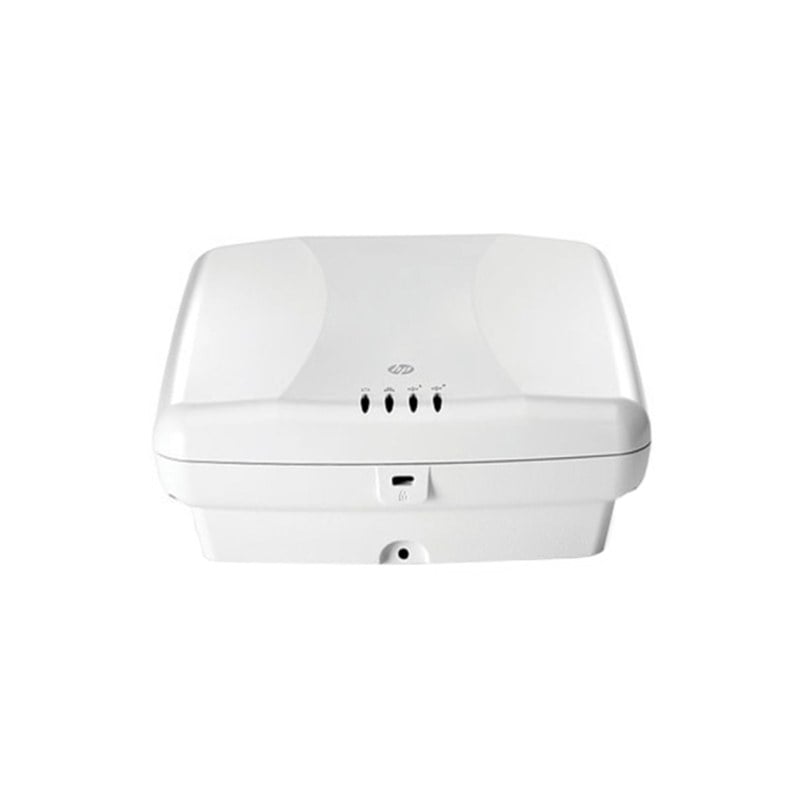
Description
Wireless LAN Optimization and Performance
The AIR-CAP2602E-B-K9 Cisco Aironet 2602E Access Point offers several features to optimize and enhance wireless LAN performance. Some of the ways the access point can improve wireless LAN optimization and performance include:
- 802.11n Technology: The AIR-CAP2602E-B-K9 Aironet Access Point supports the 802.11n standard, which provides increased data rates, range, and reliability over previous wireless LAN standards.
- CleanAir Technology: CleanAir technology helps identify and mitigate RF interference that may impact the performance of the wireless network. The access point can detect interference from non-Wi-Fi sources such as microwaves and other wireless devices and automatically adjust the channel selection to reduce interference.
- BandSelect: The BandSelect feature helps to optimize client performance by steering 5GHz capable clients to connect to the 5GHz frequency band, which generally has less interference and provides faster speeds.
- ClientLink 2.0: This feature helps improve wireless LAN performance and capacity by optimizing client connectivity. ClientLink 2.0 analyzes the wireless environment and selects the best antenna pattern to use for each client device, reducing the number of errors and retransmissions, and improving overall performance.
- MIMO Technology: The AIR-CAP2602E-B-K9 Aironet Access Point supports multiple-input multiple-output (MIMO) technology, which provides faster data rates and increased wireless coverage by using multiple antennas to transmit and receive data simultaneously.
- Quality of Service (QoS): The access point supports QoS features, which prioritize different types of network traffic to ensure that critical applications, such as voice or video, receive the bandwidth they need to operate effectively.
- Dynamic Frequency Selection (DFS): The DFS feature helps to reduce interference and improve performance by automatically selecting channels that are not being used by radar systems in the area.
Advanced Configuration and Management
The AIR-CAP2602E-B-K9 Cisco Aironet 2602E Controller-Based PoE Access Point provides several advanced configuration and management options that enable network administrators to optimize the performance and security of their wireless networks. Here are some examples of advanced configuration and management features available with the AIR-CAP2602E-B-K9:
- Quality of Service (QoS) – The AIR-CAP2602E-B-K9 provides QoS features that allow network administrators to prioritize traffic based on different applications or users. This helps to ensure that critical applications or users receive sufficient network resources, improving overall network performance.
- VLANs – The AIR-CAP2602E-B-K9 supports the use of virtual LANs (VLANs), which enable network administrators to segment the network into different virtual networks. This can be used to separate different types of traffic or to isolate wireless clients from each other, improving network security.
- Wireless Mesh Networking – The AIR-CAP2602E-B-K9 supports wireless mesh networking, which enables wireless access points to communicate with each other wirelessly, without the need for wired connections. This can be used to extend wireless coverage to areas that are difficult to reach with wired connections.
- Load Balancing – The AIR-CAP2602E-B-K9 supports load balancing, which enables network administrators to distribute wireless clients across multiple access points, helping to improve network performance and prevent overload on any single access point.
- Rogue AP Detection and Prevention – The AIR-CAP2602E-B-K9 provides tools to detect and prevent rogue access points from joining the wireless network. This helps to prevent unauthorized access to the network and improves overall network security.
- Advanced Security Features – The AIR-CAP2602E-B-K9 provides several advanced security features, including support for 802.1X authentication and Dynamic Host Configuration Protocol (DHCP) snooping. These features can help prevent unauthorized access to the network and improve overall network security.
- Guest Access – The AIR-CAP2602E-B-K9 provides guest access features, which enable network administrators to create a separate wireless network for guest users. This can help to improve network security and prevent unauthorized access to the corporate network.
Troubleshooting and Debugging Tools
The AIR-CAP2602E-B-K9 Cisco Aironet 2602E Controller-Based PoE Access Point provides a range of troubleshooting and debugging tools to help diagnose and resolve issues that may arise in your wireless network. Here are some of the tools available:
- Command Line Interface (CLI) Troubleshooting Commands: The AIR-CAP2602E-B-K9 provides a range of CLI commands for troubleshooting wireless issues. These commands can be used to diagnose problems with wireless connectivity, authentication, and other network issues.
- Debugging Tools: The AIR-CAP2602E-B-K9 provides a range of debugging tools to help identify issues with your wireless network. These include debug messages, packet captures, and system logs.
- Wireless Packet Captures: The AIR-CAP2602E-B-K9 supports the capture of wireless packets, which can be used to analyze network traffic and diagnose issues. Packet captures can be used to identify issues such as interference, misconfigured wireless clients, and other problems.
- Client Debugging: The AIR-CAP2602E-B-K9 provides tools to help diagnose issues with wireless clients, such as connection problems or authentication issues. The controller can provide information on client behavior, such as the number of retransmissions or the signal strength.
- Spectrum Analysis: The AIR-CAP2602E-B-K9 supports spectrum analysis, which can be used to detect and diagnose interference from non-Wi-Fi sources, such as microwave ovens or cordless phones. This feature provides information on the frequency and power of non-Wi-Fi signals in the area.
- Performance Monitoring: The AIR-CAP2602E-B-K9 provides tools to monitor the performance of the wireless network, including client throughput, channel utilization, and signal strength. These tools can be used to identify areas of the network that may be experiencing performance issues.
- Troubleshooting Wizards: The AIR-CAP2602E-B-K9 provides a range of troubleshooting wizards, which can guide network administrators through the troubleshooting process for specific issues. These wizards can help simplify the troubleshooting process and reduce the time needed to resolve issues.
By utilizing these troubleshooting and debugging tools, network administrators can quickly diagnose and resolve issues that may arise in their wireless network, ensuring optimal performance and uptime for end-users.
General Information about this Cisco AIR-CAP2602E-B-K9
- Manufacturer : Cisco
- Model Number or SKU# AIR-CAP2602E-B-K9
- Product Line Aironet
- Product Series 2600
- Product Model 2602E
- Product Name Aironet 2602E Wireless Access Point
- Product Type Wireless Access Point
Technical Information of Cisco AIR-CAP2602E-B-K9
- Wireless LAN Standard IEEE 802.11n
- Frequency Band 2.40 GHz
- Frequency Band 5 GHz
- Wireless Transmission Speed 450 Mbit/s
- MIMO Technology Yes
- Beamforming Technology Yes
Interfaces / Ports of Wireless Access Point
- Ethernet Technology Ethernet
- Ethernet Technology Fast Ethernet
- Ethernet Technology Gigabit Ethernet
- PoE (RJ-45) Port No
- VGA No
- HDMI No
- USB No
- Powerline No