Description
Network connectivity options
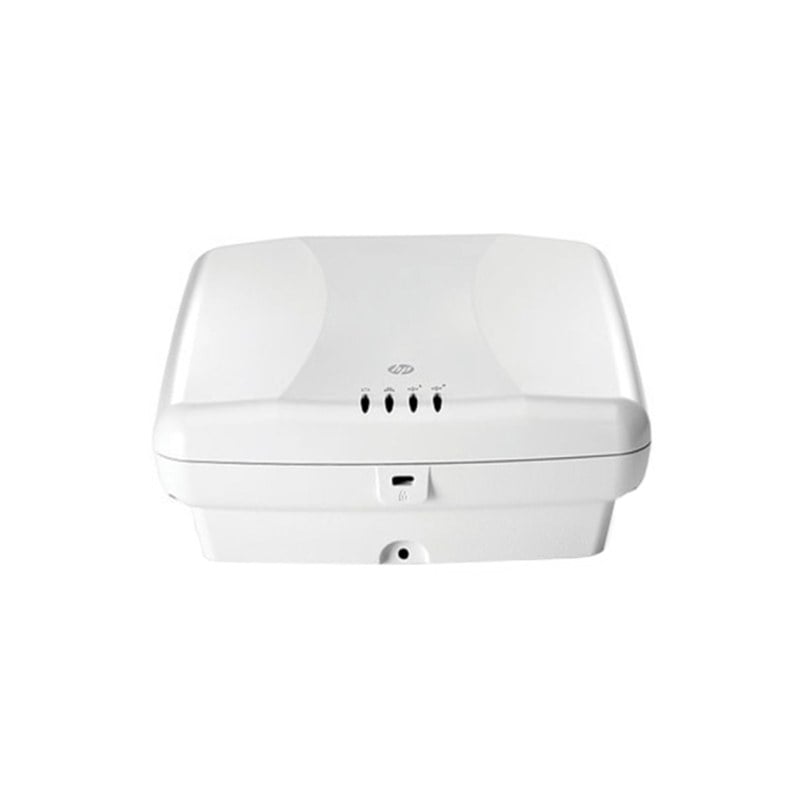
The Cisco Aironet 2600i Wireless Access Point (WAP) is a high-performance wireless access point that is designed for use in enterprise environments. It includes several network connectivity options that enable it to be used in a variety of network architectures. Here are some of the network connectivity options of the AIR-SAP2602I-B-K9 Cisco Aironet 2600i WAP:
- Ethernet connectivity: The WAP includes a Gigabit Ethernet port that can be used to connect the access point to the wired network. This is the primary method of connecting the WAP to the network.
- PoE support: The WAP supports Power over Ethernet (PoE), which enables it to receive both power and data over a single Ethernet cable. This simplifies the installation process and reduces the amount of cabling required.
- Link aggregation: The WAP supports link aggregation, which enables multiple Ethernet ports to be combined into a single logical connection. This can increase the available bandwidth and improve network performance.
- Wireless connectivity: The WAP can also be used to provide wireless connectivity to network clients. It supports a variety of wireless standards, including 802.11a/b/g/n, and can operate in both the 2.4 GHz and 5 GHz frequency bands.
- Mesh networking: The WAP supports mesh networking, which enables access points to be connected wirelessly to form a self-configuring and self-healing wireless network. This can be useful in outdoor environments where running Ethernet cables is not feasible.
- VLAN support: The WAP supports virtual LAN (VLAN) tagging, which enables multiple logical networks to be created on a single physical network. This can improve network security and simplify network management.
Security features
The Cisco Aironet 2600i Wireless Access Point (WAP) is designed for use in enterprise environments where security is a top priority. It includes a variety of security features to ensure the safety and privacy of the wireless network and the data transmitted over it. Here are some of the security features of the AIR-SAP2602I-B-K9 Cisco Aironet 2600i WAP:
- Wireless security protocols: The WAP supports a variety of security protocols, including Wi-Fi Protected Access (WPA) and WPA2, which provide strong encryption for wireless traffic.
- Guest access: The WAP can be configured to provide guest access to the network, while ensuring that guest traffic is isolated from the rest of the network.
- Rogue access point detection: The WAP can detect rogue access points, which are unauthorized access points that can potentially compromise the security of the wireless network.
- Intrusion detection and prevention: The WAP includes a built-in intrusion detection and prevention system (IDS/IPS), which can detect and prevent attacks on the wireless network.
- Access control lists (ACLs): The WAP can be configured to use ACLs, which specify which devices are allowed to connect to the wireless network.
- Wireless intrusion prevention system (wIPS): The WAP includes a wireless intrusion prevention system (wIPS), which can detect and prevent attacks on the wireless network, including rogue access points and denial of service (DoS) attacks.
- Radio resource management (RRM): The WAP’s RRM feature automatically adjusts the power and channel settings of the access points in the network to optimize performance and minimize interference.
- Management security: The WAP includes several management security features, such as HTTPS, SSH, and SNMPv3, which provide secure access to the WAP’s management interface.
Configuration and management
The Cisco Aironet 2600i Wireless Access Point (WAP) can be configured and managed using a variety of methods, including a web-based graphical user interface (GUI), a command-line interface (CLI), and centralized management software. Here are some of the configuration and management options for the AIR-SAP2602I-B-K9 Cisco Aironet 2600i WAP:
- Web-based GUI: The WAP can be configured using a web-based GUI, which provides an easy-to-use interface for configuring the WAP’s settings, such as wireless networks, security features, and management options. The GUI can be accessed using a web browser on a computer connected to the same network as the WAP.
- Command-line interface (CLI): The WAP can also be configured using a CLI, which provides a more advanced interface for configuring the WAP’s settings. The CLI can be accessed using a console cable connected to the WAP’s console port.
- Cisco Prime Infrastructure: The WAP can be managed using Cisco Prime Infrastructure, which is a centralized management software that provides a single interface for managing multiple WAPs across a network. With Prime Infrastructure, network administrators can configure settings, monitor performance, and troubleshoot issues across multiple WAPs.
- Simple Network Management Protocol (SNMP): The WAP supports SNMP, which enables network administrators to monitor and manage the WAP using SNMP-based network management software.
- Command Runner: Cisco’s Command Runner tool enables users to execute a single command on multiple devices simultaneously. This can be useful for tasks such as updating the firmware on multiple WAPs at once.
- Cisco Mobility Services Engine (MSE): The WAP can be used with Cisco’s MSE, which is a network appliance that provides location-based services, such as asset tracking and analytics, for wireless devices connected to the network.
Specification :
- Manufacturer Cisco Systems, Inc
- Type: Networking
- Sub-Type: Wireless 450MBPS
- Manufacturer Part Number AIR-SAP2602I-B-K9
- Brand Name Cisco
- Product Line Aironet
- Product Series 2600
- Product Model 2600i
- Product Name Aironet 2600i Wireless Access Point
- Product Type Wireless Access Point
Technical Information
- Wireless LAN Standard IEEE 802.11n
- Frequency Band 2.40 GHz
- Frequency Band 5 GHz
- Wireless Transmission Speed 450 Mbit/s
- MIMO Technology Yes
- Beamforming Technology Yes
Interfaces/Ports
- Ethernet Technology Gigabit Ethernet
- Ethernet Technology Fast Ethernet
- Ethernet Technology Ethernet
- PoE (RJ-45) Port No
- VGA No
- HDMI No
- USB No
- Powerline No
- Management Port Yes