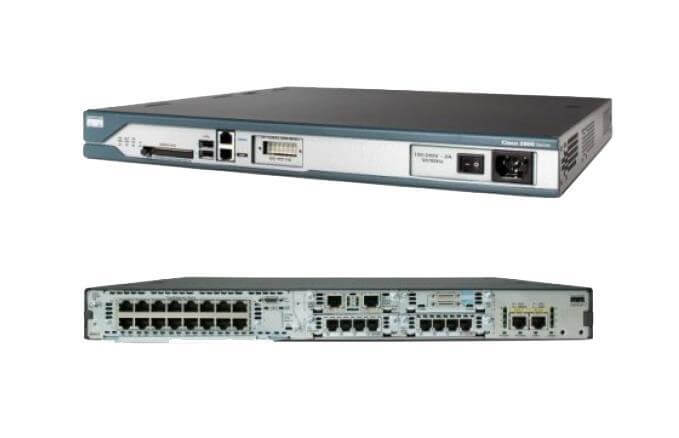
Description
High Reliability and Scalability
High reliability refers to the ability of the Cisco 2811-2SHDSL/K9 router to function without interruption or failure for extended periods of time. This router is designed with redundancy and failover mechanisms in place to ensure that it can continue to operate even in the event of a component failure.
Scalability refers to the router’s ability to expand and adapt to the changing needs of a business. The Cisco 2811-2SHDSL/K9 is designed to handle a large number of simultaneous connections and process large amounts of data. It comes with 64 flash memory and 256 DRAM, which allows it to store and process large amounts of data. Additionally, it supports 2-pair G.shdsl (G.991.2) technology, which provides high-speed data and voice services over a single pair of copper wires, this allows it to support multiple services and provides a higher level of scalability.
Remote Management and Monitoring
The Cisco 2811-2SHDSL/K9 router supports remote management and monitoring, which allows administrators to manage and monitor the device remotely from a central location. This feature is useful for businesses with multiple locations or for organizations with a dispersed workforce.
One way to remotely manage and monitor the Cisco 2811-2SHDSL/K9 router is through the use of Cisco Network Assistant (CNA). CNA is a free software application that allows administrators to manage multiple Cisco devices, including routers, switches, and wireless access points, from a single interface. It provides a simple, user-friendly interface that allows administrators to easily configure, monitor, and troubleshoot network devices.
Another way to remotely manage and monitor the router is through the use of Cisco Configuration Professional (CCP). CCP is a web-based interface that allows administrators to configure, monitor, and troubleshoot Cisco devices from any location with an internet connection. It provides a graphical interface that makes it easy to manage and monitor the router’s settings, status, and performance.
In addition to these tools, the Cisco 2811-2SHDSL/K9 router also supports Simple Network Management Protocol (SNMP) which allows for remote monitoring and management of the device through SNMP management software.
Establishing Internet Connectivity
Establishing internet connectivity on the Cisco 2811-2SHDSL/K9 router involves configuring the router’s WAN interface to connect to an Internet Service Provider (ISP) using a 2-pair G.shdsl (G.991.2) connection. The specific steps for establishing internet connectivity will depend on the configuration of the router and the requirements of the ISP.
- Connect the router’s WAN interface to the ISP’s network using a 2-pair G.shdsl (G.991.2) cable.
- Access the router’s command-line interface (CLI) using a terminal emulation program such as PuTTY.
- Configure the router’s WAN interface with the appropriate IP address, subnet mask, and default gateway provided by the ISP. This can be done by using the “interface” command and the “ip address” command.
- Configure the router’s serial interface with the appropriate clock rate and framing provided by the ISP. This can be done by using the “interface” command and the “clock rate” command.
- Configure the router’s serial interface with the appropriate encapsulation provided by the ISP. This can be done by using the “interface” command and the “encapsulation” command.
- Establish a connection to the ISP by using the “dialer map” command, “dialer pool” command and “dialer string” command.
- Verify that the router has established a connection to the ISP by using the “show interface” command, and “show ip route” command.
General Information
- Manufacturer: Cisco
- Part Number or SKU# C2811-2SHDSL/K9
- Product Type Router
Interfaces/Ports
- Total Number of Ports 2
- Management Port Yes
I/O Expansions
- Number of Total Expansion Slots 9
Network & Communication
- Network Technology 10/100Base-TX
- Ethernet Technology Fast Ethernet
Power Description
- Redundant Power Supply Supported Yes
Dimensions & Weight
- Compatible Rack Unit 1U
- Form Factor Rack-mountable
- Wall Mountable
- Height 1.8 Inch
- Width 17.3 Inch
- Depth 16.4 Inch
- Weight (Approximate) 14 Lbs