

Description
Advanced Security Features for Services Router
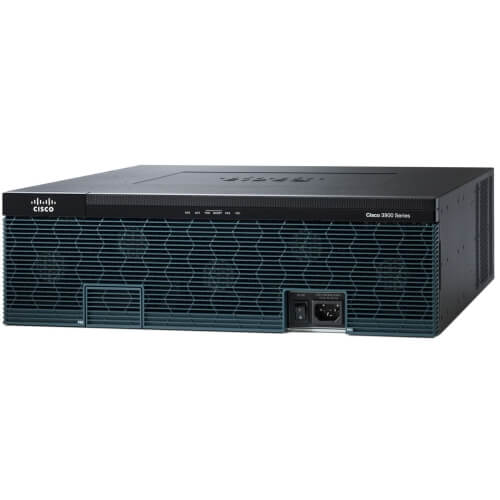
The C3925E-VSEC-CUBEK9 Cisco 4 Ports Ports Integrated Services Router provides advanced security features that can be used to protect your network against unauthorized access, threats and attacks.
Some of the advanced security features include:
- Firewall which can be used to control access to the network based on the source and destination IP address, protocol, or port number.
- Virtual Private Network (VPN) which can be used to create secure, encrypted connections between remote users and the network.
- Intrusion Prevention System (IPS) which can detect and prevent network intrusions and attacks
- Secure Shell (SSH) and Secure Copy (SCP) which can be used to encrypt communications and secure remote management access
- Advanced Malware Protection (AMP) which can detect and block advanced malware and threats on the network.
- Network Address Translation (NAT) which can be used to translate private IP addresses to public IP addresses and vice versa.
- Quality of Service (QoS) which can be used to prioritize and shape network traffic.
- Secure RTP (SRTP) and Secure Voice over IP (SVoIP) which can be used to encrypt and secure voice traffic.
- Cisco Identity Services Engine (ISE) which can be used to secure access to the network by authenticating and authorize users and devices.
It’s important to note that configuring advanced security features can be complex and requires a good understanding of network security principles. It’s recommended to follow the best practices provided by Cisco and consult the documentation of the specific version of IOS running on your C3925E-VSEC-CUBEK9 Cisco 4 Ports Ports Integrated Services Router for detailed instructions on configuring advanced security features. It’s also a good idea to consult a Cisco partner or a networking professional.
High Availability and Redundancy
The C3925E-VSEC-CUBEK9 Cisco 4 Ports Ports Integrated Services Router is designed to provide high availability and redundancy in enterprise networks.
High availability refers to the ability of the router to continue functioning properly even in the event of a hardware or software failure. To achieve this, the C3925E-VSEC-CUBEK9 Cisco 4 Ports Ports Integrated Services Router is equipped with several features that can help to minimize downtime and ensure that the network remains up and running:
- Hot-swappable power supplies and fans that allow for easy replacement of failed components without shutting down the router.
- Dual-redundant power supplies option, which provides redundancy for the power supply, so that if one supply fails, the other one can take over.
- In-Service Software Upgrade (ISSU) feature, which allows for software upgrades to be performed without interrupting network service.
Redundancy refers to the ability of the router to continue functioning properly even in the event of a failure of a network component or link. To achieve this, the C3925E-VSEC-CUBEK9 Cisco 4 Ports Ports Integrated Services Router supports several redundancy protocols such as:
- Hot Standby Router Protocol (HSRP) allows for automatic failover to a redundant router in the event of a failure of the primary router.
- Virtual Router Redundancy Protocol (VRRP) allows for automatic failover to a redundant router in the event of a failure of the primary router.
- Gateway Load Balancing Protocol (GLBP) allows for load balancing between multiple routers.
It’s important to note that specific availability and redundancy features may vary depending on the version of the software and the line cards used with the C3925E-VSEC-CUBEK9 Cisco 4 Ports Ports Integrated Services Router. It’s recommended to consult the documentation of the specific version of IOS running on your router for detailed information on High availability and redundancy features.
Troubleshooting and Maintenance
The C3925E-VSEC-CUBEK9 Cisco 4 Ports Ports Integrated Services Router is a powerful and versatile device that can be used in a wide range of enterprise networks. Regular troubleshooting and maintenance can help to ensure optimal performance and security of the router.
Troubleshooting:
- Monitoring the router’s performance and logs, such as using Simple Network Management Protocol (SNMP) and syslog, can help to identify issues with the router.
- Using the Cisco IOS command-line interface (CLI) to check the status of the interfaces, routing protocols, and other components of the router can also help to identify issues.
- Cisco provides several troubleshooting tools such as the Cisco IOS Debug Command Reference and the Cisco IOS Debug Command Reference for IP to help troubleshoot issues with the router.
Maintenance:
- Upgrading the software on the router can help to fix bugs, improve performance, and add new features.
- Backing up the configuration of the router can help to restore the router to a known good configuration in case of a failure.
- Monitoring and analyzing the performance of the router can help to identify potential issues and take preventative action.
- Keeping the router’s hardware and components clean, such as dusting the vents, can help to ensure optimal performance and longevity.
It’s important to note that these are general troubleshooting and maintenance steps and that the specific steps will vary depending on the specific requirements of your network. It’s recommended to consult the official documentation and best practices from Cisco for a more detailed information.
General Information about this C3925E-VSEC-CUBEK9
- Manufacturer Cisco Systems, Inc
- Manufacturer Part Number C3925E-VSEC-CUBEK9
- Brand Name Cisco
- Product Series 3900
- Product Model 3925E
- Product Name 3925E Integrated Services Router
- Product Type Router
Interfaces/Ports
- Total Number of Ports 4
- USB Yes
- Management Port Yes
- Number of Broadband (RJ-45) Ports 4
I/O Expansions
- Number of Total Expansion Slots 11
- Expansion Slot Type SFP (mini-GBIC)
- Expansion Slot Type PVDM
- Expansion Slot Type HWIC
Network & Communication
- Network Technology 10/100/1000Base-T
- Ethernet Technology Gigabit Ethernet
Management & Protocols
- Security Features-
- Cisco Security Manager
- Cisco IOS Firewall
- Cisco IOS Zone-Based Firewall
- Cisco IOS IPS
- Cisco IOS Content Filtering
- Flexible Packet Matching (FPM)
- AAA
Memory
- Standard Memory 1 GB
- Maximum Memory 2 GB
- Memory Technology DRAM
- Flash Memory 256 MB
- Memory Card Supported CompactFlash (CF) Card
Power Description
- PoE (RJ-45) Port Yes
- Input Voltage 110 V AC
- Input Voltage 220 V AC
- Power Source Power Supply


