Description
Key Features of Phone Wall Mount Kit
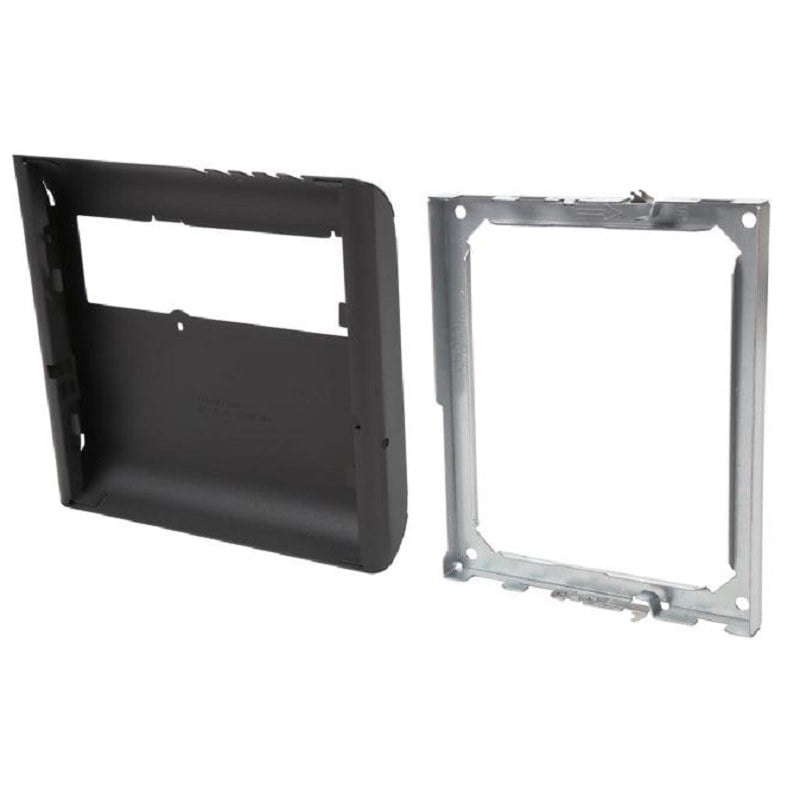
The CTS-P4252S-WMK Cisco Wall Mount Kit is a mounting solution for Cisco video conferencing systems. Some key features of this kit include:
- Compatibility: The kit is designed specifically for use with the Cisco TelePresence SX10, SX20, and MX200/MX300 systems, ensuring a secure and stable mounting solution.
- Wall-mounted design: The wall-mounted design provides a space-saving solution for video conferencing setups, allowing for easy integration into any meeting space.
- Easy installation: The kit includes all necessary hardware for easy installation, allowing for a quick and hassle-free setup.
- Durability: Made from high-quality materials, the kit is designed for long-term use and can withstand daily wear and tear.
- Adjustable design: The kit features adjustable mounting brackets, allowing for precise positioning of the video conferencing system to ensure optimal video and audio quality.
- Cable management: The kit includes cable management solutions, keeping cables neat and organized, reducing the risk of cable damage and improving the overall appearance of the setup.
Managing Contacts and Directories
Managing contacts and directories in the CTS-P4252S-WMK Cisco Wall Mount Kit involves organizing and updating the list of people and businesses that you communicate with using the kit. This can be done through a variety of methods, including:
- Using the built-in directory on the kit: Many Cisco wall mount kits come with a built-in directory that allows you to store and organize the contacts that you communicate with frequently. You can add, edit, and delete contacts as needed, and you can also categorize them by type (such as personal contacts, business contacts, etc.).
- Syncing with your computer or phone: If you have a computer or smartphone, you can also sync your contacts list with the CTS-P4252S-WMK by connecting the two devices. This allows you to access your contacts list on both devices, and it also makes it easier to keep your contacts up to date across all of your devices.
- Importing contacts from other sources: If you have a list of contacts in another application (such as Microsoft Outlook, Google Contacts, etc.), you can import this list into the CTS-P4252S-WMK by exporting the data from the other application and then importing it into the kit.
- Exporting contacts: If you need to share your contacts with others, you can also export the list from the CTS-P4252S-WMK and save it in a format that can be easily shared (such as a CSV file).
Security and Compliance
The CTS-P4252S-WMK Cisco Wall Mount Kit is designed to ensure the security and compliance of Cisco collaboration systems.
Security:
- The wall mount kit is made of durable and high-quality materials to prevent tampering or unauthorized access to the Cisco collaboration system.
- The kit includes tamper-resistant screws to secure the system to the wall, preventing theft or unauthorized removal.
- The wall mount kit also protects the Cisco collaboration system from physical damage, such as accidental drops or impacts.
Compliance:
- The CTS-P4252S-WMK Cisco Wall Mount Kit is compliant with the latest industry standards, including EIA-310-D, RoHS, and REACH.
- The kit is also compliant with the VESA standard, ensuring compatibility with a wide range of wall mount systems.
- The wall mount kit meets all relevant safety standards, ensuring that it can be installed and used in a variety of environments without compromising the safety of users or bystanders.
General Information about this Cisco CTS-P4252S-WMK
- Manufacturer : Cisco
- Model Number or SKU# CTS-P4252S-WMK
- Product Model CTS-P4252S-WMK
- Product Name CTS-P4252S-WMK Wall Mount Kit
- Product Type Wall Mount
Technical Information of Cisco Wall Mount
- Device Supported Flat Panel Display
- Minimum Screen Size Supported 42″
- Maximum Screen Size Supported 52″
Miscellaneous
- Compatibility Flat Panel Display