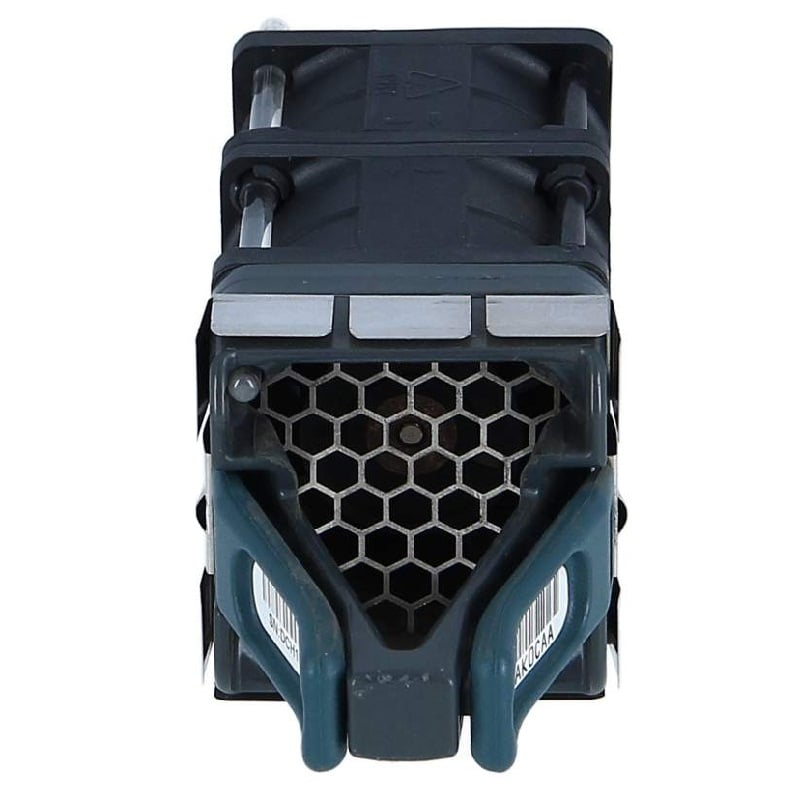
Description
Network Management & Security Features
The N7K-C7009-FAN Cisco Nexus 7000 9 Slot Fan Tray provides efficient airflow management for the Nexus 7000 series switch, which helps to keep the switch cool and operating at optimal temperatures. In terms of security, the Nexus 7000 series switch provides several features such as control plane protection, access control lists (ACLs), and role-based access control (RBAC) to enhance the security of the network. Additionally, the switch supports advanced security protocols such as Secure Shell (SSH) and Simple Network Management Protocol (SNMP) version 3, which provide secure management and monitoring of the network. Additionally, the switch provides various logging and reporting features, allowing network administrators to monitor and troubleshoot network issues, and provide detailed information about network events.
Features and Benefits
The N7K-C7009-FAN Cisco Nexus 7000 9 Slot Fan Tray is a cooling system designed for the Nexus 7000 chassis. It provides efficient and reliable cooling for the chassis, ensuring the smooth operation of the network. The fan tray has nine slots, providing ample cooling capacity for the system. The fans are designed to operate quietly and are highly efficient, reducing energy consumption. The fan tray is also designed with high air-flow rates, ensuring that the entire chassis is cooled evenly.
The fan tray is easy to install and maintain, with a simple, modular design that allows for quick and easy replacement of fans if necessary. Additionally, the fan tray is highly reliable, with a robust design that is built to withstand the rigors of network operations.
In terms of security, the N7K-C7009-FAN has been designed to meet strict security standards. The fans are protected by an array of security features, including physical security features, data encryption, and access control. This helps to ensure that the fan tray is protected from unauthorized access and tampering, providing an added layer of security for the network.
Troubleshooting and Maintenance
The N7K-C7009-FAN Cisco Nexus 7000 9 Slot Fan Tray is an important component for maintaining proper airflow and cooling within the Nexus 7000 chassis. To troubleshoot and maintain the fan tray:
- Monitor the LED status indicators: Check the LED status indicators on the fan tray to determine if there is any hardware failure or malfunction.
- Verify airflow: Verify the airflow direction and ensure that the fans are not obstructed by any debris or other obstacles.
- Replace failed fans: Replace any failed or malfunctioning fans.
- Check power supply: Check the power supply to the fan tray and ensure it is receiving proper voltage.
- Replace fan tray: If the problem persists, replace the entire fan tray.
- Regular cleaning: Regular cleaning of the fans and surrounding area can help to maintain proper functioning and extend the life of the fan tray.
It is important to follow the guidelines provided in the Cisco Nexus 7000 Series Hardware Installation and Reference Guide for proper installation and maintenance of the N7K-C7009-FAN fan tray.
General Information
- Manufacturer Name: Cisco
- MPN: N7K-C7009-FAN
- Product Name: Fan Unit
- Product Model: Nexus 7000 9 Slot Fan
- Product Type: Fan Try
Miscellaneous
- Hot Swappable Yes
- Compatibility
- Cisco Nexus 7000 Series 9-Slot Chassis