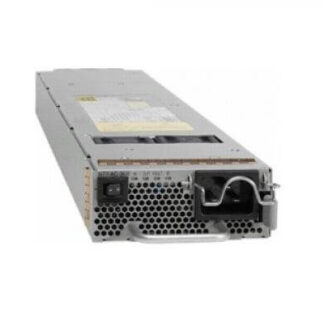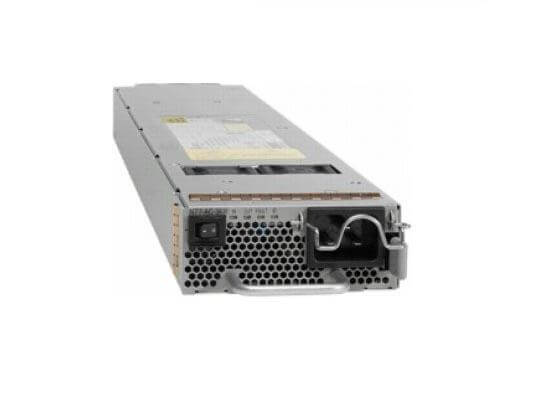
Description
Installation and Setup Process for the N9K-PAC-1200W-B
The installation and setup of the Cisco N9K-PAC-1200W-B 1200 Watt AC Power Supply involves several steps. Below is a general overview of the process:
- Verify that the power supply is compatible with the Cisco Nexus 9500 Switch it will be used with.
- Remove the existing power supply from the device by releasing the locking tabs and pulling the power supply out.
- Insert the new Cisco N9K-PAC-1200W-B power supply into the device, making sure to align the locking tabs with the slots in the device.
- Connect the power cord to the power supply and plug it into an AC power source.
- Verify that the power supply is properly installed and that the device is receiving power by checking the status indicator on the device.
- Configure the device to use the new power supply by going into the device’s configuration settings and selecting the new power supply as the primary power source.
- Finally, Verify the power supply redundancy by disconnecting the primary power supply and check the device’s operation.
It is always recommended to consult the device’s manual or consult with a Cisco representative to ensure proper installation and setup.
Power Supply Redundancy and Failover Capabilities
The Cisco N9K-PAC-1200W-B 1200 Watt AC Power Supply has built-in redundancy and failover capabilities to ensure that the switch continues to operate even if one of the power supplies fails. The power supply can be configured for either non-redundant or redundant mode.
In Non-redundant mode, the power supply provides power to the device, but if the power supply fails, the device will shut down.
In Redundant mode, the power supply provides power to the device and also provides redundancy in the event of a power supply failure. If one power supply fails, the other power supply will automatically take over and provide power to the device, ensuring that the device continues to operate.
This power supply also supports hot-swappable feature, which means that you can remove and replace the power supply without shutting down the switch, this will keep the switch up and running while you replace the power supply.
It’s always recommended to consult the device’s manual or consult with a Cisco representative to ensure proper configuration and operation of the power supply redundancy and failover capabilities.
Compatibility with Cisco Nexus 9000 Series Switches
The Cisco N9K-PAC-1200W-B 1200 Watt AC Power Supply is compatible with a variety of Cisco Nexus 9000 Series Switches, including:
- Cisco Nexus 9372PX, 9372PX-E, 93128TX, 93180LC-EX, 93108TC-EX Switches
It is important to note that compatibility may vary depending on the specific model and version of the switch in question. It is always best to consult the Cisco compatibility matrix or consult with a Cisco representative to ensure compatibility before purchasing. It’s better also to check the power requirements of the unit to ensure that it matches the power supply wattage.
General Information
- Manufacturer Cisco Systems, Inc
- Manufacturer Part Number N9K-PAC-1200W-B
- Brand Name Cisco
- Product Name Nexus 9300 1200W AC PS, Port-side Exhaust
- Product Type Power Module
Power Description
- Input Voltage 120 V AC
- Input Voltage 230 V AC
- Output Power 1200 W
Miscellaneous
- Compatibility Cisco Nexus 93128TX Switch
- Environmentally Friendly Yes
- Environmental Certification 80 Plus Platinum