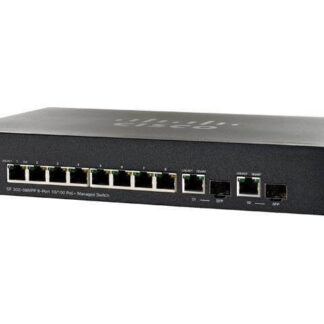
Description
Maximize Network Performance
There are several ways to maximize the network performance of the SF302-08MPP-K9-NA Cisco Small Business 10 Ports Layer 3 Managed Switch:
- Configure Quality of Service (QoS) to prioritize important network traffic, such as real-time applications.
- Use Link Aggregation Control Protocol (LACP) to bundle multiple ports together to increase bandwidth.
- Enable jumbo frames to improve performance for large data transfers.
- Use the switch’s built-in monitoring and troubleshooting tools to identify and resolve network issues.
- Keep the switch’s firmware up to date to ensure that it has the latest performance enhancements and security fixes.
- Make sure that the switch is not oversubscribed and that there is enough bandwidth to handle the network traffic.
- Configure the switch for VLANs to keep different types of traffic separate and to improve security.
- Use the switch’s access control features to limit the number of devices that can connect to the network, and to control which devices can access which resources.
- Monitor the switch’s performance using tools like SNMP and syslog to identify bottlenecks and to plan for future network expansion.
- Make sure that the switch is correctly configured and that all ports are connected to the correct devices.
Power Options and Redundancy
The SF302-08MPP-K9-NA Cisco Small Business 10 Ports Layer 3 Managed Switch has several options for power and redundancy:
- Power over Ethernet (PoE): The switch supports PoE on all 10 ports, which allows you to power connected devices using the same Ethernet cables that carry data.
- Redundant Power Supply: The switch can be configured with a redundant power supply to ensure that it continues to operate even if one power supply fails.
- Power-saving features: The switch can be configured with power-saving features such as Energy Efficient Ethernet (EEE) and Cable Length Detection to reduce power consumption.
- Power Management: The switch supports SNMP, CLI and Web GUI management options that allows you to monitor and manage power usage and to reboot the switch remotely.
- Access Control List (ACL): The switch supports the use of Access Control Lists (ACLs) to control access to the network, including the ability to limit the number of devices that can connect and to control which devices can access which resources.
- Link Aggregation Control Protocol (LACP): The switch supports LACP, which allows you to bundle multiple ports together to increase bandwidth and to provide redundancy in case of a port failure.
- Virtual Router Redundancy Protocol (VRRP): The switch supports VRRP, which allows you to configure multiple routers to work together as a virtual router, providing redundancy and failover in case of a router failure.
- Quality of Service (QoS): The switch supports QoS, which allows you to prioritize important network traffic, such as real-time applications, to ensure that they receive the bandwidth they need.
Routing and Switching Protocols of L3 Switch
The SF302-08MPP-K9-NA Cisco Small Business 10 Ports Layer 3 Managed Switch supports several routing and switching protocols to help manage network traffic:
- Routing Information Protocol (RIP) and Open Shortest Path First (OSPF): These are routing protocols that help the switch determine the best path for data to travel through the network.
- Virtual Router Redundancy Protocol (VRRP): This protocol allows you to configure multiple routers to work together as a virtual router, providing redundancy and failover in case of a router failure.
- Link Aggregation Control Protocol (LACP): This protocol allows you to bundle multiple ports together to increase bandwidth and to provide redundancy in case of a port failure.
- Dynamic Host Configuration Protocol (DHCP): This protocol allows the switch to automatically assign IP addresses to devices that connect to the network.
- Domain Name System (DNS): This protocol allows the switch to resolve domain names to IP addresses, making it easier for devices to access network resources.
- Network Time Protocol (NTP): This protocol allows the switch to synchronize its clock with other devices on the network, ensuring that timestamps on network data are accurate.
- Simple Network Management Protocol (SNMP): This protocol allows the switch to be managed and monitored remotely, using a network management system.
- Access Control Lists (ACLs): These allow the switch to control access to the network, including the ability to limit the number of devices that can connect and to control which devices can access which resources.
- Quality of Service (QoS): This allows the switch to prioritize important network traffic, such as real-time applications, to ensure that they receive the bandwidth they need.
- IPv4 and IPv6 support: This switch support both IPv4 and IPv6 addressing and routing.
General InformationManufacturer Cisco Systems, Inc
MPN: SF302-08MPP-K9-NA
Product Series 300
Product Model SF302-08MPP
Product Name SF302-08MPP 8-Port 10/100 Max PoE+ Managed Switch
Product Type Layer 3 Switch
SKU: SF302-08MPP-K9-NA
Interfaces/Ports
Total Number of Network Ports 10
Number of PoE+ (RJ-45) Ports 8
Number of Network (RJ-45) Ports 2
Port/Expansion Slot Details 8 x Fast Ethernet Network
Port/Expansion Slot Details 2 x Gigabit Ethernet Network
Port/Expansion Slot Details 2 x Gigabit Ethernet Expansion Slot
PerformanceMedia Type Supported Twisted Pair
Ethernet Technology Gigabit Ethernet
Ethernet Technology Fast Ethernet
Network Technology 10/100/1000Base-T
Network Technology 10/100Base-TX
I/O Expansions
Number of Total Expansion Slots 2
Expansion Slot Type SFP
Network & Communication
Layer Supported 3
Management & Protocols
Manageable Yes
Power Description
PoE (RJ-45) Port No
Input Voltage 110 V AC
Input Voltage 220 V AC
Dimension and WeightForm Factor Desktop Rack-mountable
Height 1.5 Inch
Width 11 Inch
Depth 6.7 Inch
Weight (Approximate) 2.60 Lbs