


Description
Product Overview
In today’s world, computer networking has become an essential part of small businesses. It helps businesses to connect their devices and share information easily. A switch is a critical component of any computer network, as it is responsible for managing the data flow between devices. Cisco, one of the leading networking companies, offers a range of switches for small businesses. In this article, we will discuss the SFE2000, a Layer 3 managed switch, designed specifically for small businesses.
Layer 3 Managed Switch
The SFE2000 is a Layer 3 managed switch, which means it can perform routing functions in addition to switching. This feature enables the switch to route traffic between different subnets, making it an ideal choice for small businesses with multiple networks. The switch also supports various Layer 3 protocols, such as OSPF, RIP, and static routing, which allow for efficient routing of traffic.
Ethernet Ports & Gigabit SFP Ports
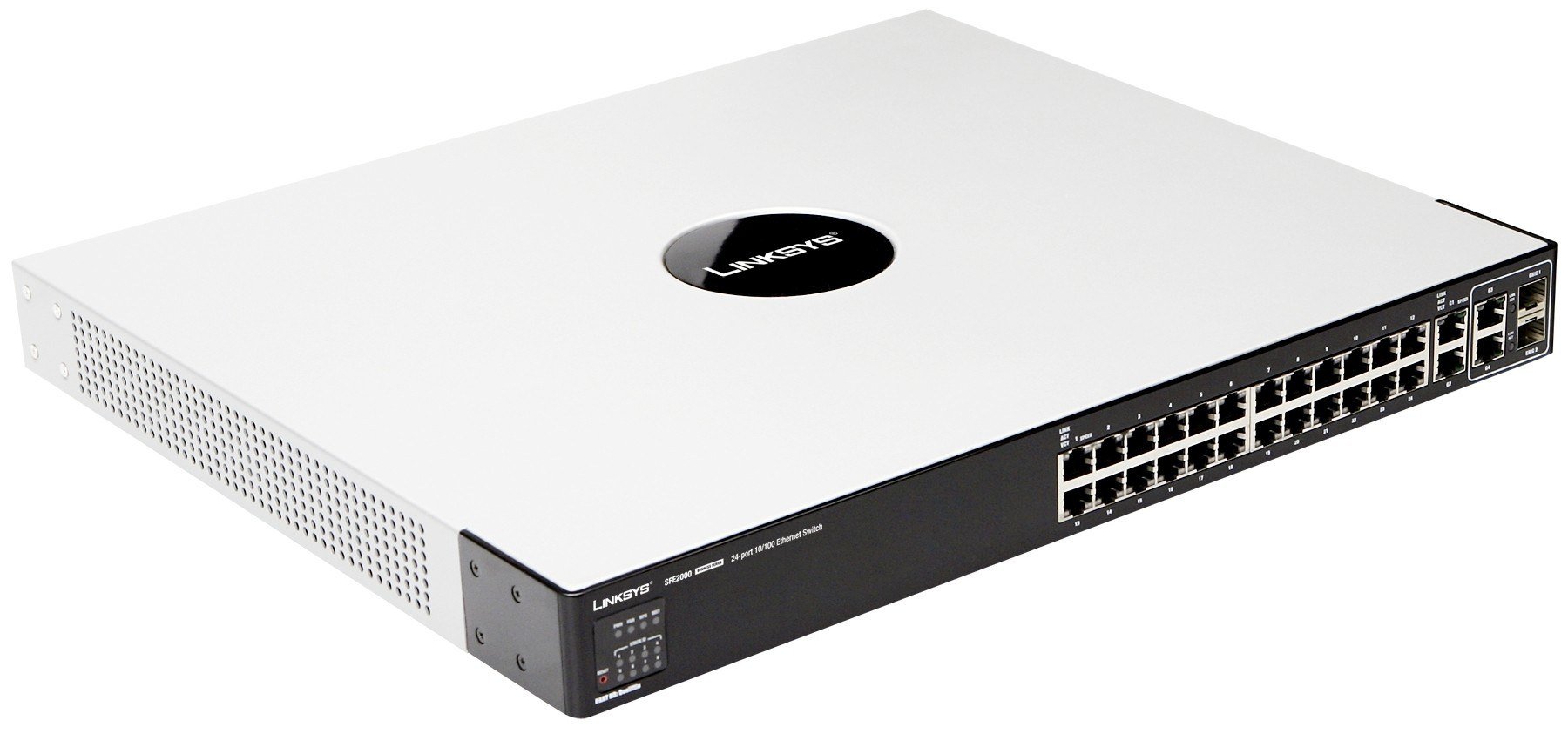
The SFE2000 has 24 Ethernet ports, which can be used to connect network devices, such as computers, printers, and servers. The switch supports both 10/100 and 10/100/1000 Mbps speeds, which provide high-speed connectivity to the network devices. The switch also has auto-negotiation and auto MDI/MDIX features, which make it easy to connect devices to the switch.
The SFE2000 also has 2 combo Gigabit SFP ports, which can be used to connect the switch to other network devices, such as routers or switches. The Gigabit SFP ports support both single-mode and multi-mode fiber connections, which provide high-speed connectivity over long distances.
Layer 2 Features
The SFE2000 also supports various Layer 2 features, such as VLANs, QoS, and Link Aggregation. VLANs allow the switch to segment the network into different virtual networks, which can improve network security and performance. QoS (Quality of Service) allows the switch to prioritize traffic based on the application, ensuring that critical applications receive the necessary bandwidth. Link Aggregation allows multiple Ethernet ports to be combined to provide increased bandwidth and redundancy.
Management & Security
The SFE2000 is a managed switch, which means it can be configured and monitored using various management interfaces. The switch supports various management protocols, such as SNMP, Telnet, and HTTP, which allow for easy management of the switch. Additionally, the switch also has a web-based interface, which provides an easy-to-use graphical interface for managing the switch.
Security is a critical aspect of any network, and the SFE2000 supports various security features to protect the network from unauthorized access. The switch supports various authentication methods, such as RADIUS, TACACS+, and 802.1x, which provide secure access to the network devices. Additionally, the switch also supports various security features, such as Port Security, Storm Control, and Access Control Lists, which allow for granular control over network access.
Power over Ethernet
The SFE2000 also has an optional Power over Ethernet (PoE) module, which can provide power to PoE-enabled network devices, such as IP phones and wireless access points. The PoE module can provide up to 15.4 watts per port, which can eliminate the need for separate power cables for the network devices.
Main Specification about the Cisco SFE2000
- Manufacturer: Cisco
- Part Number or SKU# SFE2000
- Product Model: SFE2000
- Product Name: SFE2000 24-Port Fast Ethernet Switch
- Product Type: Ethernet Switch
Interfaces/Ports
- Total Number of Network Ports: 24
- Number of Network (RJ-45) Ports: 28
- Port/Expansion Slot Details:
- 24 x Fast Ethernet Network
- 2 x Gigabit Ethernet Expansion Slot
Media & Performance
- Ethernet Technology: Gigabit Ethernet
- Network Technology:
- 10/100Base-TX
- 1000Base-T
- I/O Expansions
- Expansion Slot Type: SFP
Network & Communication
- Layer Supported: 3
- Management & Protocols
- Manageable: Yes
Miscellaneous
- Package Contents:
- SFE2000 24-Port Fast Ethernet Switch
- Console Cable
- AC Power Cord
- Rackmount Kit
- Quick Installation Guide


