

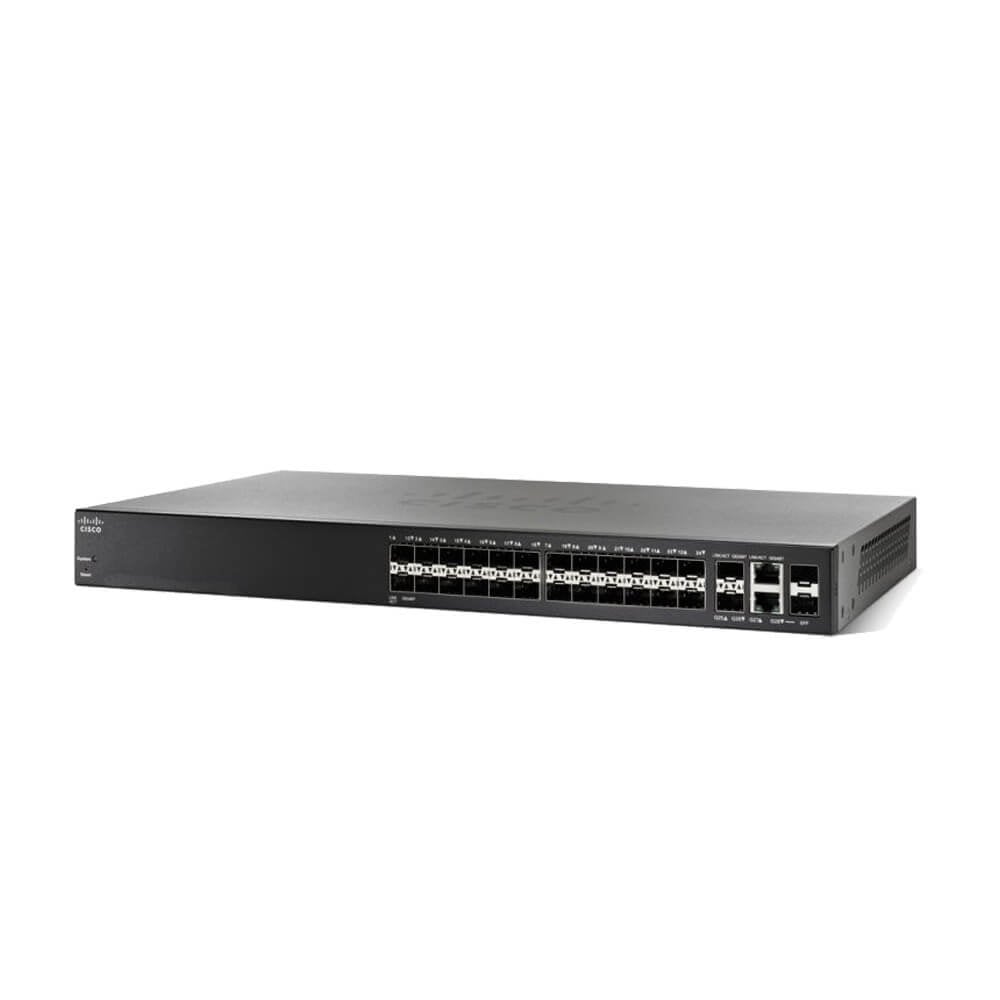


Description
Advanced Management Features
The SG350-28SFP-K9 is a 28-port managed switch designed for small businesses by Cisco. It has advanced management features that make it easier to monitor, configure, and manage the network. Some of the key features are:
- Web GUI Interface: The switch has a web-based graphical user interface (GUI) that allows administrators to easily monitor and manage the network. The interface is intuitive and provides a simple and effective way to configure switch settings and view network statistics.
- VLANs: The switch supports VLANs, which can help segment the network into separate broadcast domains for increased security and performance. This feature also allows administrators to create virtual LANs for specific applications, departments, or user groups.
- Quality of Service (QoS): The switch supports QoS, which allows administrators to prioritize network traffic based on application type, user priority, or other criteria. This feature helps ensure that critical applications receive the necessary bandwidth, even during periods of high network utilization.
- Link Aggregation: The switch supports link aggregation, which combines multiple physical links into a single logical link. This feature increases network availability and reduces the risk of network downtime due to a single link failure.
- Port Mirroring: The switch supports port mirroring, which allows administrators to monitor network traffic by copying traffic from one port to another for analysis purposes. This feature is useful for troubleshooting network problems or for monitoring network usage.
- SNMP: The switch supports SNMP, which allows administrators to monitor network performance and receive alerts when network problems occur. This feature helps administrators quickly identify and resolve network issues.
- Access Control Lists (ACLs): The switch supports ACLs, which allow administrators to define rules that control access to the network. This feature can be used to restrict access based on IP address, MAC address, or other criteria.
Large-Scale Network Deployments
The SG350-28SFP-K9 is a managed switch designed for small to medium-sized businesses. This switch offers 28 ports with 24 10/100/1000 Ethernet ports and 4 SFP (small form-factor pluggable) ports for fiber connectivity. The switch supports both stackable and standalone configurations, making it ideal for large-scale network deployments.
This switch is equipped with advanced security features, including port security, 802.1X authentication, and access control lists (ACLs). It also offers quality of service (QoS) features that prioritize critical network traffic, ensuring optimal performance for applications like voice and video. The switch also supports both static and dynamic IP routing, making it suitable for multi-layer network deployments.
The SG350-28SFP-K9 switch supports both command line interface (CLI) and web-based graphical user interface (GUI) management, making it easy to configure and manage even for non-technical users. The switch also offers real-time network monitoring and troubleshooting capabilities, enabling administrators to quickly identify and resolve network issues.
Troubleshooting and Diagnostics of 350 Series Switch
Troubleshooting and diagnostics of SG350-28SFP-K9 Cisco Small Business 28 Ports Managed Switch can involve several steps to identify and resolve any issues with the switch. The following are some of the troubleshooting and diagnostic steps that can be taken:
- Verify network connectivity: To check the network connectivity, verify that the switch is properly connected to the network and that the LEDs on the switch ports indicate proper connectivity.
- Check switch configuration: Verify that the switch is properly configured and that all necessary settings are in place. This includes checking the IP address, subnet mask, and default gateway settings.
- Monitor switch performance: The switch’s performance can be monitored by checking the switch statistics, including the number of packets received, transmitted, and dropped, as well as the status of the switch ports.
- Check for firmware updates: Check if there are any firmware updates available for the switch, as these can resolve any issues with the switch.
- Use diagnostic tools: The switch comes with several diagnostic tools that can be used to identify and resolve any issues. These include the Simple Network Management Protocol (SNMP), Command Line Interface (CLI), and web-based graphical user interface (GUI).
- Contact support: If the issue cannot be resolved using these steps, it is recommended to contact the Cisco Small Business Support Center for further assistance.
General Information
- Manufacturer: Cisco Systems, Inc
- MPN: SG350-28SFP-K9
- Product Series 350
- Product Model SG350-28SFP
- Product Name SG350-28SFP 28-Port Gigabit Managed SFP Switch
- Product Type Ethernet Switch
- SKU: SG350-28SFP-K9
Interfaces / Ports:
- Modular Yes
- Port/Expansion Slot Details 28 x Gigabit Ethernet Expansion Slot
Performance
- Media Type Supported Optical Fiber
- Ethernet Technology Gigabit Ethernet
- Network Technology 1000Base-X
I/O Expansions:
- Number of Total Expansion Slots 28
- Expansion Slot Type SFP
- Number of SFP Slots 28
Network & Communication
- Layer Supported 3
- Management & Protocols
- Manageable Yes
Power Description:
- Power Source AC Adapter
- Redundant Power Supply Supported No
Dimensions & Weight
- Form Factor: Rack-mountable
- Form Factor: Desktop
- Height : 1.7 Inch
- Width : 17.3 Inch
- Depth : 10.1 Inch
- Weight : 5.95 Lbs
Miscellaneous
- Package Contents-
- SG350-28SFP 28-Port Gigabit Managed SFP Switch
- Power Adapter
- Mounting Kit
- Console Cable
- Quick Start Guide


