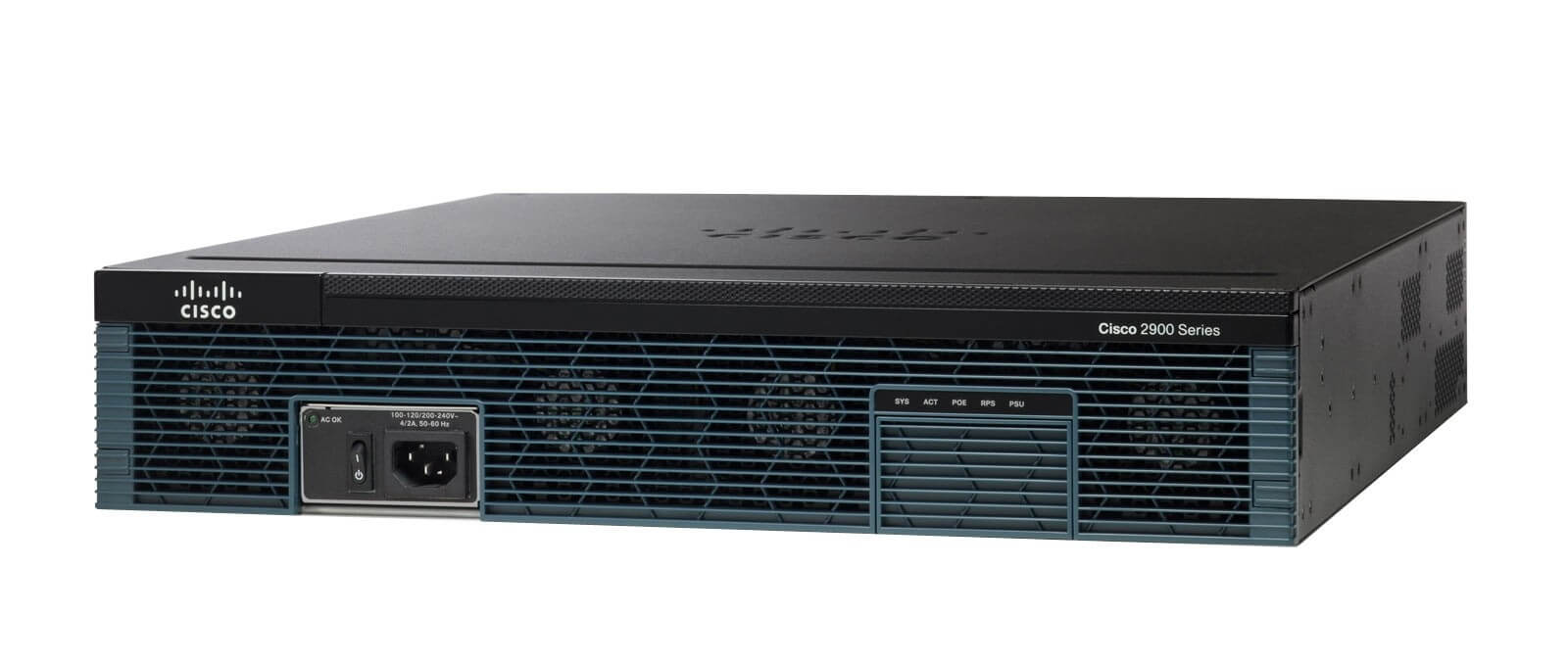
Description
Advanced Wireless Features of Voice Bundle Router
The CISCO2951-V/K9 Cisco 2951 Voice Bundle Router provides advanced wireless features that can be used to manage and secure wireless connections on your network.
Some of the advanced wireless features include:
- Wireless Access Point (WAP) support, which allows the router to function as a wireless access point, providing wireless connectivity to devices on the network.
- Wireless Intrusion Prevention System (WIPS) which can detect and prevent unauthorized wireless devices from accessing the network.
- Advanced Malware Protection (AMP) which can detect and block advanced threats on wireless connections
- Support for the latest wireless standards such as IEEE 802.11a/b/g/n/ac which allows faster wireless speeds and improved coverage
- Support for Wireless LAN Controller (WLC) which allows you to centralize the management and configuration of multiple wireless access points.
The router also supports a number of wireless security features such as:
- Wi-Fi Protected Access (WPA) and WPA2 for encrypting wireless traffic and protecting against unauthorized access
- Extensible Authentication Protocol (EAP) for authenticating wireless devices
- Virtual Private Wireless LAN (VWLAN) which allows to create multiple wireless LANs and apply different security policies to each.
It’s important to note that configuring wireless features can be complex and requires a good understanding of wireless networking principles. It’s recommended to follow the best practices provided by Cisco and consult the documentation of the specific version of IOS running on your CISCO2951-V/K9 router for detailed instructions on configuring advanced wireless features.
Troubleshooting and Maintenance
The CISCO2951-V/K9 Cisco 2951 Voice Bundle Router is a complex device that requires proper maintenance and troubleshooting in order to ensure optimal performance.
In terms of troubleshooting, the router provides a number of tools and features that can be used to identify and resolve issues. These include:
- Cisco IOS Embedded Event Manager (EEM) which can be used to create and run scripts that can automatically respond to certain events or conditions on the router.
- Cisco IOS Show commands and debug commands which can be used to view the status of the router and troubleshoot issues.
- Cisco IOS syslog which allows to monitor the device’s log messages and identify any issues.
- Remote monitoring and management protocols such as Simple Network Management Protocol (SNMP) can be used to monitor the router remotely
In terms of maintenance, it’s important to have a regular monitoring schedule and to follow the best practices provided by Cisco. Also, it’s important to check for software updates and security vulnerabilities, and to back up the router’s configuration regularly to ensure that configuration changes can be easily restored in the event of a failure.
It’s also important to ensure that the router’s hardware is properly maintained and that the device is placed in a suitable environment. This includes ensuring proper ventilation, protecting the device from physical damage, and keeping the device in an environment with appropriate temperature and humidity levels.
It’s recommended to consult the documentation of the specific version of IOS running on your CISCO2951-V/K9 router for detailed instructions on troubleshooting and maintenance. It’s also a good idea to consult a Cisco partner or a networking professional to help you troubleshoot and maintain your router.
Firewall and VPN Configuration
The CISCO2951-V/K9 Cisco 2951 Voice Bundle Router includes advanced security features such as firewall and VPN, which can be configured to protect your network and secure communication between remote users and the network.
Firewall Configuration:
- The router includes a built-in firewall that can be configured to control access to the network and protect against unauthorized access.
- Access Control Lists (ACLs) can be used to define which traffic is allowed to enter or exit the network based on the source and destination IP address, protocol, or port number.
- The router also supports Zone-Based Firewall (ZBF) feature, which allows to create security zones and apply different security policies to different zones.
VPN Configuration:
- The router supports Virtual Private Network (VPN) which can be used to create secure, encrypted connections between remote users and the network.
- The router supports multiple VPN protocols such as Internet Protocol Security (IPsec), Secure Sockets Layer (SSL) and Transport Layer Security (TLS).
- The router also support Cisco Easy VPN (EZVPN) which allows to simplify the VPN configuration and deployment.
- The router also support for Cisco FlexVPN which allows for simplified VPN deployment and management.
It’s important to note that configuring firewall and VPN can be complex and requires a good understanding of network security principles. It’s recommended to follow the best practices provided by Cisco and consult the documentation of the specific version of IOS running on your CISCO2951-V/K9 router for detailed instructions on configuring firewall and VPN features. It’s also a good idea to consult a Cisco partner or a networking professional to help you configure firewall and VPN on your router.
Specifications
- Manufacturer: Cisco Systems, Inc
- Manufacturer Part Number: CISCO2951-V/K9
- Brand Name: Cisco
- Product Series: 2900
- Product Model: 2951
- Product Name: 2951 Integrated Services Router
- Product Type: Router
Interfaces/Ports
- Total Number of Ports: 3
- USB: Yes
- Management Port: Yes
- Number of Broadband (RJ-45) Ports: 3
I/O Expansions
- Number of Total Expansion Slots: 13
- Expansion Slot Type: SFP (mini-GBIC)
- Expansion Slot Type: HWIC
- Expansion Slot Type: PVDM
Network & Communication
- Network Technology: 10/100/1000Base-T
- Ethernet Technology: Gigabit Ethernet
- Management & Protocols
Security Features:
- Cisco Security Manager
- Cisco IOS Firewall
- Cisco IOS Zone-Based Firewall
- Cisco IOS IPS
- Cisco IOS Content Filtering
- Flexible Packet Matching (FPM)
- AAA
Memory
- Standard Memory: 512 MB
- Maximum Memory: 2.50 GB
- Memory Technology: SDRAM
- Flash Memory: 256 MB
- Memory Card Supported: CompactFlash (CF) Card
Power Description
- Input Voltage: 110 V AC
- Input Voltage: 220 V AC
- Power Source: Power Supply
- Redundant Power Supply: Yes