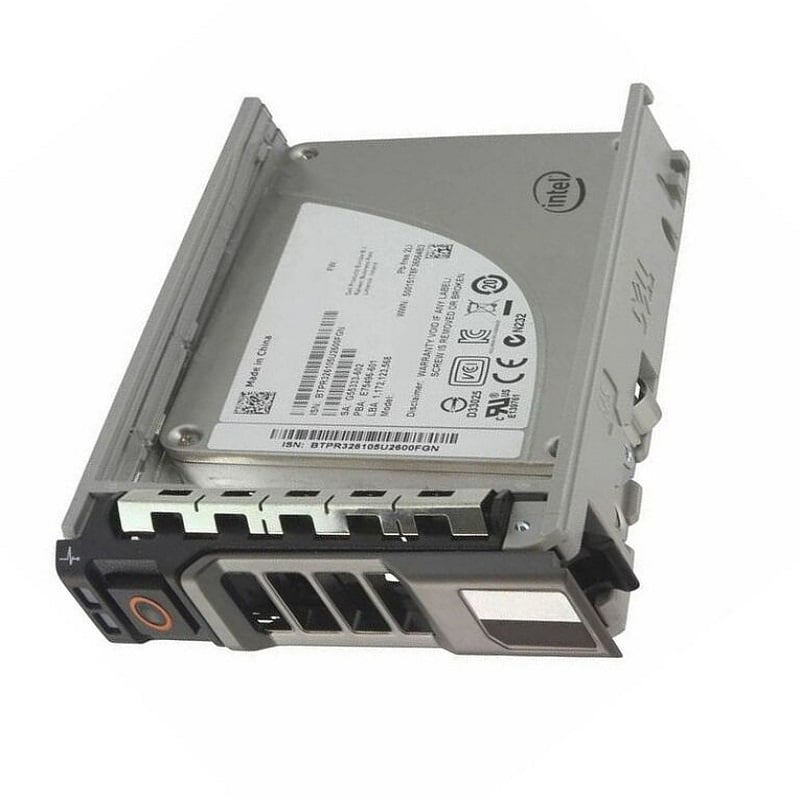
Description
Monitoring and Troubleshooting
Monitoring and troubleshooting a Dell 960GB MLC SATA 3GBPS 2.5inch Read Intensive Solid State Drive (SSD) involves monitoring the performance and health of the drive, as well as identifying and resolving any issues that may arise.
Performance monitoring can be done through the use of tools such as Dell’s OpenManage software, which can provide information on the drive’s read and write speeds, capacity utilization, and other performance metrics. Additionally, monitoring the drive’s temperature and power consumption can also provide insight into the drive’s overall health and performance.
When it comes to troubleshooting, common issues that may arise include errors or failures with the drive’s firmware, or problems with the drive’s physical connections or power supply. In these cases, running diagnostic tests and updating the firmware can often resolve the issue. Additionally, checking for any physical damage or loose connections can also help identify and resolve any issues.
In the event of more severe issues, such as a drive failure, it may be necessary to replace the drive. It is important to ensure that all data is backed up and that a replacement drive is properly configured and installed.
Power Management
Power management refers to the process of controlling the power consumption of a device or system. In the case of the Dell 960GB MLC SATA 3GBPS 2.5inch Read Intensive Solid State Drive, power management refers to the methods used to control the power consumption of the drive while it is in operation.
One way this can be achieved is through the use of advanced power management features, such as power-saving modes that allow the drive to enter low-power states when not in use. Another method is through the use of advanced power management software, which can monitor and control the power consumption of the drive in real-time.
Additionally, the drive may also have built-in thermal management features that allow it to operate at optimal temperatures, reducing the risk of overheating and extending the life of the drive.
Data Transfer Rate
The data transfer rate for the 400-AINL Dell 960GB MLC SATA 3GBPS 2.5inch Read Intensive Solid State Drive refers to the speed at which data can be transferred to and from the drive. In this case, the drive uses the SATA III interface, which has a maximum data transfer rate of 6 Gbps (gigabits per second). However, the drive is also specified as “read intensive”, which means that it is optimized for reading data from the drive rather than writing data to it. Therefore, the actual data transfer rate will likely be lower than the maximum of 6 Gbps.
General Information
- Manufacturer : Dell
- MPN : 400-AINL
- Type : Internal Solid State Drive (SSD)
- SSD Type : SATA-3GBPS
- SKU: 400-AINL
Technical Information
- Capacity: 960GB
- Speed: Solid State Memory
- Interface Types: SATA
- Form Factor: 2.5inx15mm SFF Server Drive
- Electrical Interface: SATA 300 – 3.0GBPS
- SSD Endurance DWPD: Enterprise Read Intensive
Dimension and Weight
- Height: 0.63 inch
- Width: 3.10 inch
- Depth: 5.45 inch
- Weight: 1.50 lbs