

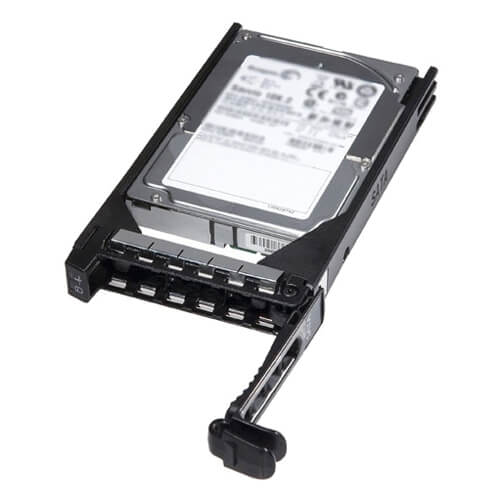

Description
Installation and Maintenance
- Installation: The installation process for the Dell 10TB 7.2K RPM SAS-12GBPS 512E LFF Hard Drive is relatively straightforward. It can be installed in a compatible Dell server or storage system using standard hard drive installation procedures.
- Compatibility: It’s important to ensure that the device in which you are installing the hard drive is compatible with the drive’s interface, capacity, and form factor before proceeding with the installation.
- Tools and equipment: To install the hard drive, you will need a screwdriver and any additional tools or equipment required by the device in which you are installing it.
- Step by Step instructions: Dell provides step-by-step instructions for installing the hard drive in the device’s user manual or on its website.
- Maintenance: Regular maintenance of the hard drive is important to ensure optimal performance and longevity. This includes regularly checking the drive’s SMART status, running disk diagnostic tools, and performing regular backups.
- Firmware updates: Keep an eye out for firmware updates for the hard drive, as they can provide bug fixes and performance improvements.
- Cleaning: Keep the hard drive clean by wiping down the exterior of the drive and the surrounding area with a dry, lint-free cloth.
- Proper handling: Avoid mishandling the hard drive to prevent physical damage, and avoid exposing it to extreme temperatures, moisture or dust.
Power Consumption
- Power consumption: The Dell 10TB 7.2K RPM SAS-12GBPS 512E LFF Hard Drive consumes a certain amount of power to operate. This power consumption can vary depending on factors such as the hard drive’s usage, the device it is installed in, and the specific model of the hard drive.
- Idle power: The drive consumes less power when idle, typically around 7.5W
- Operating power: The drive may consume more power when actively reading or writing data, typically around 10.5W
- Power management: Some devices and systems may have built-in power management features that can be used to reduce the hard drive’s power consumption when it is not in use.
- Energy-efficient: The drive is designed to be energy-efficient and helps in reducing the overall power consumption of the system it is installed in.
- Power supply: Ensure that the power supply of the device the drive is installed in can handle the additional power consumption of the drive.
- Temperature: Overheating can also increase power consumption. Keep an eye on the drive’s temperature and ensure that it is operating within the manufacturer’s recommended temperature range.
Features and Benefits
- Large storage capacity: With 10TB of storage capacity, this hard drive can store a large amount of data, making it ideal for enterprise and data center applications.
- Fast data transfer speeds: The SAS-12GBPS interface allows for fast data transfer speeds, allowing for quick access to stored data.
- High performance: With a rotational speed of 7.2K RPM, this hard drive provides fast data access and high performance.
- Enhanced reliability: The 512E format improves reliability and performance by increasing the amount of data that can be stored on each disk.
- Easy installation: The LFF (Large Form Factor) design makes it easy to install this hard drive in compatible devices.
- Compatibility: This hard drive is compatible with a wide range of Dell servers and storage systems, ensuring easy integration into existing infrastructure.
- Durable: The hard drive is designed for use in enterprise and data center environments, making it durable enough to withstand the demands of these environments.
- Warranty: Dell provides a 5-year warranty on the hard drive, giving you peace of mind that your investment is protected.
General Information
- Manufacturer : Dell
- MPN : 400-ANVI
- Type : Hard Disk Drive With Tray
- SKU: 400-ANVI
Specifications
- Device Type : Hard Drive – Hot-Swap – Nearline
- Storage Capacity : 10TB
- Interface : SAS-12GBPS
- Bytes Per Sector : 512
- Drive Dimensions : 3.5 Inch
Performance
- Spindle Speed : 7.2K RPM
- Drive Transfer Rate : 1200 MBPS (External)
- Interfaces : 1 X Serial Attached SCSI – 12GBPS
- Compatible Bays : 1 X Hot-Plug – 3.5inch
Dimension and Weight
- Width : 4 Inch
- Depth : 5.8 Inch
- Height : 1 Inch
- Weight : 1.52 Lbs
Compatibility
- Poweredge R230
- Poweredge R330
- Poweredge R430
- Poweredge R530
- Poweredge R730
- Poweredge R730xd
- Poweredge T430
- Poweredge T630
- Powervault Md1200
- Powervault Md3060e
- Powervault Md3200i
- Powervault Md3260i
- Powervault Md3400
- Powervault Md3460
- Powervault Md3800f
- Powervault Md3800i
- Powervault Md3860f
- Powervault Md3860i


