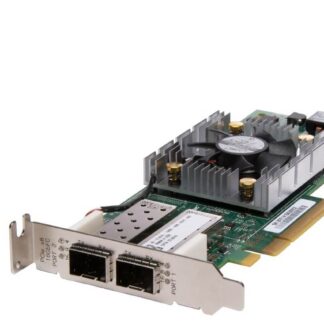
Description
Key Features and Benefits
The Dell 406-BBBK Sanblade 16GBPS PCI-E Dual Port Fiber Channel HBA with Bracket has the following key features and benefits:
- Dual Port Design: This HBA has two ports, which allows for redundancy and increased throughput.
- High-Speed Performance: The 16GBPS data transfer rate provides fast and reliable performance for demanding applications.
- PCI Express 3.0: The PCI-E 3.0 interface provides increased bandwidth compared to previous generations.
- Fiber Channel Support: The HBA supports Fiber Channel protocols, making it suitable for use in Fiber Channel Storage Area Network (SAN) environments.
- Robust Error Correction: The HBA includes advanced error correction features to ensure reliable and stable performance.
- Easy to Install: The HBA comes with a bracket that makes it easy to install in a wide range of servers.
- Support for Multiple Operating Systems: The HBA is compatible with a range of operating systems, including Windows Server, Red Hat Enterprise Linux, SUSE Linux Enterprise Server, and VMware vSphere.
- Management and Monitoring: The HBA includes tools and utilities for monitoring and managing performance, which helps to ensure reliable operation.
- Warranty and Support: The HBA is backed by Dell’s comprehensive warranty and support services, providing peace of mind and protection for your investment.
Best Practices for Optimal Performance
Here are some best practices for optimal performance with the Dell 406-BBBK Sanblade 16GBPS PCI-E Dual Port Fiber Channel HBA:
- Use the latest firmware and drivers.
- Connect the HBA to a high-performance controller.
- Ensure that your network switch is compatible with the HBA.
- Use the appropriate cable for your network infrastructure.
- Enable jumbo frames for higher performance.
- Use multiple HBAs for load balancing and failover.
- Configure the HBA for your specific storage environment.
- Use quality of service (QoS) settings to prioritize important data traffic.
- Avoid overloading the HBA with too many connections.
- Monitor HBA performance using software tools.
- Regularly check for compatibility with your operating system and software.
- Consider using caching or tiering to optimize data access.
- Ensure that your storage area network (SAN) infrastructure is properly configured.
- Consider using a redundant power supply for mission-critical applications.
- Regularly backup important data to avoid data loss in case of HBA failure.
Operating System Compatibility
The Dell 406-BBBK 16GBPS PCI-E Dual Port Fiber Channel HBA is compatible with the following operating systems:
- Microsoft Windows Server 2012 and later
- Red Hat Enterprise Linux (RHEL) 6.5 and later
- SUSE Linux Enterprise Server (SLES) 11 and later
- VMware vSphere 5.5 and later
- Oracle Solaris 11 and later
It’s always advisable to check the specific compatibility with your operating system version on the Dell support website before purchasing.
General Information
- Brand: Dell
- MPN : 406-BBBK
- Type: Controller
- Sub-Type: Fibre Channel
Technical Information
- Product Type: Host Bus Adapter
- Form Factor: Plug-in Card
- Interface: PCI Express 3.0 x8
- Port(s): SAS 12.0Gbps Serial-ATA 6.0GBPS


-324x324.jpg)