

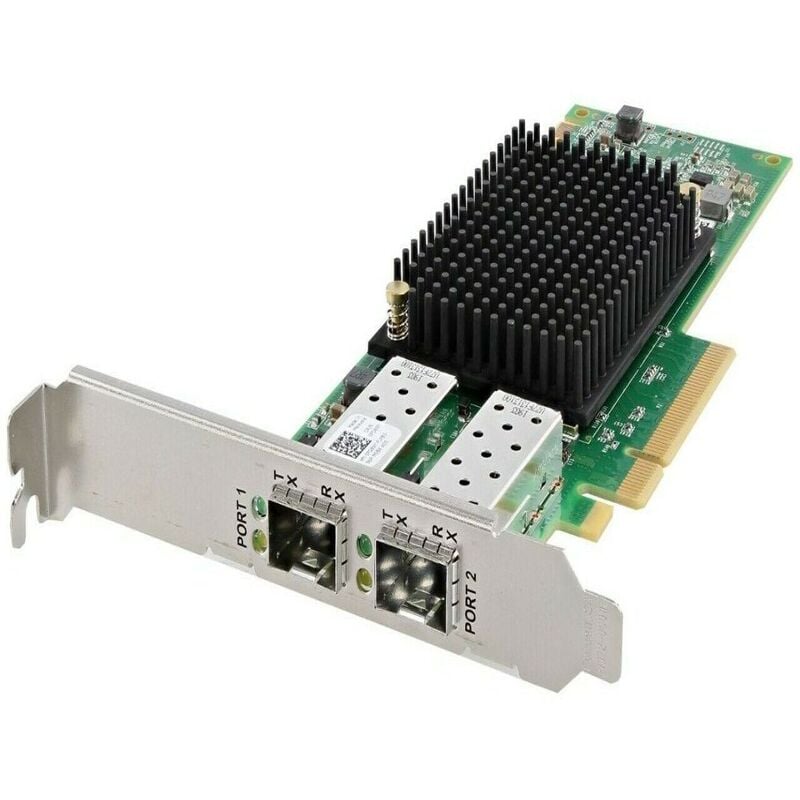


Description
Installation and Configuration
The installation and configuration process for the Dell 32GBPS Dual Port PCIE Gen 4 X8 Fiber Channel HBA (406-BBMQ) is as follows:
Hardware Installation:
- Turn off the server and unplug the power cord.
- Open the server’s cover and locate an available PCIe slot.
- Remove the slot’s retention bracket.
- Insert the HBA into the PCIe slot and secure it using the retention bracket.
- Connect the fiber cables to the HBA’s ports.
- Close the server’s cover and plug in the power cord.
- Turn on the server.
Operating System Installation:
- Insert the operating system installation media (CD/DVD or USB drive) into the server.
- Boot the server from the installation media.
- Follow the on-screen instructions to install the operating system.
Driver Installation:
- After the operating system is installed, download the latest HBA driver from the Dell website.
- Install the driver by following the on-screen instructions.
Configuration:
- Once the driver is installed, the HBA should be automatically detected by the operating system.
- If the HBA is not automatically detected, it may need to be manually configured in the operating system’s device manager.
- Follow the on-screen instructions to configure the HBA.
Fiber Channel Configuration:
- Connect the HBA to the storage area network (SAN).
- Configure the HBA to communicate with the SAN by following the instructions provided by the SAN vendor.
Performance and Reliability
The Dell 32GBPS Dual Port PCIE Gen 4 X8 Fiber Channel HBA (406-BBMQ) offers performance and reliability:
- Performance: With a data transfer rate of 32 Gbps, the HBA provides fast and efficient data transfer for demanding applications such as database management, video editing, and data center operations.
- Reliability: The HBA is designed to be highly reliable and features advanced error correction and data protection technologies, ensuring that data is transmitted without errors and without loss of data.
- Dual Ports: The dual ports allow for redundancy, ensuring that data can be transmitted even if one port fails.
- PCI-E Gen 4: The PCI-E Gen 4 interface provides increased bandwidth and faster data transfer speeds, improving overall performance.
- Compatibility: The HBA is compatible with the latest operating systems and is tested and validated with various storage arrays, ensuring seamless integration and reliable performance.
Operating System Compatibility for the 406-BBMQ HBA
The Dell 32GBPS Dual Port PCIE Gen 4 X8 Fiber Channel HBA (406-BBMQ) is compatible with the following operating systems:
- Windows Server 2012 R2
- Windows Server 2016
- Windows Server 2019
- Red Hat Enterprise Linux 7.x
- SUSE Linux Enterprise Server 12 SP3
- VMware vSphere 6.0
- VMware vSphere 6.5
- VMware vSphere 6.7
General Information about this Dell 406-BBMQ
- Manufacture: Dell
- Part Number or SKU# 406-BBMQ
- Type : Controller
- Product Type : Fibre Channel Host Bus Adapter
Technical Specification for Adapter
- Generation : Gen 7 (64/32gfc)
- Cable Support : 0.5m To 100m At 64gfc/32gfc On 50/125 ?m Om4 Mmf, 0.5m To 100m At 64gfc/32gfc On 50/125 ?m Om5 Mmf, 0.5m To 70m At 64gfc/32gfc On 50/125 ?m Om3 Mmf, 10 Km At 32gfc/16gfc On 9/125 ?m Singlemode Fiber When Emulex Approved Longwave Transceivers Are Used
- Optical Data Rates : 28.05 Gb/s (3200mb/s), 14.025 Gb/s (1600mb/s), 8.5 Gb/s (800mb/s) (auto-detected)
- Hardware Environment: Intel X64, Intel X86, And Powerpc
- Ports : 2
- Optics : Optics Short Wave Lasers With Lc Type Connector Optics
- Host Bus Type : Pcie Gen4 X8
- I/o Controller : Xe601
- Operating Humidity: 5% To 95% Non-condensing
- Operating Temperature : 0°c To 55°c
- Storage Temperature : -20° To 85°c (-4° To 185°f)
-324x324.jpg)


