


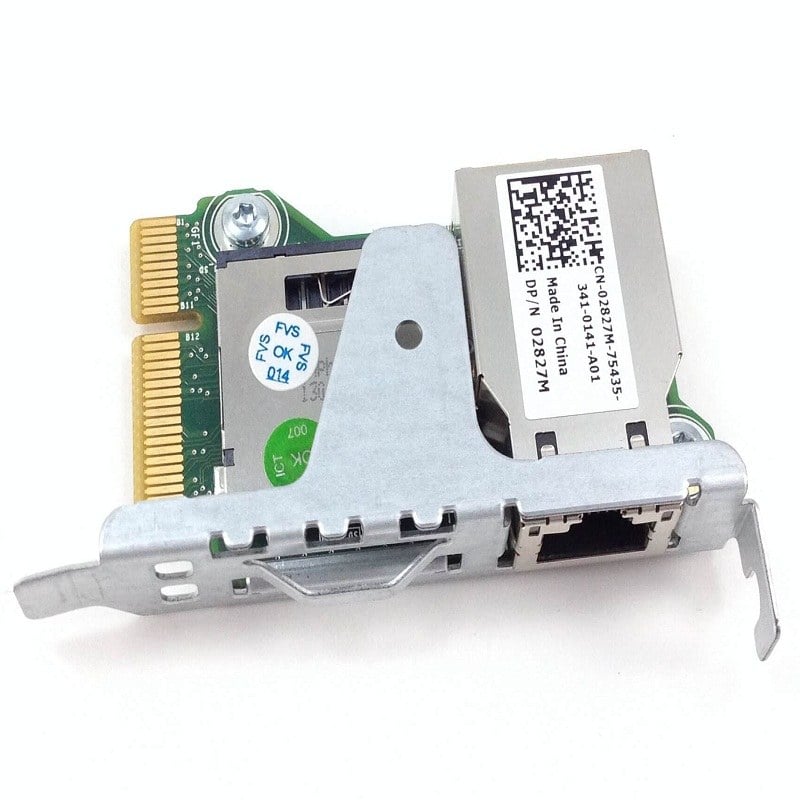


Description
Product Overview
The 421-5342 Dell Enterprise Remote Access Card (iDRAC) Controller License is a software license that allows users to remotely manage Dell PowerEdge servers through a web-based interface. This license enables users to perform various tasks, such as monitoring the server’s hardware and software, updating firmware, controlling power usage, and accessing virtual media. In this article, we will discuss the iDRAC license in detail, including its features, benefits, and how to use it.
Definition of Dell Remote Access Card
Dell iDRAC is a remote access controller that enables users to manage their Dell PowerEdge servers from anywhere in the world. It provides a web-based interface that allows users to access and manage their servers’ hardware and software remotely. The iDRAC controller is integrated into the motherboard of the Dell PowerEdge servers and can be accessed through a dedicated Ethernet port. The iDRAC controller also has its own firmware and operating system, allowing it to function independently of the server’s primary operating system.
Features of Dell iDRAC
The iDRAC controller has several features that enable users to remotely manage their servers. Some of these features include:
- Server Monitoring: The iDRAC controller allows users to monitor their server’s hardware and software remotely. This includes monitoring the server’s CPU usage, memory usage, temperature, and fan speed.
- Remote Console: The iDRAC controller provides a remote console that allows users to access their server’s operating system remotely. This is particularly useful for troubleshooting and maintenance tasks.
- Virtual Media: The iDRAC controller allows users to remotely access and use virtual media, such as CDs and DVDs, on their servers. This eliminates the need to physically insert media into the server.
- Power Management: The iDRAC controller allows users to control their server’s power usage remotely. This includes powering the server on and off, as well as controlling the server’s power consumption.
- Firmware Updates: The iDRAC controller allows users to update their server’s firmware remotely. This includes updating the BIOS, RAID controllers, and other components.
Benefits of Remote Access Card
The iDRAC controller provides several benefits to users who need to manage their servers remotely. Some of these benefits include:
- Improved Efficiency: With the iDRAC controller, users can remotely manage their servers, reducing the need for on-site maintenance and troubleshooting. This can save time and money, as well as improve server uptime.
- Increased Accessibility: The iDRAC controller allows users to manage their servers from anywhere in the world, as long as they have an internet connection. This provides increased accessibility and flexibility.
- Better Security: The iDRAC controller provides a secure remote connection to the server, protecting it from unauthorized access. This can help prevent data breaches and other security threats.
- Simplified Management: The iDRAC controller provides a single, web-based interface for managing multiple servers. This simplifies management and reduces the need for multiple management tools.
Using Management Card
To use the iDRAC controller, users must first purchase a license. The 421-5342 Dell Enterprise Remote Access Card (iDRAC) Controller License is one such license. Once the license is purchased, users can activate the iDRAC controller by accessing the server’s BIOS and entering the license key.
Once the iDRAC controller is activated, users can access it through a web browser by entering the server’s IP address and login credentials. From there, users can perform various management tasks, such as monitoring the server’s hardware and software, updating firmware, controlling power usage, and accessing virtual media.
Main Specification about the Dell 421-5342
- Manufacturer: Dell
- Part Number or SKU# 421-5342
- Device Type: Remote Management Card
Technical Information
- Form Factor : Internal
- Connectivity Technology : Ethernet Connector
- Data Link Protocol : 10 GIGABIT Ethernet
- Data Transfer Rate : 10 GBPS
Expansion / Connectivity
- Interfaces : Power Edge R320/R420/R520.


