


Description
Product Overview of the Dell 540-BBHJ
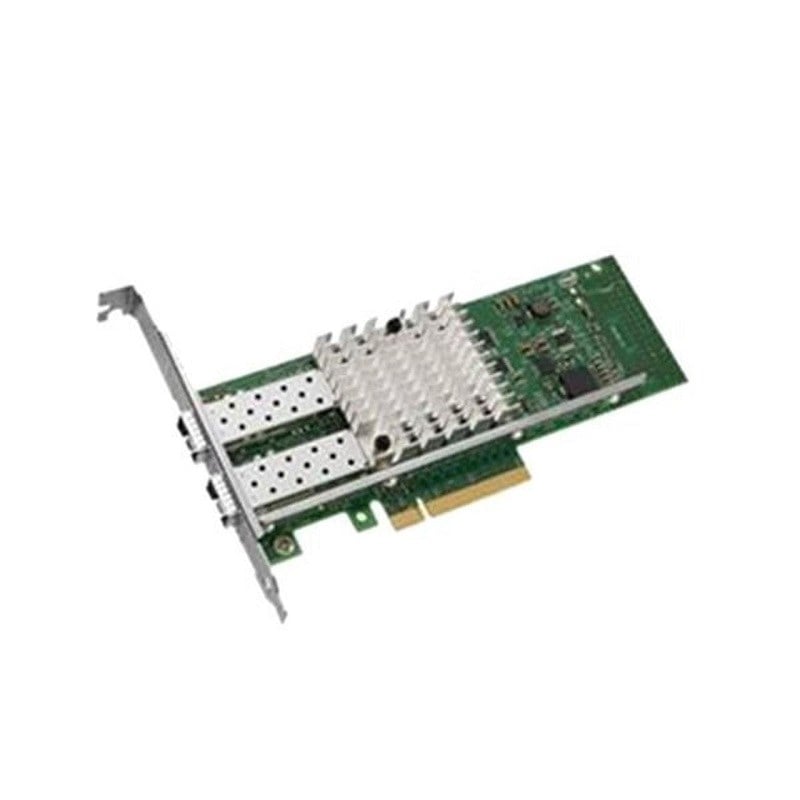
The Dell 540-BBHJ 10 Gigabit Network Daughter Card is a cutting-edge networking solution designed to enhance the connectivity and performance of Dell servers. This Ethernet plug-in card is equipped with two ports, providing users with high-speed data transfer capabilities. In this detailed guide, we will delve into the features, benefits, installation process, and overall functionality of the Dell 540-BBHJ, breaking down complex technical aspects into simple English.
The Dell 540-BBHJ is a network daughter card specifically crafted to meet the demands of modern data centers and enterprise environments. Its 10 Gigabit Ethernet capability ensures swift and efficient data transmission, making it an ideal choice for businesses requiring high-performance networking solutions.
Key FeaturesDual Ports
- The 540-BBHJ comes equipped with two ports, allowing for simultaneous and independent data transmission, and optimizing network efficiency.
10 Gigabit Ethernet
- With 10 Gigabit speeds, this daughter card facilitates rapid data transfer, reducing latency and enhancing overall network performance.
Plug-and-Play Installation
- The card is designed for user-friendly installation, offering a plug-and-play experience for seamless integration into Dell servers.
Benefits of the Dell 540-BBHJ X520 High-Speed Data Transfer
The 10 Gigabit Ethernet capability of the 540-BBHJ X520 ensures swift and efficient data transfer, making it an ideal solution for applications and workloads that demand high-performance networking.
Versatility in Connectivity
With a combination of 10 Gigabit Ethernet and 1 Gigabit Ethernet ports, this card caters to diverse networking needs. Whether it’s handling large-scale data transfers or regular network activities, the 540-BBHJ X520 is up to the task.
Scalability
The dual-port design and the ability to handle both 10 Gigabit and 1 Gigabit Ethernet make this card scalable, adapting to the evolving networking requirements of businesses.
Use CasesData Centers
In data center environments where high-speed data transfer is crucial for processing and managing massive volumes of information, the 540-BBHJ X520 shines.
Enterprise Environments
Businesses with diverse networking needs, from regular office tasks to resource-intensive applications, can benefit from the versatility and performance of this daughter card.
Virtualization and Cloud Computing
In virtualized and cloud computing environments, where flexibility and speed are paramount, the 540-BBHJ X520 stands out as a reliable networking solution.
Installation GuideCompatibility Check
Before installation, ensure compatibility with your Dell server model. Refer to the product documentation for a list of supported servers.
Power Off the Server
For safety reasons, turn off the server and disconnect all power sources before proceeding with the installation.
Locate PCIe Slots
Identify an available PCIe slot on the server motherboard for the daughter card. The 540-BBHJ X520 is designed for PCIe slots for optimal performance.
Secure Installation
Carefully insert the 540-BBHJ X520 into the identified PCIe slot, ensuring a secure and snug fit. Secure the card in place according to the server’s design.
Connect Cables
Attach Ethernet cables to the appropriate ports on the card. The 10GBase-X ports support 10 Gigabit Ethernet, while the 1000Base-T ports support 1 Gigabit Ethernet.
Power On the Server
Once the card is securely installed and cables are connected, power on the server. Configure network settings as needed, and the card should be ready for operation.
Cable Connections
Double-check cable connections to eliminate the possibility of loose or disconnected cables affecting network performance. Use quality cables for optimal results.
Firmware Updates
Regularly check for firmware updates for the daughter card. Dell may release updates that include performance enhancements, bug fixes, and additional features.
Compatibility Issues
In case of any compatibility issues, refer to the Dell support documentation or contact customer support for assistance. It’s crucial to ensure that the card is compatible with both the server model and the operating system.
Features of Intel I350 2X1G Rndc
The Intel I350 2X1G Rndc is a network adapter that provides additional Ethernet connectivity for systems that require reliable and fast data transfer. The adapter comes equipped with two 1 Gigabit Ethernet ports, making it an ideal choice for businesses that require standard Ethernet connectivity.
One of the key features of the Intel I350 2X1G Rndc is its support for virtualization technology. This enables users to create multiple virtual machines on a single physical server, improving efficiency and reducing costs. Additionally, the adapter supports advanced features such as TCP/IP Offloading, which improves performance by offloading processing tasks from the CPU to the adapter.
The Intel I350 2X1G Rndc is also designed to provide reliable and consistent performance. It comes equipped with advanced features such as Link Aggregation Control Protocol (LACP) and failover support, which ensures that network connections remain stable and uninterrupted. The adapter is also compatible with a range of operating systems, including Windows, Linux, and VMware.
Main Information about this Dell 540-BBHJ
- Manufacturer: Dell
- Part Number or SKU# 540-BBHJ
- Device Type: Network Adapter
Technical Information
- A. Form Factor
- Plug-in Card: Designed to be easily plugged into a slot.
- Low Profile: Compact design suitable for various setups.
- B. Interface Type
- PCI Express: Utilizes the PCI Express interface for high-speed connectivity.
Networking Specifications
- A. Ports and Connectivity:
- Ports: Four Gigabit Ethernet ports for versatile connectivity.
- Connectivity Technology: Wired for stable and reliable connections.
- B. Cabling Types:
- Ethernet 10Base-T: Standard for 10 Mbps connections.
- Ethernet 100Base-TX: Standard for 100 Mbps connections.
- Ethernet 1000Base-T: Standard for 1 Gbps connections.
- C. Data Link Protocol:
- Ethernet: Standard networking protocol.
- Fast Ethernet: Enhanced version for faster data transfer.
- Gigabit Ethernet: High-speed protocol for demanding applications.
- D. Data Transfer Rate:
- 1 Gbps: Impressive data transfer rate for efficient network performance.
Expansions And Connectivity
- Interfaces: 4 x 1000Base-T: Four interfaces using RJ-45 connectors for Gigabit Ethernet.
Software / System Requirements
- Compatible Operating Systems:
- Red Hat Linux: Compatible with the Linux operating system.
- Microsoft Windows Server: Compatible with Windows Server environments.
- Citrix XenServer 6.0: Supports virtualization environments.
- VMware vSphere 5.0: Compatible with VMware virtualization platform.
- VMware vSphere 4.1: Suitable for older VMware environments.
Compliant Standards
- IEEE 802.3: Standard for Ethernet networks.
- IEEE 802.3z: Standard for Gigabit Ethernet.
- IEEE 802.1Q: Standard for Virtual LANs.
- IEEE 802.3x: Standard for flow control.
- IEEE 802.3az: Standard for energy-efficient Ethernet.
In summary, the Dell 540-BBHJ 10 Gigabit Network Daughter Card stands as a testament to Dell’s commitment to high-performance networking solutions. With its 10 Gigabit speeds, 2 Ethernet ports, and plug-in card design, it addresses the needs of modern networking environments. Whether deployed in data centers, high-performance computing scenarios, or multimedia production, the 540-BBHJ enhances network capabilities and future-proofs infrastructure for the demands of tomorrow. This guide demystifies the technical aspects, making the 540-BBHJ accessible to a broad audience seeking efficient and powerful networking solutions.


