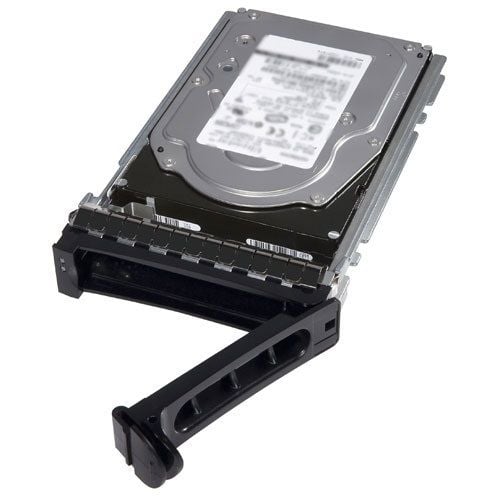
Description
Energy Efficiency and Easy Installation
The Dell 5VHHG 400GB SAS 12GBPS MLC Mix Use Hot Plug SSD is a high-performance and energy-efficient solid-state drive designed for use in servers and storage systems. It features a SAS interface and supports 12 Gbps data transfer rates, which provide fast read and write speeds and help to reduce latency. The MLC (Multi-Level Cell) NAND Flash technology used in this SSD provides high performance while keeping energy consumption low, making it an energy-efficient solution.
The hot-plug design of the Dell 5VHHG SSD makes it easy to install or upgrade without having to shut down the system, which helps to minimize downtime and improve reliability. Installation is straightforward and can be done in a server or storage system that supports SAS SSDs. This can reduce the time and effort required to maintain the system and keep it running smoothly.
Data Backup and Disaster Recovery
Data backup and disaster recovery are crucial components of an overall data management strategy, and they are especially important for Dell 5VHHG 400GB SAS 12GBPS MLC Mix Use Hot Plug SSDs. The purpose of data backup is to create a copy of your data that can be used to restore it in case of data loss, while disaster recovery refers to the process of restoring an entire system or network after a catastrophic event.
Here are some steps you can follow to implement data backup and disaster recovery for Dell 5VHHG 400GB SAS 12GBPS MLC Mix Use Hot Plug SSDs:
Data Backup:
- Identify the data that needs to be backed up.
- Choose a backup method that works best for your needs. There are several options to choose from, including local backup, cloud backup, and tape backup.
- Schedule regular backups to ensure that your data is always protected.
- Test your backup regularly to ensure that it can be restored when needed.
Disaster Recovery:
- Develop a disaster recovery plan that outlines the steps you will take to recover your data in case of a disaster.
- Identify the critical systems and applications that need to be restored first.
- Choose a disaster recovery solution that meets your needs. Options include disaster recovery as a service (DRaaS), using virtual machines, and using physical backup devices.
- Test your disaster recovery plan regularly to ensure that it will work when you need it.
By following these steps, you can ensure that your data is protected and that you will be able to recover it in case of a disaster.
Storage Tiering and Caching
The Dell 5VHHG 400GB SAS 12GBPS MLC Mix Use Hot Plug SSD can be used in storage tiering and caching to improve the performance and efficiency of your data storage system.
Storage tiering involves dividing your data storage into different performance and capacity levels, where frequently accessed data is stored in faster and more expensive storage media, while less frequently accessed data is stored in slower and less expensive storage media. By using the Dell 5VHHG SSD as a tier 1 storage device for frequently accessed data, you can improve the overall performance of your data storage system.
Caching involves storing frequently accessed data in fast, temporary storage in order to improve the speed of data access. The Dell 5VHHG SSD can be used as a cache device, where frequently accessed data is stored in the SSD for quick access, which can help to improve the overall performance of your data storage system.
General Information
- Manufacturer : Dell
- Manufacturer Part Number : 5VHHG
- Dell Part Number : 400-ALZG
- Sub-Type : SAS-12GBPS
Technical Information
- Device Type : Solid State Drive – Hot Plug
- Capacity : 400 GB
- Nand Flash Memory Type: Multi-Level Cell (MLC)
- Form Factor : 2.5
- Interface : SAS 12GB/S
- Data Transfer Rate: 1.2 GBPS
Performance
- Drive Transfer Rate: 1.2 GBPS (External)
Compatibility
- Poweredge R630
- Poweredge R730
- Poweredge R730XD
- Poweredge T630