

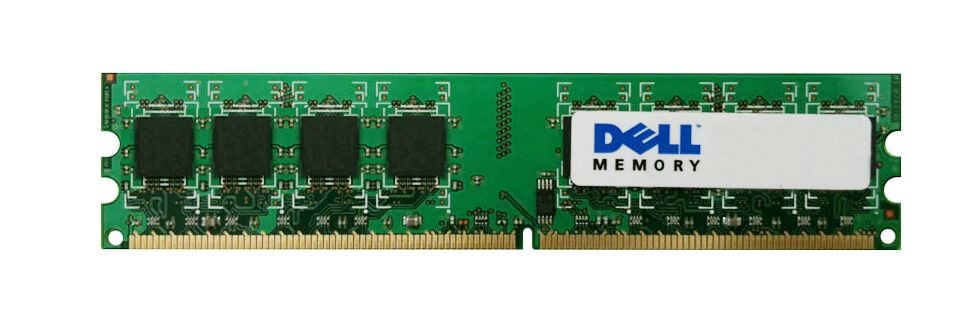

Description
Testing the performance of the 9U179 RAM
Testing the performance of the 9U179 RAM involves measuring the speed and stability of the RAM when performing various tasks on your computer. There are several tools and methods you can use to test the performance of your RAM, including:
- Running benchmark software: There are many benchmarking tools available online that you can use to measure the speed and performance of your RAM. These tools typically run a series of tests that stress different aspects of your RAM, such as read and write speeds, latency, and data transfer rates.
- Testing with memory diagnostic software: There are also memory diagnostic tools that you can use to test the stability of your RAM. These tools typically run a series of tests that stress your RAM by repeatedly writing and reading data to and from different memory locations.
- Real-world usage: You can also test the performance of your RAM by using your computer for various tasks and monitoring its performance. For example, you can test the RAM’s performance while gaming, video editing, or running multiple applications at the same time.
When testing the performance of the 9U179 RAM, it’s important to ensure that it’s properly installed and configured in your system. You should also make sure that your computer’s BIOS settings are configured to optimize the performance of your RAM.
Once you have tested the performance of your 9U179 RAM, you can compare its results to other RAM modules and determine if it’s meeting your system’s performance needs. If you find that the RAM is underperforming, you may need to adjust your system settings or consider upgrading to a different RAM module.
Upgrading your system
Upgrading your system with the 9U179 Dell 16GB 2133mhz PC4-17000 CL15 ECC Reg DDR4 SDRAM 288-Pin RAM can provide significant performance improvements for your computer. Here are some steps to consider when upgrading your system:
- Determine your system’s RAM capacity: Before upgrading your RAM, you need to determine how much RAM your system can support. You can check your computer’s specifications or run a system scan tool to determine the maximum RAM capacity of your system.
- Purchase the 9U179 RAM: Once you have determined how much RAM your system can support, you can purchase the 9U179 Dell 16GB 2133mhz PC4-17000 CL15 ECC Reg DDR4 SDRAM 288-Pin RAM module. Make sure to purchase the correct type of RAM that is compatible with your system.
- Power off your computer: Before installing the RAM module, make sure to power off your computer and unplug all cables.
- Locate and open your computer’s RAM slots: The RAM slots are typically located on the motherboard and may be covered by a plastic panel. Refer to your computer’s manual to locate the RAM slots.
- Insert the 9U179 RAM module: Align the notches on the RAM module with the notches on the RAM slot and gently press down until it clicks into place. Make sure the module is fully seated in the slot.
- Power on your computer: After installing the RAM module, power on your computer and check the system properties to confirm that the new RAM has been detected and is functioning properly.
- Test the performance of your new RAM: Run some performance tests and benchmarks to ensure that the new RAM module is performing as expected.
Upgrading your system with the 9U179 Dell 16GB RAM can help improve the speed and performance of your computer. However, if you encounter any issues during the installation process, you may need to seek the assistance of a professional technician.
Understanding the importance of RAM frequency
RAM frequency, also known as RAM speed, refers to the speed at which data is transferred to and from the RAM module. The frequency is measured in MHz and is an important factor in determining the performance of your computer. Here are some key points to understand about the importance of RAM frequency:
- Higher frequency RAM can improve overall system performance: RAM frequency has a direct impact on the speed at which your computer can perform various tasks. Upgrading to higher frequency RAM can improve the overall performance of your system by reducing data access times and increasing transfer speeds.
- RAM frequency affects system stability: The frequency of your RAM module can also affect the stability of your system. Running RAM at a higher frequency than what your motherboard or CPU can support can cause system instability and crashes. It’s important to ensure that your RAM is compatible with your system’s hardware specifications.
- Different applications require different RAM frequencies: Different applications have varying requirements for RAM frequency. For example, gaming and video editing applications typically require higher frequency RAM to deliver optimal performance, while basic productivity tasks can be performed with lower frequency RAM.
- Higher frequency RAM is more expensive: RAM with higher frequency is generally more expensive than lower frequency RAM. However, the price difference may be worth it if you require the increased performance and stability that higher frequency RAM can provide.
When considering RAM frequency, it’s important to keep in mind that it’s just one factor in determining overall system performance. Other factors such as the amount of RAM, CPU, and storage speed also play a crucial role in system performance. It’s important to ensure that all components are balanced and optimized for your specific use case
General Information
- Manufacturer: Dell
- Manufacturer Part Number: 9U179
- Type: Memory (RAM)
- Sub-Type: PC4-17000
- Product Name: 16GB DDR4 SDRAM Memory Module
Technical Information
- Storage Capacity: 16GB
- Memory Technology: DDR4 SDRAM
- Number Of Modules: 1 X 16GB
- Chips Organization: X4
- Bus Speed: 2133MHZ DDR4-2133/PC4-17000
- Data Integrity Check: ECC
- Signal Processing: Registered
- Cas Latency Timings: CL15
- Rank Features: 2RX4
- Voltage: 1.2V
- Upgrade Type: System Specific


