


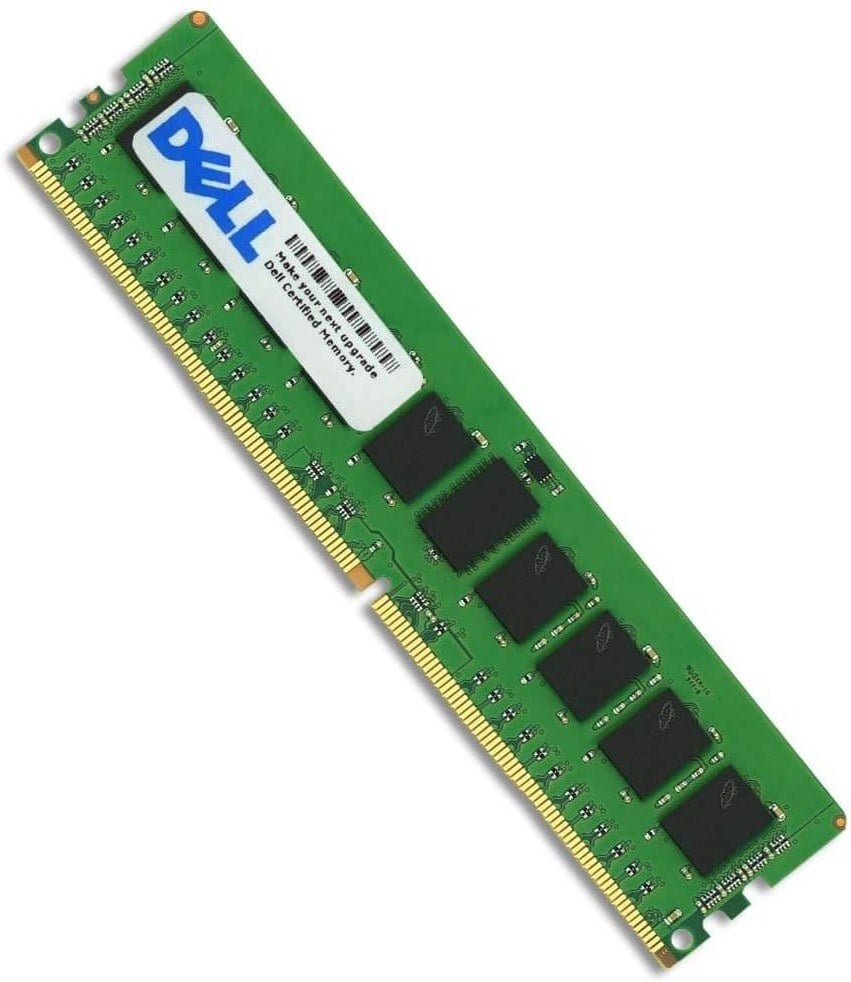

Description
Performance and speed benchmarks
Performance and speed benchmarks are tests that are performed to evaluate the performance of a hardware component or a software application. In the case of RAM, performance and speed benchmarks are used to measure the speed and efficiency of the RAM module in various computing tasks.
Performance benchmarks typically involve running a series of tests on the RAM module to evaluate its performance in terms of speed, latency, bandwidth, and other parameters. These tests may include running benchmarking software that stress-tests the RAM module by simulating high-load scenarios.
Speed benchmarks, on the other hand, measure the maximum data transfer rate of the RAM module. This is typically measured in megabytes per second (MB/s) or gigabytes per second (GB/s). Speed benchmarks are usually conducted using specialized software that measures the data transfer rate of the RAM module while performing specific tasks such as copying files, rendering 3D graphics, or running virtual machines.
The results of performance and speed benchmarks can be used to compare the performance of different RAM modules and to identify the best-performing RAM module for a particular use case. In general, higher performance and speed benchmarks indicate that the RAM module can handle more data and perform more operations per second, leading to faster and more efficient computing.
Benefits of upgrading
There are several benefits to upgrading your computer’s RAM to a Dell 16GB 667mhz PC2-5300 DDR2 ECC SDRAM 240-pin RAM module:
- Improved performance: Adding more RAM to your system can improve its overall performance, as it allows your computer to handle more data at once. This can lead to faster load times, smoother multitasking, and quicker response times in applications.
- Better multitasking: With more RAM, your computer can handle more applications and processes simultaneously without slowing down. This can be particularly beneficial for power users who run multiple programs at once or who work with large files.
- Enhanced gaming experience: If you’re a gamer, upgrading your RAM can help improve your gaming experience by reducing lag, increasing frame rates, and allowing for more complex graphics.
- Increased productivity: Faster load times and smoother multitasking can help improve your productivity, allowing you to get more done in less time.
- Cost-effective upgrade: Upgrading your RAM can be a cost-effective way to improve your computer’s performance, as it is often less expensive than upgrading other components like the CPU or graphics card.
Troubleshooting common issues
Here are some common issues that may arise when upgrading to a Dell 16GB 667mhz PC2-5300 DDR2 ECC SDRAM 240-pin RAM module, along with some troubleshooting tips:
- RAM not recognized by the computer: If your computer is not recognizing the new RAM module, try reseating the module in the RAM slot. Make sure it is properly seated and locked into place. If this doesn’t work, try cleaning the contacts on the RAM module with a soft, dry cloth and try again.
- Computer won’t boot or crashes: If your computer won’t boot or crashes after installing the new RAM module, it could be due to an incompatible or faulty module. Make sure that the RAM module is compatible with your computer’s motherboard and that it meets the required specifications. If it is compatible, try removing the new RAM module and testing the computer with the original module to see if the issue persists.
- System instability or errors: If your computer is experiencing system instability or errors after installing the new RAM module, it could be due to a faulty module or incorrect settings in the BIOS. Try resetting the BIOS to default settings and see if this resolves the issue. If not, try removing the new RAM module and testing the computer with the original module to see if the issue persists.
- Incompatibility with other components: In some cases, the new RAM module may be incompatible with other components in your computer, such as the graphics card or CPU. Try removing the new module and testing the computer with the original module to see if the issue persists. If it does not, you may need to upgrade other components to ensure compatibility with the new RAM module.
If you continue to experience issues after troubleshooting, it may be necessary to contact technical support or seek the assistance of a qualified technician.
General Information
- Manufacturer: Dell
- Manufacturer Part Number: A2337072
- Type: Memory (RAM)
- Sub-Type: PC2-5300
- Product Name: 16GB Ddr2 Sdram Memory Module
Technical Information
- Storage Capacity: 16gb
- Memory Technology: Ddr2 Sdram
- Number Of Modules: 2 X8gb
- Memory Speed: 667mhz Ddr2-667/Pc2-5300
- Data Integrity Check: Ecc
- Ram Features: Fully Buffered
Physical Characteristics
- Form Factor: 240-Pin DIMM


