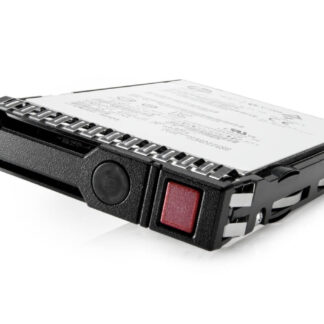
Description
Overview of the Dell DGDP0 Hard Drive
Dell DGDP0 is a high-capacity hard drive designed for enterprise-level applications. It comes with a 14TB storage capacity, 7200RPM rotational speed, and Near Line SAS-12GBPS interface. The hard drive also has a 256MB buffer and 512e format, making it an ideal solution for data-intensive applications. This article will provide a detailed explanation of the various components of Dell DGDP0, including its features and specifications.
14TB Storage Capacity
Dell DGDP0 comes with a massive 14TB storage capacity, which makes it an ideal solution for storing large amounts of data. This capacity can store up to 14 trillion bytes of data, which is equivalent to approximately 300 million photos or 7,000 hours of high-definition video. The high capacity of the hard drive is beneficial for organizations that deal with data-intensive applications, such as media companies, scientific research, and financial institutions.
7200RPM Rotational Speed
The 7200RPM rotational speed of Dell DGDP0 is an essential feature that enables fast data transfer rates. RPM stands for “rotations per minute,” and it refers to the speed at which the disk platters spin inside the hard drive. The higher the RPM, the faster the hard drive can access and transfer data. The 7200RPM rotational speed of Dell DGDP0 makes it an ideal solution for applications that require fast access to data, such as database management systems, video editing software, and virtualization.
Near Line SAS-12GBPS Interface
The Near Line SAS-12GBPS interface is another critical feature of Dell DGDP0. SAS stands for “serial attached SCSI,” and it is a high-speed interface that enables fast data transfer rates. The 12GBPS speed of the interface means that data can be transferred at a rate of up to 12 gigabits per second. The Near Line SAS-12GBPS interface is typically used for enterprise-level applications that require high-speed data transfer rates.
256MB Buffer
The 256MB buffer of Dell DGDP0 is an important component that helps to improve the performance of the hard drive. A buffer is a temporary storage area that holds data before it is written to or read from the hard drive. The larger the buffer, the more data can be stored temporarily, which can help to improve the performance of the hard drive. The 256MB buffer of Dell DGDP0 enables the hard drive to store a large amount of data temporarily, which can help to improve the speed at which data is accessed and transferred.
512e Format
The 512e format of Dell DGDP0 is another important feature that enables the hard drive to store data efficiently. 512e stands for “512 bytes per sector, emulated.” This format allows the hard drive to emulate the traditional 512-byte sector size, which is commonly used in older hard drives. However, it also allows the hard drive to store data in larger 4K sectors, which can improve the efficiency of data storage. The 512e format is ideal for applications that require a high level of data integrity and reliability, such as backup and recovery systems.
3.5Inch Hot Plug Hard Drive
Dell DGDP0 is a 3.5inch hard drive, which is the standard size for enterprise-level applications. The 3.5inch form factor is larger than the 2.5inch form factor used in laptops and some desktop computers. The larger size of the hard drive allows it to store more data, and it also enables it to have a larger buffer and faster rotational speed.
General Information
- Manufacturer: Dell
- Model Number or SKU# DGDP0
- Product Type: Hard Disk Drive
Technical Information
- Storage Capacity: 14 TB
- Interface: SAS 12GBPS
- Cache : 256 Mb
- Form Factor: 3.5 Inch
Performance
- Rotational Speed: 7200 RPM
- External Transfer Rate: 1200 MBPS
Product Dimensions & Weight
- Width: 4 Inch
- Depth: 5.8 Inch
- Height: 1 Inch
- Weight : 1.52 Lbs
Compatibility
- Poweredge C6420
- Poweredge R440
- Poweredge R540
- Poweredge R640
- Poweredge R740
- Poweredge R740xd
- Poweredge R6415
- Poweredge R7415
- Poweredge R7425
Contact us or ask for live chat/help if you have any questions about the compatibility of this item to ensure the model’s matching features with your current system.