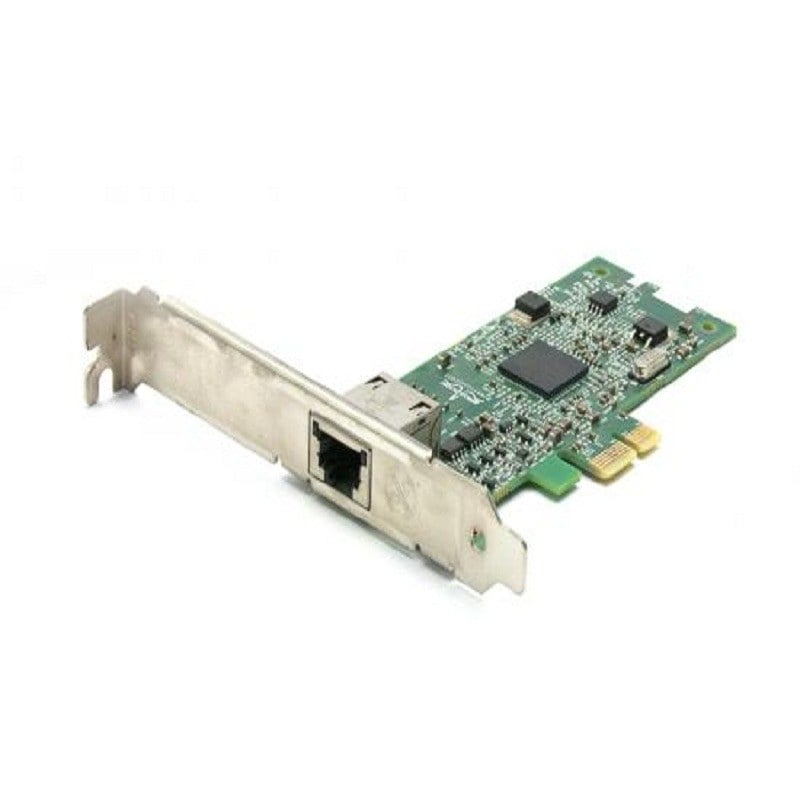

Description
Product Overview
The N0W1X Dell Intel 1 Port E810CQDA1OCPV3 Ethernet Network Adapter is a cutting-edge networking solution that provides high-speed Ethernet connectivity for data centers and enterprise environments. In this comprehensive review and guide, we will delve into the features, specifications, and benefits of this network adapter, and explore how it can enhance your networking infrastructure.
Features and Specifications
The N0W1X Dell Intel 1 Port E810CQDA1OCPV3 Ethernet Network Adapter is powered by Intel’s advanced technology, which ensures reliable and efficient performance. It features a single port design, making it suitable for various networking applications. With support for 25GbE (Gigabit Ethernet) connectivity, this adapter is capable of delivering lightning-fast data transfer speeds, ideal for bandwidth-intensive tasks such as virtualization, high-performance computing (HPC), and cloud computing.
Furthermore, the E810CQDA1OCPV3 Ethernet Network Adapter boasts a PCIe (Peripheral Component Interconnect Express) 3.0 interface, which enables it to achieve low latency and high throughput, making it a perfect fit for data center environments where network performance is critical. It also supports RDMA (Remote Direct Memory Access) over Converged Ethernet (RoCE) v2, allowing for efficient data transfers with minimal CPU utilization.
The E810CQDA1OCPV3 Ethernet Network Adapter is designed with flexibility in mind, featuring OCP (Open Compute Project) v3.0 compatibility. This means it can be easily integrated into Open Compute Project-compliant hardware and environments, offering seamless compatibility and interoperability with other OCP-certified components.
Benefits and Advantages: The N0W1X Dell Intel 1 Port E810CQDA1OCPV3 Ethernet Network Adapter brings a host of benefits and advantages to networking environments. Firstly, its high-speed 25GbE connectivity enables faster data transfers, reducing latency and improving overall network performance. This makes it ideal for applications that require high bandwidth, such as virtualization and cloud computing, allowing for faster and more efficient data processing.
Additionally, the PCIe 3.0 interface of the E810CQDA1OCPV3 Ethernet Network Adapter ensures low latency and high throughput, which is crucial for data center environments where network performance is of utmost importance. This enables smooth and uninterrupted data flow, reducing the chances of network bottlenecks and improving overall network efficiency.
Moreover, the RoCE v2 support of the E810CQDA1OCPV3 Ethernet Network Adapter allows for efficient data transfers with minimal CPU utilization. This offloads the burden on the CPU, freeing up system resources for other critical tasks and improving overall system performance.
The OCP v3.0 compatibility of the E810CQDA1OCPV3 Ethernet Network Adapter makes it easy to integrate into Open Compute Project-compliant hardware and environments, ensuring seamless interoperability and compatibility with other OCP-certified components. This provides greater flexibility and ease of use in networking environments, allowing for efficient and hassle-free deployment.
Installation and Setup
Installation:
- Shut down your computer and unplug it from the power source to ensure your safety.
- Open your computer case and locate an available PCIe slot that matches the specifications of the N0W1X Dell Intel 1 Port E810CQDA1OCPV3 Ethernet Network Adapter. It requires a PCIe x8 slot with a low-profile bracket.
- Remove the corresponding PCIe slot cover from the back of your computer case.
- Carefully insert the Ethernet Network Adapter into the PCIe slot until it is firmly seated.
- Secure the adapter to the computer case using the screw(s) provided with the adapter.
- Close your computer case and plug it back into the power source.
Setup:
- Boot up your computer and wait for the operating system to load.
- Install the appropriate driver for the N0W1X Dell Intel 1 Port E810CQDA1OCPV3 Ethernet Network Adapter. You can download the driver from the Dell support website or the Intel website.
- Follow the on-screen prompts to install the driver, and restart your computer if prompted.
- Once the driver is installed, connect the Ethernet cable to the RJ-45 port on the adapter.
- Configure the network settings on your computer, such as IP address, subnet mask, and default gateway, as needed.
- Test the network connection to ensure that the Ethernet Network Adapter is working properly.
General Information about the Dell N0W1X
- Manufacturer: Dell
- Part Number or SKU# N0W1X
- Product Type: Network Adapter
Main Specifications
- Form Factor Plug-in Card
- Interface (bus) Type Open Compute Project Mezzanine (ocp) 3.0
- Pci Specification Revision Pcie 3.0, Pcie 4.0
- Ports Qsfp28 X 1
- Data Link Protocol Gige, 10 Gige, 100 Gigabit Ethernet, 25 Gigabit Lan, 50 Gigabit Lan
- Network / Transport Protocol Iscsi, Iwarp, Nfs
- Compliant Standards Ieee 802.1p, Ocp 3.0