Description
High-Quality Option for Your Data Transfer Needs
A high-quality option for your data transfer needs refers to a solution that provides fast, reliable, and secure data transfer, with a focus on quality and performance. When looking for a high-quality data transfer option, it is important to consider several factors, including:
- Speed: The speed of the data transfer should be fast enough to meet your needs, especially for large files or frequent transfers.
- Reliability: The solution should be reliable, with minimal risks of data loss or corruption during transfer.
- Security: The solution should provide secure transfer methods, such as encryption, to protect sensitive data during transfer.
- Ease of use: The solution should be easy to use, with a simple and intuitive interface that makes data transfers quick and hassle-free.
- Cost: The solution should be cost-effective, with a reasonable price point for the level of quality and performance offered.
Some examples of high-quality options for data transfer include high-speed Ethernet connections, cloud storage services, and specialized data transfer software. When choosing a solution, it is important to consider your specific needs and requirements, and to choose a solution that offers the best balance of speed, reliability, security, ease of use, and cost.
Make Your Data Transfers a Cinch
Making your data transfers a cinch refers to the process of making data transfers as easy and effortless as possible. The goal is to simplify and streamline the transfer process so that it becomes a quick and stress-free task.
There are several steps you can take to make your data transfers a cinch:
- Use a fast network connection: A fast, stable network connection can greatly improve data transfer speed and reliability.
- Optimize your devices: Ensure that the devices involved in the transfer have the necessary processing power and storage capabilities to support fast and reliable data transfers.
- Choose the right transfer method: Different methods of data transfer, such as USB, Ethernet, Wi-Fi, or cloud storage, may have different transfer speeds and reliability. Choose the method that best fits your needs.
- Use a transfer tool: There are many tools available that can simplify the data transfer process, such as file transfer apps or transfer utilities.
- Plan ahead: Plan your transfers in advance, taking into account the size of the files you need to transfer and the time it will take to complete the transfer.
By making your data transfers a cinch, you can improve the efficiency and ease of your data management processes, reduce the risk of data loss or corruption, and make the process of moving data from one device to another quick and stress-free.
Connect Your Devices
Connecting your devices refers to the process of establishing a connection between two or more devices so that they can communicate and exchange data with each other. This can be accomplished through various methods, including wired connections (such as USB, Ethernet, or serial connections) or wireless connections (such as Wi-Fi or Bluetooth).
To connect your devices, you will typically need to follow these steps:
- Determine the type of connection required: Different devices may require different types of connections, such as USB or Wi-Fi. Make sure you know what type of connection each device requires.
- Connect the devices physically: Depending on the type of connection, this may involve plugging in cables or connecting the devices wirelessly.
- Install any necessary drivers or software: Some devices may require drivers or software to be installed on your computer to work properly.
- Configure the connection: Depending on the type of connection, you may need to configure the connection settings, such as Wi-Fi network name and password, or USB connection settings.
- Verify the connection: Once the devices are connected, you can verify the connection by testing it to ensure that the devices can communicate and exchange data as expected.
By connecting your devices, you can facilitate the transfer of data, files, and media, enabling you to share information, collaborate on projects, and access your content on multiple devices.
Get the Most Out of Your Storage
Getting the most out of your storage refers to maximizing the use and efficiency of your storage solutions, whether that’s a hard drive, flash drive, or cloud storage. Here are some tips to help you get the most out of your storage:
- Organize your files: Properly organizing your files into folders and subfolders can help you keep track of your data and make it easier to find what you need.
- Use compression: Compressing large files can save you a significant amount of storage space, without sacrificing the quality of the file.
- Use cloud storage: Cloud storage can be an efficient way to store large amounts of data, as it provides easy access to your data from anywhere with an internet connection.
- Consider using an external hard drive: External hard drives can be a great way to expand your storage capacity and protect your data from hardware failures.
- Clean up regularly: Regularly removing unnecessary files, such as duplicates or old versions, can help you free up valuable storage space.
- Use storage optimization tools: There are many tools available that can help you optimize your storage, such as disk cleanup tools or file compression software.
By following these tips, you can get the most out of your storage and make sure that your data is organized, protected, and easily accessible.
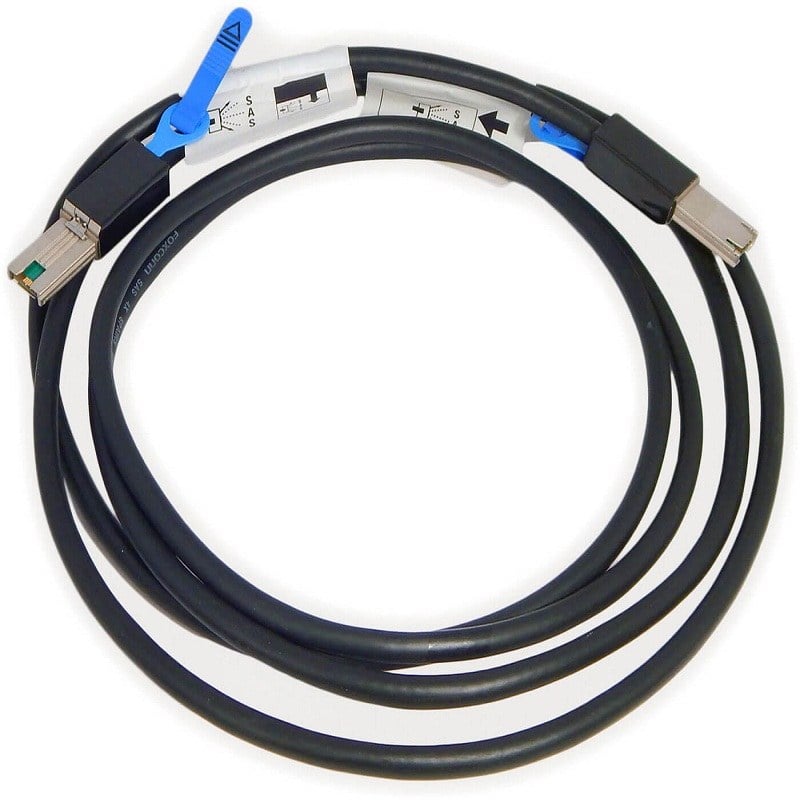
U651D Dell Power Vault Md1220 External Sas Cable 4.0 M.