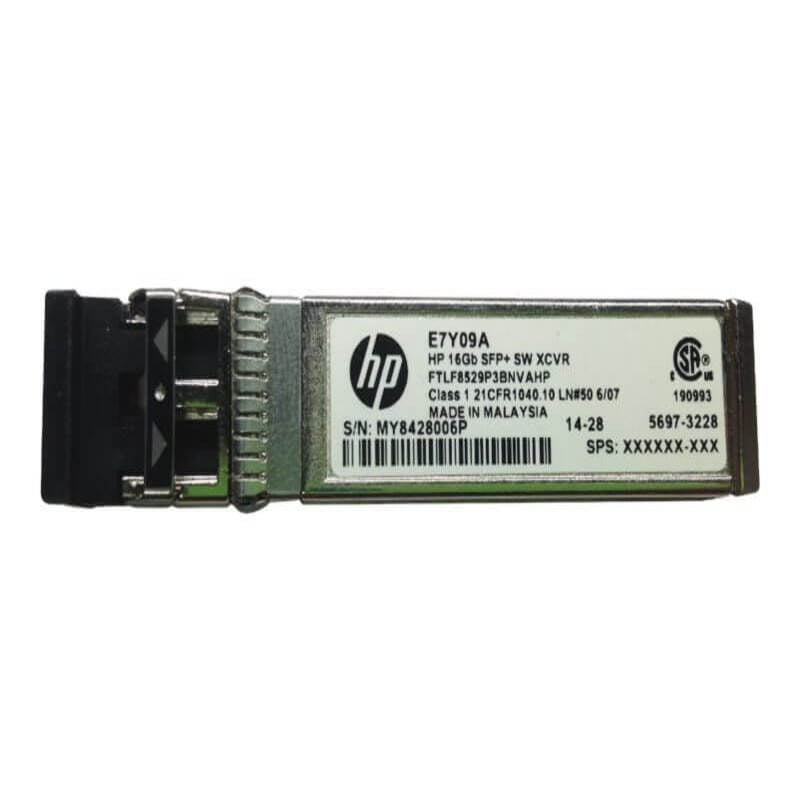
Description
Troubleshooting Common Issues
The H6Z42-63001 HP StoreFabric 16GB FC/10GBE 100M SR SFP+ Transceiver may encounter certain issues during its usage, and it is important to be aware of these issues and how to troubleshoot them. Here are some common issues and their troubleshooting methods:
- No link detected: If the transceiver is not detecting any link, then ensure that the cable is properly connected and is compatible with the transceiver. If the cable is fine, try to swap the transceiver with a known good one to see if it’s a hardware issue.
- Link is unstable or drops frequently: This may happen due to a loose or damaged cable. Check and tighten the connections. If the cable is damaged, replace it. It may also be due to a damaged transceiver. Swap it with a known good one to isolate the problem.
- Slow data transfer rate: Check the cable length and quality. Longer cables and those of inferior quality can cause data transfer issues. Use high-quality cables that are within the recommended length for the best results.
- Compatibility issues: Check that the transceiver is compatible with the device it is being used with. Some devices may require specific types of transceivers, and using an incompatible one can cause issues.
- Error messages: If error messages are displayed, refer to the device manual or contact the technical support team for guidance.
- LED indicators not working: Check the power supply and cable connections. If they are fine, try swapping the transceiver with a known good one.
- Overheating: Ensure that the transceiver is installed in a well-ventilated area and that there are no obstructions blocking the airflow.
- Faulty hardware: If all troubleshooting methods fail, then the transceiver may have a hardware issue. Contact the technical support team for guidance and assistance with replacement if needed.
It is important to note that troubleshooting methods may vary based on the specific issue and device being used with the transceiver. Always refer to the device manual or contact technical support for guidance.
Maintenance and Cleaning
The H6Z42-63001 HP StoreFabric 16GB FC/10GBE 100M SR SFP+ Transceiver requires periodic maintenance and cleaning to ensure optimal performance and longevity. Here are some maintenance and cleaning tips:
- Keep the transceiver in a clean, dry and dust-free environment to prevent any contamination that can affect the performance.
- Inspect the transceiver regularly for any visible signs of damage or wear and tear, such as cracks or bent pins, and replace it immediately if any damage is detected.
- Use a soft, lint-free cloth to clean the transceiver’s exterior surface, being careful not to scratch or damage it. Avoid using any solvents or cleaning agents that could damage the transceiver.
- Use an air blower to remove any dust or debris that may have accumulated on the transceiver’s surface, being careful not to blow too hard and damage the transceiver.
- Inspect the fiber connectors for any signs of contamination or damage. If there is any visible dust, oil or dirt on the connector, use an optical fiber cleaning pen to clean it. If there is any visible damage to the connector, replace it immediately.
- Be careful not to expose the transceiver to extreme temperatures or humidity, as this can damage the electronic components.
- Keep the transceiver away from electromagnetic interference, such as radio waves or magnetic fields, as this can cause signal interference and disrupt the network connection.
Scalability of Transceiver
The H6Z42-63001 HP StoreFabric 16GB FC/10GBE 100M SR SFP+ Transceiver has good scalability features, which make it ideal for use in enterprise networks that require fast and reliable data transfer.
This transceiver supports the 16GB FC and 10GB Ethernet standards, which means it can handle high bandwidth applications and large data transfers with ease. It also supports the 100m SR fiber optic cable standard, which is a common type of cable used for short-range data transfers.
The transceiver can be used in a variety of network topologies, including point-to-point connections, switch-to-switch connections, and server-to-switch connections. It can also be used in a multi-mode or single-mode fiber optic network, providing flexibility in network design and implementation.
In addition, the H6Z42-63001 HP StoreFabric 16GB FC/10GBE 100M SR SFP+ Transceiver can be easily installed and configured, allowing for quick and easy scalability in network environments. Multiple transceivers can be added to the network to increase capacity, and they can be configured to work in parallel for load balancing and failover redundancy.
General information
- Manufacturer HP
- Manufacturer Part Number H6Z42-63001
- Product Name Storefabric 16gb Fc10gbe 100m Sr Sfp+ Transceiver
- Product Type Sfp+
Technical information
- Application / Usage : Data Networking
- Application / Usage : Optical Networking
- Compatibility : Hp Storefabric Switch
- Connectivity Media : 50/125 µm Multi-Mode Optical Fiber 10gbase-Sr
- Data Transfer Rate : 10 Gbps 10 Gigabit Ethernet
- Data Transfer Rate : 16 Gbps Fibre Channel
- Form Factor : Flexiblelom
- Interfaces / Ports : 1 X 10gbase-Sr