Description
Streamlined Management and Maintenance
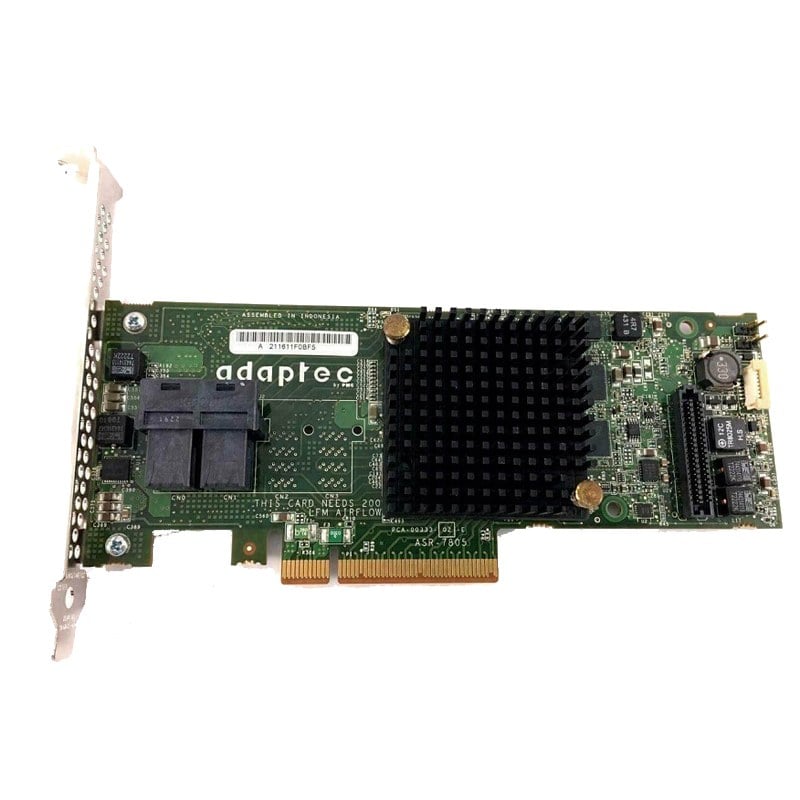
The HP 448317-001 LSI 3041E 8 Port PCI-E X4 SAS/SATA Host Bus Adapter supports streamlined management and maintenance through the following features:
- Management Software: HP Systems Management Homepage and HP Smart Storage Administrator
- Online Firmware Upgrades: Enables the adapter’s firmware to be updated without the need to power down the system
- Advanced Error Correction: Detects and corrects errors in real-time, minimizing the risk of data corruption
- Advanced Monitoring and Reporting: Offers detailed information about the adapter’s performance and health, helping to ensure that the adapter is operating optimally
- Driver Support: Supports multiple operating systems, including Windows, Linux, and VMware ESXi, for easy integration into existing infrastructure
- RAID Support: Supports RAID 0, 1, 5, and 6 for added data protection and performance
- Management API: Provides programmatic access to the adapter’s management functions through an API, enabling third-party management tools to interact with the adapter.
It is important to note that the management and maintenance features may vary depending on the specific configuration and firmware versions of the product. It is recommended to check with HP technical support or consult the product’s user manual for specific information.
High-Performance Data Transfer with the HP LSI 3041E
The HP 448317-001 LSI 3041E 8 Port PCI-E X4 SAS/SATA Host Bus Adapter provides high-performance data transfer with the following features:
- PCI Express 4.0 x4 host interface for high-speed data transfer
- Eight SAS/SATA ports for fast data transfer rates of up to 6 Gbps
- Support for both SAS and SATA drives, allowing for a wide range of storage options
- Advanced data protection and error correction technologies, including RAID and CacheVault flash cache protection
- Optimized for virtualization, with support for virtual machines and virtual storage solutions
- Easy to install and manage with support for both hardware and software RAID, as well as SAS and SATA management tools
- Compatibility with a wide range of operating systems, including Windows, Linux, and VMware ESXi
- Support for advanced data protection and error correction technologies, including RAID and CacheVault flash cache protection.
Operating System Compatibility for the HP LSI 3041E
The HP 448317-001 LSI 3041E 8 Port PCI-E X4 SAS/SATA Host Bus Adapter is compatible with the following operating systems:
- Windows Server 2019, Windows Server 2016, Windows Server 2012 R2, Windows Server 2012, Windows Server 2008 R2
- Red Hat Enterprise Linux 7.6, 7.7, 7.8, 8.1
- SUSE Linux Enterprise Server 12 SP3, 15 SP1
- VMware ESXi 6.7 U3, 6.7 U2, 6.7 U1, 6.7, 6.5 U3, 6.5 U2, 6.5 U1, 6.5
- Oracle Linux 7.7, 7.8, 8.1
It is important to note that compatibility may also depend on the specific configuration and firmware versions of the system. It is recommended to check with HP technical support or consult the system’s user manual for specific compatibility information.
General Information
- Brand: HP
- MPN : 448317-001
- Type: Controller
- Sub-Type: SAS-SATA
Technical Specifications of the HP LSI 3041E
The HP 448317-001 LSI 3041E 8 Port PCI-E X4 SAS/SATA Host Bus Adapter has the following technical specifications:
- Interface: PCI Express x4
- Ports: 8 SAS/SATA ports
- Data Transfer Rate: 3 Gbps
- Protocol Support: SAS/SATA
- Supported Operating Systems: Windows Server 2019, Windows Server 2016, Windows Server 2012 R2, Windows Server 2012, Windows Server 2008 R2, Red Hat Enterprise Linux 7.6, 7.7, 7.8, 8.1, SUSE Linux Enterprise Server 12 SP3, 15 SP1, VMware ESXi 6.7 U3, 6.7 U2, 6.7 U1, 6.7, 6.5 U3, 6.5 U2, 6.5 U1, 6.5, Oracle Linux 7.7, 7.8, 8.1
- Advanced Features: Supports hardware RAID, SAS hardware support for tape devices, Advanced Error Correction
- Management: Supports SMI-S and HP Systems Management
- Dimensions: 7.01″ x 2.54″
It is important to note that technical specifications may vary depending on the specific configuration and firmware versions of the product. It is recommended to check with HP technical support or consult the product’s user manual for specific technical specifications.