Description
Introduction to 622217-002 HP
System Board:
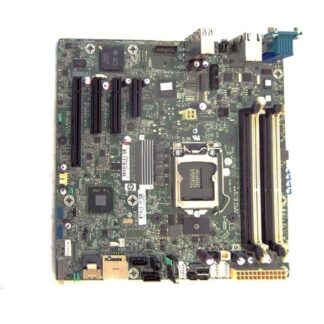
The 622217-002 HP System Board is a replacement part designed specifically for the DL380p Gen8 V2 server. It is an essential component that provides the main functionality and connectivity for the server. The system board is responsible for managing the flow of data and communication between different parts of the server, such as the processor, memory, storage, and network interfaces.
The 622217-002 HP System Board is manufactured to meet the high standards of quality and performance set by HP, ensuring reliable operation and long-lasting performance for the DL380p Gen8 V2 server. This system board is an excellent choice for businesses and organizations looking to upgrade or replace their existing server components for better performance and efficiency.
Installation Guide
The installation guide for the 622217-002 HP System Board for DL380p Gen8 V2 is as follows:
- Preparation: Before installing the system board, ensure that you have the necessary tools and equipment, including a screwdriver, anti-static wrist strap, and thermal grease.
- Power off the server: Turn off the server, disconnect all cables and remove the power cord.
- Open the server: Open the server cover and locate the system board.
- Remove old system board: Unscrew the screws holding the old system board in place and gently remove it from the server.
- Install the new system board: Line up the new system board with the standoffs in the server and gently insert it into place. Secure the system board to the standoffs with screws.
- Connect cables and power cord: Reattach all cables and the power cord to the server.
- Boot the server: Turn on the server and verify that the system board is functioning properly.
- Install any necessary software: If necessary, install any software or drivers for the new system board.
- Test the server: Perform a full test of the server to ensure that it is functioning correctly.
It is important to follow these steps carefully to ensure a successful installation of the 622217-002 HP System Board for DL380p Gen8 V2. If you are not confident in your ability to install the system board, it is recommended that you seek professional assistance.
Troubleshooting Tips
Troubleshooting tips for 622217-002 HP System Board for DL380p Gen8 V2 are as follows:
- Check Connections: Ensure that all the connections to the system board are properly seated and secure. This can resolve issues related to power, network, or storage.
- Power Cycle: If the system board is not booting or responding, try restarting the server by unplugging it from the power source for a few seconds and then plugging it back in.
- BIOS Update: Updating the BIOS of the system board can resolve compatibility issues or resolve any bugs or glitches in the system.
- Hard Disk Drive (HDD) Diagnostic: If the system board is not recognizing the HDD, try running a diagnostic tool to check if the disk is working correctly.
- Memory Diagnostic: Check for any issues with the memory modules by running a diagnostic tool provided by HP.
- Replace Components: If the problem persists, try replacing the affected components like RAM, power supply, or hard drives to resolve the issue.
- Contact HP Support: If the troubleshooting steps do not resolve the issue, contact HP support for assistance.
It is important to remember that working on the system board should only be done by a qualified technician as any incorrect handling can cause permanent damage to the board.
Product Details
- Manufacturer: HP
- Manufacturer Part Number: 622217-002
- Manufacturer Type: Motherboard
- Manufacture Sub-Type: Server Board
- Product Name: ProLiant
- Manufacturer HP Systems, Inc
Performance
- HP System Board For Dl380p Gen8 V2.